HomeNews
You can now try Windows 11 in your browser, sort ofPoke around the Windows 11 desktop without downloading anything
Poke around the Windows 11 desktop without downloading anything
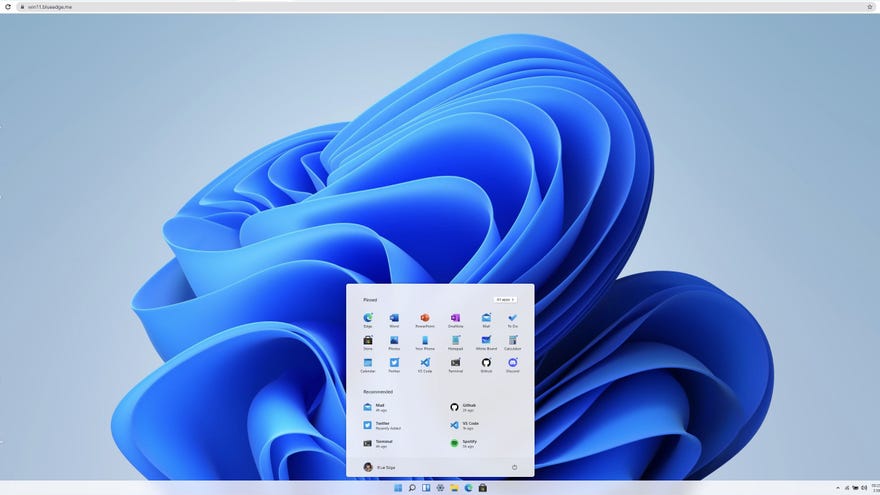
Windows 11promises a few neat bonuses for PC gaming, like native support for previously Android-only games and an AutoHDR feature that could even make up for the famously wonky HDR support on Windows 10. Still, it would be nice to try Windows 11 without needing toinstall the entire preview build.
Some key desktop features are present and correct, including the revamped Start menu, the new Windows Store and the Widgets menu. At least, they’re present in a visual sense. It’s essentially all a façade for the purposes of demonstrating the UI; you can look, you can even touch, but you can’t actually play. Clicking on apps in the Start Menu won’t open a “but in a browser!” version of them as well, and while there’s a seemingly-functional Bing search bar in the default Edge browser, you can’t click beyond the Bing veneer itself. Still, at least this limits your exposure to Edge.
The PC Gaming Weekspot: Psychonauts 2 Gameplay! Saints Row Reboot! Twelve Minutes Gameplay!Watch on YouTube
The PC Gaming Weekspot: Psychonauts 2 Gameplay! Saints Row Reboot! Twelve Minutes Gameplay!

Even with the page small scale, this is a nifty mini-tour of the first thing that will light up Windows 11 adopter’s monitors when they boot up. That could be an awful lot of people, too, as Microsoft are offering Windows 11 as a free upgrade to Windows 10, just as the latter was temporarily free to owners of previous versions.
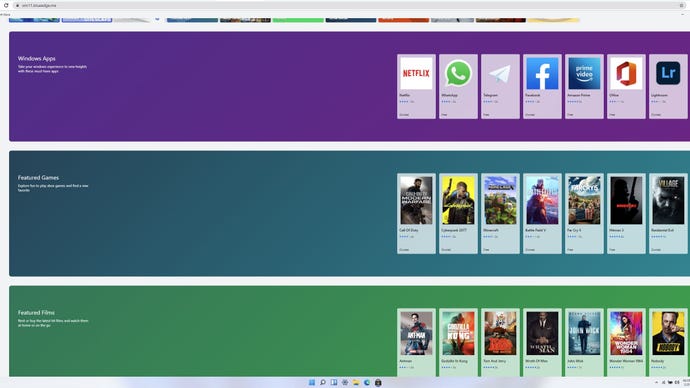
I’d recommend checking out Windows 11 in React if you’ve also been unsure of the redesign, though again, you can’t test-drive actual features like AutoHDR. For that, you’ll need to sign up for the Windows Insider Program and download the Windows 11 preview build, though this is essentially a public beta, so you can expect some jank.
Obviously you’ll also need an HDR-capable display, so have a browse through ourbest gaming monitorpicks if you intend to take advantage of AutoHDR either in the preview or when Windows 11 launches in full later this year.
