HomeGuidesThe Sims 4
The Sims 4 Neighborhood Stories: how the story progression feature works in The Sims 4What the latest Neighborhood Stories update adds, how the new features work, and glitches to watch out for
What the latest Neighborhood Stories update adds, how the new features work, and glitches to watch out for
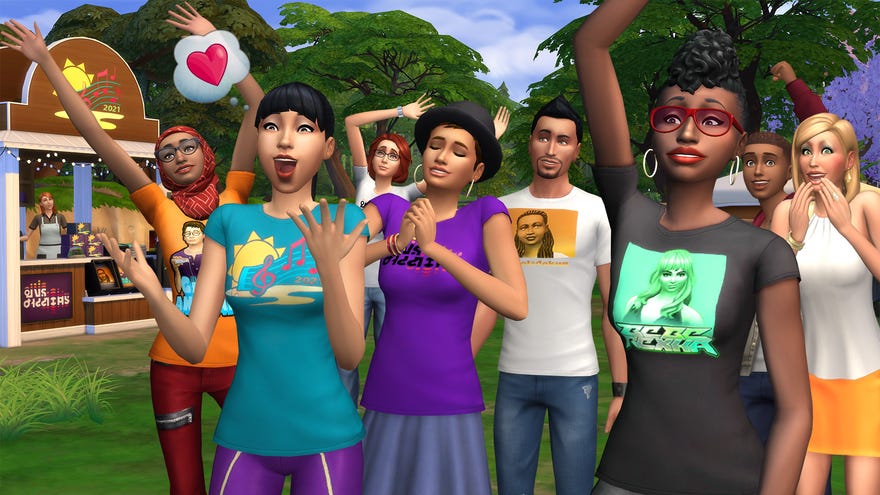
Read on to learn exactly how Neighborhood Stories work inThe Sims 4and — crucially — how it will affect your existing and new saves.
On this page:
The Sims 4 Review 5 Years On | Is The Sims 4 Worth Playing In 2020?Watch on YouTube
The Sims 4 Review 5 Years On | Is The Sims 4 Worth Playing In 2020?
How do Neighborhood Stories work in The Sims 4?
Unlike Story Progression in The Sims 3 — which was an all-or-nothing affair with a simple On/Off toggle in the options menu — the scope and extent of The Sims 4’s Neighborhood Stories are customisable. As of Patch 125, you can enable everything from a major life event free-for-all among every household you’re not currently playing, to allowing selected changes just for households you never control directly.
There’s also a smaller-scale version of Neighborhood Stories that came with the original Patch 121 update, which only affects Sims who interact with members of your active household through in-game social activities. Somewhat confusingly, the two features share a single name despite being largely discrete additions to gameplay, so for clarity in this guide we’re going to refer to them with their patch numbers to differentiate between them.
How to customise Neighborhood Stories from Patch 125 in your game
With Patch 125 installed, Neighborhood Stories can now be controlled via theManage Householdstab.
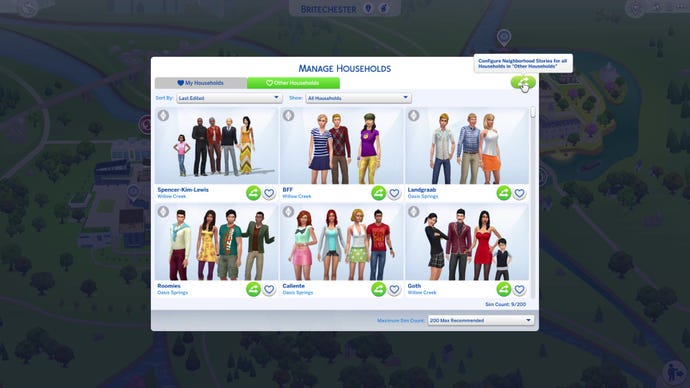
Eagle-eyed veterans of the game might notice that a new button has appeared in the upper right-hand corner of the Manage Households tab. Click this button to see customisation options for Neighborhood Stories, which will apply to every household that falls under that category in the save file.
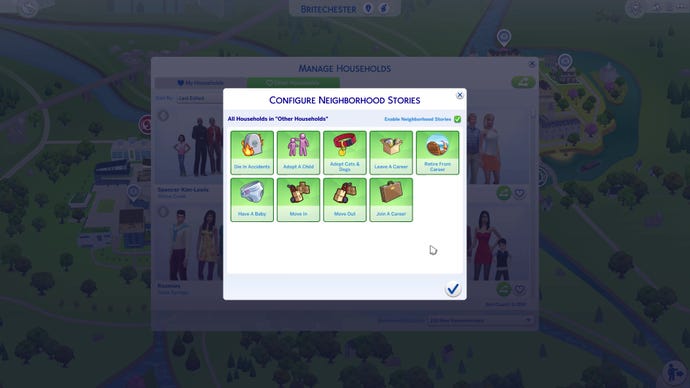
There are currently nine life events that can occur to Sims outside of your current household as a result of Neighborhood Stories. Sims can:
Curiously, at this time there don’t appear to be any options for romance-related life events (dating, marriage, divorce, etc.) to occur autonomously via Neighborhood Stories. It seems like a pretty big omission, so I’ll be keeping an eye out to see if I can figure what’s going on with that.
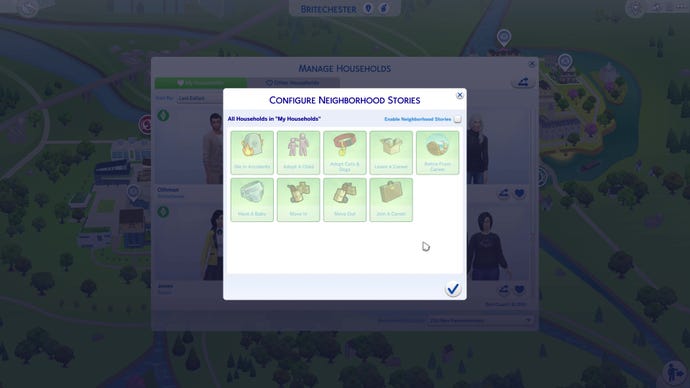
Finally, if you’re an extreme micro-manager, you might notice that the same Neighborhood Stories button that appears in the corner of each category of the Manage Households tab also appears on the family portrait of every household in this menu. Yes, that means what you think it means: you can customise Neighborhood Stories optionsper household, if there’s something you particularly do or don’t want the RNG to control for a specific family in your game. If you don’t customise to this level then every household will default to the settings you’ve applied to their category, but it’s pretty cool to know that it’s there. Rest assured, your legacy family of seven will never move out of their mansion and into a one-bedroom cottage ever again, even if it’s open season on house moves for everyone else.
How to enable or disable Neighborhood Stories
Neighborhood Stories from Patch 125 can be enabled or disabled from a couple of different menus within The Sims 4. The first and most obvious way to enable or disable the feature is via the aforementionedManage Householdstab, which in addition to letting you customise which life events you want to allow for different types of household, lets you turn off Neighborhood Stories for that household type altogether. Just remember that you need to do this twice if you want Neighborhood Stories turned off altogether: once for your played households under My Households, and once for NPC households under Other Households.
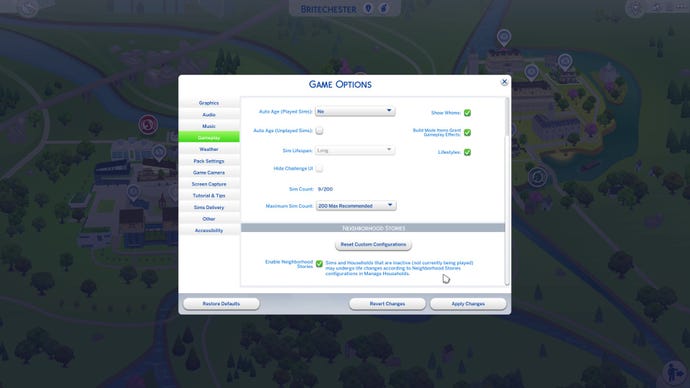
The second way to enable or disable save-wide Neighborhood Stories is viaGame Optionsin the main Options Menu. With Patch 125 installed, you can see a new Neighborhood Stories tab under the main Gameplay tab. This gives you a simple, save-wide toggle button like the one in The Sims 3, which can disable the whole feature with a single click if you prefer. (Just remember that if you want to turn it on again later, you’ll need to re-enable Neighborhood Stories in this menu before any changes you make to customise the feature in Manage Households will take effect.)
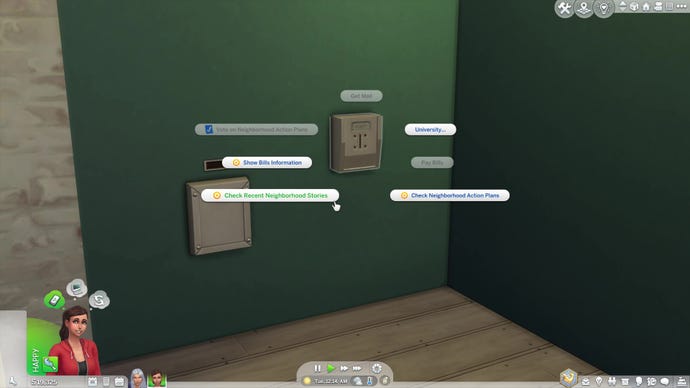
Unfortunately for some players, there is no way to disable the Neighborhood Stories features added in Patch 121 — but luckily, if you really hate them, you do have the option to more or less ignore them. Give a neutral answer every time your Sim’s neighbor phones asking for advice, don’t use the influence options in dialogue or the related Aspirations, and it’ll be almost as though the Patch 121 version of Neighborhood Stories isn’t there at all.
How to play with socially directed Neighborhood Stories from Patch 121
While the Neighborhood Stories from Patch 125 represent the Story Progression feature fans of The Sims 4 have been waiting for, there’s another side to Neighborhood Stories that’s been around since Patch 121. While the feature in Patch 125 is managed through gameplay menus and affects your whole save, the part that’s been around since 121 is smaller and more intimate in nature, and is managed via Sim-to-Sim interaction as part of the game itself. There are two ways that the Neighborhood Stories feature from Patch 121 allows you to influence the lives of NPC Sims through social interactions with your active household.
Method 1: Phone Calls
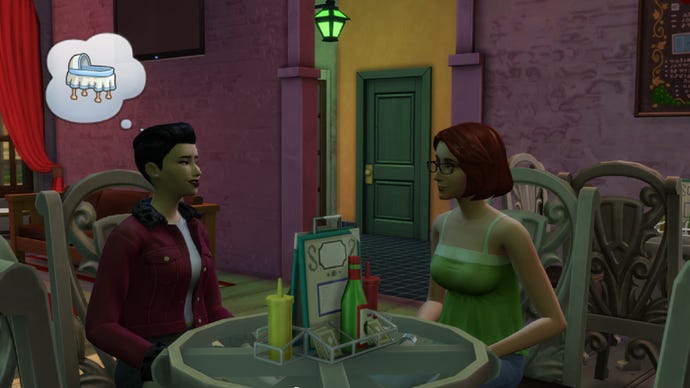
A pop-up dialogue box will give you three options to respond with. The exact wording will vary, but the gist is always that you can either tell them a firm yes, an equally hard no, or encourage them to decide for themselves. The first two options allow you as the player to take direct control of the decision, while the third puts it in the hands of the RNG.
Method 2: Direct Dialogue
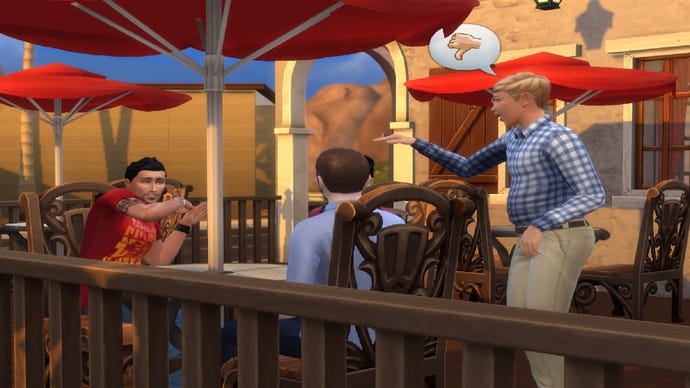
The second way you can exert control over other characters is directly via dialogue options. When in conversation with a Sim outside of your household with whom you have crossed the requisite relationship threshold, you’ll be presented with the following social options in the interaction menus:
The major difference here is that while phone calls arrive randomly, these dialogue interactions are player-directed. And unlike the phone calls, in these conversations the Sim in question won’t always heed your advice, and may politely turn down your suggestion. It’s unclear at this point whether their relationship value or the emotional context of the conversation impacts this, or whether it’s purely random.
It’s also worth noting that these options will never be available to perform on another member of your active household, even if you meet the relationship requirements to use them on NPCs.
What can go wrong: known Neighborhood Stories glitches from Patch 121
The Neighborhood Stories update generally hangs together pretty well, but there are a few known issues for you to be aware of. None of them are remotely close to game-breaking and it remains to be seen whether they’ll be patched out later, but just bear these in mind before you go meddling in the lives of your simulated neighbours.
Most of the weirdness seems to relate to the options that allow you to encourage Sims in other households to start families:
What are Neighborhood Stories Aspirations?
To help you get accustomed to the Sim-to-Sim Neighborhood Stories introduced in Patch 121, and to give you some fun ways to play with them, the November 2021 update also adds two new Aspirations: Neighborhood Confidante (Popularity Aspiration) and Villainous Valentine (Deviance Aspiration). You can set these Aspirations in CAS or using the Simology panel.
You don’t have to use either of these aspirations to see the Neighborhood Stories prompts from Patch 121, which happen regardless; and there’s also no real overlap between these aspirations and the more worldwide scale of the Neighborhood Stories features added in Patch 125. These new aspects of Simology are just an additional way to incorporate some elements of Neighborhood Stories into your gameplay if you choose to.
Neighborhood Confidante
Amusingly, Neighborhood Confidante kind of casts your Sim in the role of a typical Sims player. The aim is to be a nosy but benevolent micro-manager who, instead of working towards their own future, interferes in the lives of their neighbours, but ultimately has their best interests at heart. Of course, you largely have the freedom to decide what those “best interests” are, so we trust you’ll use your powers wisely.
There’s only one milestone to the Neighborhood Confidante aspiration, and meeting all its goals will earn you the Confidante reward trait, which allows the character to get to know other Sims more easily and avoid negative emotional buffs like Boring when in conversation.
To complete this aspiration, you need to:
Villainous Valentine
There’s just one milestone to the Villainous Valentine aspiration, and meeting all its goals will net you the Twisted Heart reward trait. This trait allows your Sim to wallow in the misery of others much more effectively thanks to increased Social need gain when performing Mean or Mischief interactions, and decreased durations for Sad and Embarrassed emotional buffs.
To complete this aspiration, you need to:
For more on the latest free base game updates in The Sims 4, check out our guide to playing with the recently addedSims 4 Scenarios. We’ve also rounded up what we think are thebest DLCs for The Sims 4in a comprehensive buyer’s guide to help you expand your game without emptying your wallet. Finally, we’ve got a whole page dedicated toThe Sims 4 cheats and codesthat you simply mustn’t miss out on if you really want to tweak the game to your liking.
