HomeFeaturesMinecraft
The best Minecraft performance modsBuilding blocks
Building blocks

When I first read about theMinecraftjava mods that could triple the game’s framerate, I took it in the same spirit as those programs that claim you can download more RAM, or various sites telling me about hot singles in my area. That is, I felt lied to. But as downloader and tester, I did just that and discovered that the claims were true. You can boost Minecraft’s performance significantly, even on low-end or old computers. So I’m also downloading a hot single with 2TB of RAM right now, just in case.
I recently spent some time setting up a small Minecraft server on an old PC. I wanted to create a place for myself and few friends. The one issue was that we were all using vastly different PCs. In my office, I have a new gaming PC with 32GB of RAM, an AMD 3600 and a 2080ti; our other PC is a five-year-old Alienware Alpha with integrated Nvidia graphics, a 4th generation i5, and I’ve added 16GB of RAM. The technical differences are vast, and I wanted to level the performance playing field between the two.
There are a few competing modding APIs for Minecraft.Forgeis the main platform, and has the vast majority of mods and modpacks developed for it. A relatively new one,Fabric, is where these performance mods are developed. They are specifically designed to squeeze the most out of Minecraft, and they live up to the hype. There are some content mods for Fabric, but the choices are sparse in comparison to Forge. This guide will focus on crafting a better vanilla experience.
How to mod Minecraft
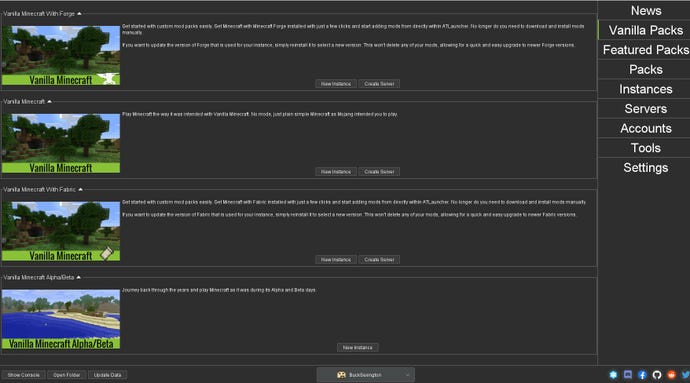
I tried GD Launcher, MultiMC, and a few other alternative launchers for Minecraft. I foundATLauncherthe best of the lot. It can download Vanilla Minecraft, Vanilla packs with Forge or Fabric modloaders pre-installed, or curated modpacks from Curse. The UI is a bit clunky, but for me, it’s the most comfortable way of installing and automatically updating mods.
You select the Minecraft version you want and the modloader you prefer (for this article: Fabric). This will set up a vanilla install of Minecraft ready for modding. Each Minecraft install lets you search Curseforge to download and add a mod, or you can download it and drag and drop the mod in the Edit Mods tab of the installed instance. You can enable or disable mods without uninstalling them.
Best Minecraft Performance Mods
There are various changes to how chunks are rendered (basically what you don’t see isn’t rendered), memory optimisations, lighting changes, and more. This really adds up. On my main PC, the FPS reaches above 300 with the view distance maxed out (all the way to 32 chunks) and all the details set to their best quality. On the weaker PC, I regularly doubled the FPS to around 120 with a view distance of 20, doubling the previous range. With it installed, the world and lighting are generally smoother as well, with less gridlike patterns viewable. This all results in blisteringly fast world loading.
Download Sodium
This adds four additional options tabs to your Sodium settings. They’re not obvious performance settings, but will let you enable or disable things like animation on blocks or items (water, lava, portals), and turn various particles on or off. These won’t give you the huge boost that the main mod does, but will give you fine control over all the game’s details. If the animated effects of the potion’s particles annoy you, you can switch them off with this.

Download Sodium Extra
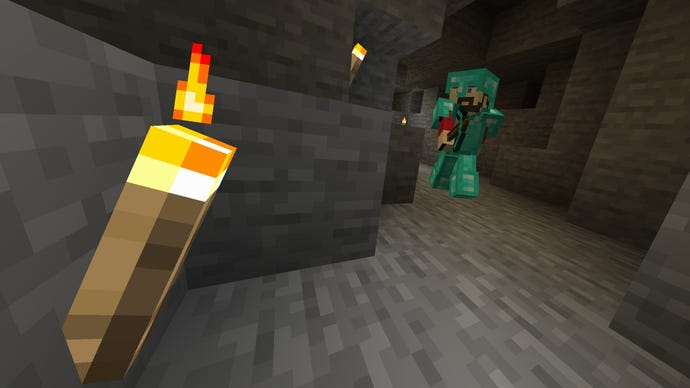
It only changes how the lighting engine works, not how it displays. It optimises how Minecraft lights the various chunks that pop into existence as you explore the world, resulting in chunks loading twice as fast as before. The world loading should feel snappier as you traverse it.
It can be installed on the server without the client requiring it, and it’ll run on the client if the server doesn’t have it installed.
Download Phosphor
There’s more to performance than what you see. Lithium is JellySquid’s companion mod to the rendering and lighting engines, though it’s less of a specialised addon than both of those. It touches on the physics engine, world gen, mob AI, and more.
Clawing performance back from those things requires changes to the physics collision resolution. It’s a blocky game, which means you can simplify that area a lot. The world generation optimisations targets a number of unnecessary calculations, easily speeding up the way the game loads and builds levels. Mob AI now chooses their tasks more swiftly.
It’s another mod that works on the server without the client requiring it, but as Minecraft’s single-player game runs on an internal server you can install it on your own PC and see the benefits.

Download Lithium
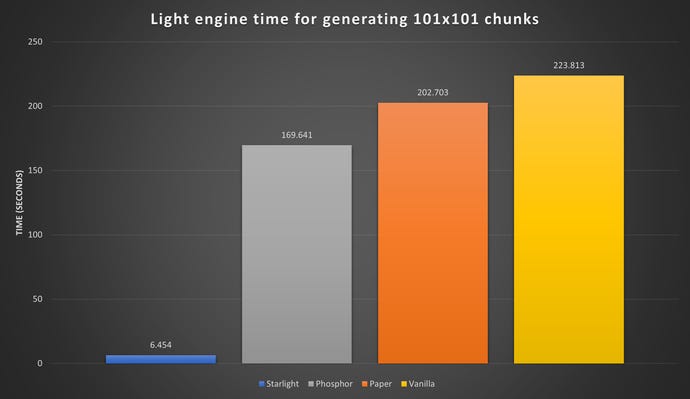
Another new lighting engine, one that you can’t run alongside Lithium or you’ll risk going blind, but that also claims to have even faster lighting generation across Minecraft’s world.
You’ll need to download it and drag it into the Edit Mods tab of ATlauncher to enable it.
Download Starlight
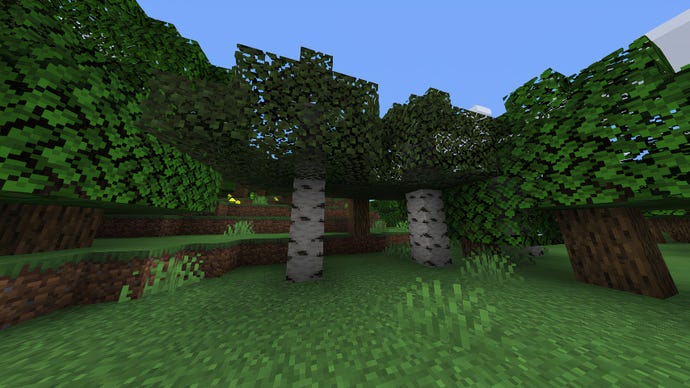
A simple fix: this mod culls leaves on trees, reducing the rendering of the leaves to the edges of what’s visible on screen. This makes the trees look a little bit less solid, but it also grabs back frames in great leafy handfuls.
Download Cull Leaves
This decouples the in-game resolution from the HUD and the viewport. With it, you can run a fullscreen game of Minecraft at lower resolution than the native monitor. You can then apply a filter that’ll sharpen the image. I played the game at 75% resolution in the Alienware Alpha and the image quality was fine. You can also use this program to supersample Minecraft, playing it at a higher resolution to increase the image quality. It has a hefty performance hit, but if you’ve already saved a lot of performance with the mods in this list, you might be able to afford it. It also lets you take absolutely massive scrfeenshots without any lag. It’s basically magic.
Download Resolution Control Plus
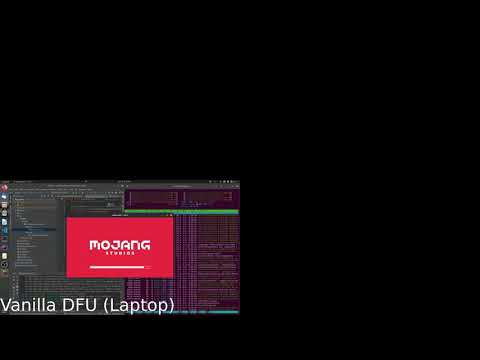
A set-it-and-forget-it mod. It changes how Minecraft loads, deferring a data fix so the game isn’t loading too many elements at once. You’ll be loaded into the game menu in half as much time as it takes Vanilla to load. It works well on a powerful PC, but it really helps low-spec systems.
Minecraft - the difference LazyDFU makes!Watch on YouTube
Minecraft - the difference LazyDFU makes!
Download LazyDFU
Now you have all those frames spare, what can you do with them? My own focus is to create worlds that the game won’t do normally. Simplex aims for more ‘realistic’ generation, and though it can reduce the variety of the immediate world, it creates some wonderful vistas.
Simplex generates long plains, curving beaches and bays. The sort of landscape that stretches and rolls, that climbs to the clouds, that carves deep and curving river fjords. With better performance, you can create a level that feels like a natural land and admire it as you explore.
It feels much bigger than vanilla Minecraft, and with an optimised game you’ll be able to play in it with few performance worries.
Download Simplex Terrain Generation
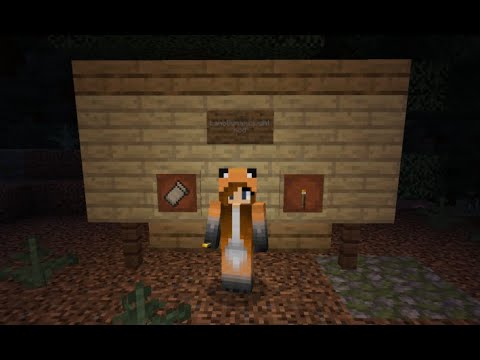
Call me old fashioned, but light should light things. Vanilla Minecraft’s light sources only light things when placed, so you can’t carry a torch around as illumination. Lamb Dynamic Lights changes that.
LambDynamicLights: Add dynamic lighting to your MinecraftWatch on YouTube
LambDynamicLights: Add dynamic lighting to your Minecraft
Download Lamb Dynamic Lights
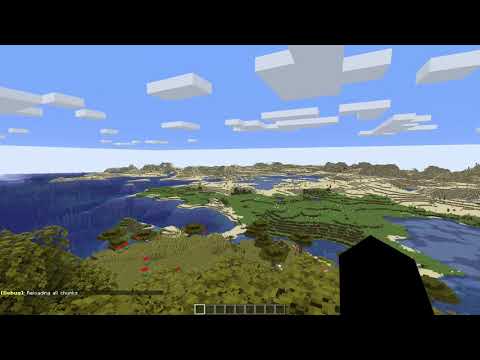
A small tweak to how the chunk loading is displayed. Instead of popping up in random lurches, this gently loads in the world. It’s oddly calming in comparison to the standard block popping all over the screen.
Fade In ChunksWatch on YouTube
Fade In Chunks
Download Fade In Chunks
