HomeHardwareReviews
Steam Deck review: a little big dealEven with some software snags, the Steam Deck is an ambitious and impressive handheld PC
Even with some software snags, the Steam Deck is an ambitious and impressive handheld PC
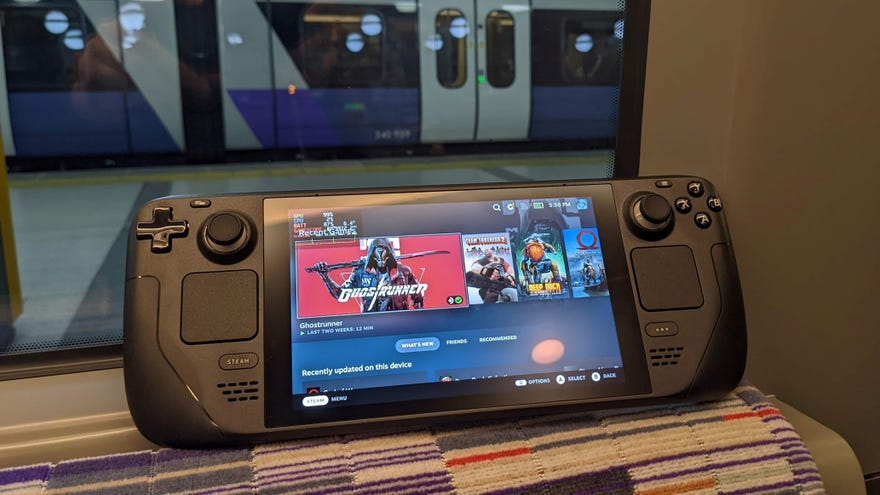
Praise and curse theSteam Deck, for it has stolen 20 years of my life. A few minutes into playing on this – the first serious attempt at a handheld PC from a major gaming entity - and I am once more a child, alternating between sinking into the sofa to redirect energy into my thumbs and wanting desperately to rush round my friends’ houses to show them thecool new thing.
Not that the Steam Deck is a nostalgia exercise, given it’s built to run the very latest AAA games as much as it is indies and retros. And it certainly isn’t twee: from its no-nonsense, all-black design to the performance-tweaking options in its OS, the Deck is a serious device, even and especially when it’s serious about giving you a good time. That’s in spite of some imperfections, to be sure – the software, screen and battery life may disappoint anyone expecting another top-end Valve hardware masterclass to follow theirIndexvirtual reality headset. But the Steam Deck is more accessible, more affordable, and far more useful to have on a train.
We Answer Your Steam Deck Questions For 19 minutes StraightWatch on YouTube
We Answer Your Steam Deck Questions For 19 minutes Straight

It’s comfortable too. The contoured grips on either edge help compensate for any unwieldiness, and the shoulder and trigger buttons are much more generously proportioned than the nanoscopic slivers you get on the Switch. The thumbsticks, too, feel more substantial and satisfying, it not quite as grippy. I was concerned at first that the thumbsticks might be a positioned a tad too high, but if anything they suited my natural thumb positions more than the trackpads below them.
When it comes to using these little squares as direct thumbstick alternatives, I’m admittedly still torn: with practice they do feel much more precise, a near-necessary quality in multiplayer shooters or other twitchy games likeGhostrunner, and yet my complete lack of muscle memory for them repeatedly had me crawling back to the sticks. They’re perfectly fine for when a cursor needs pointing, mind, and just like their precusor pads on theill-fated Steam Controller, they add even more control configuration options to what is already an input-stuffed device.
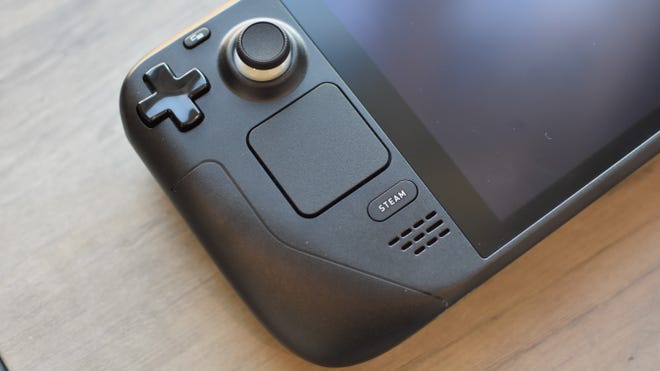
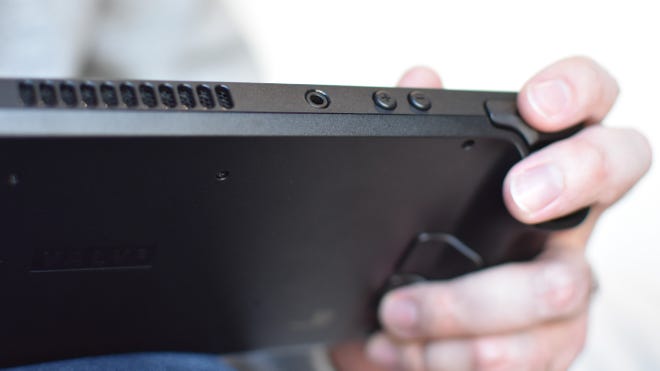
Indeed, there are benefits to a larger frame, even on a handheld. Having the space for so many buttons, sticks and pads is one; cooling is another. The Deck’s exhaust fan is quiet enough to be drowned out with the speakers at medium volume, or with literally any pair of headphones or earbuds (Bluetooth or 2.5mm, your pick). And what heat is left over remains largely confined to the centre of the device, away from where you can really feel it. This means that although the rear panel can hit up to 41 degrees Celsius under load, the parts your hands are actually touching remain a cool 26-28 degrees. The hottest part of the touchscreen, the top-left corner, won’t singe your little fingies either: I measured it peaking at 36 degrees.
On the subject of the touchscreen, it’s a 7in, 1280x800, LCD number running at 60Hz. Hardware editor law decrees I must express some form of regret this refresh rate isn’t higher, but then for a battery-powered device it probably is wiser to take the tradeoff of an effective 60fps cap.
A bit more vibrancy wouldn’t have hurt, mind. This screen only covers 63.7% of the sRGB colour gamut, about what you’d see on an entry-level gaming laptop; dedicated monitors usually land in the 96-99% range. It’s therefore up to brightness and contrast to give the Steam Deck some visual pop, and thankfully, they’re pretty successful too. I measured contrast ratio at a nice and high 1241:1, with peak luminance hitting 596cd/m2. That’s enough to keep the Deck usable in direct sunlight, and there’s an adaptive brightness setting if you’d prefer automatic adjustment. I’ve been testing the top-spec 512GB model, the only one with an anti-glare screen coating, though the others should reach the same brightness levels to help cut through reflections.
Image credit:Rock Paper Shotgun
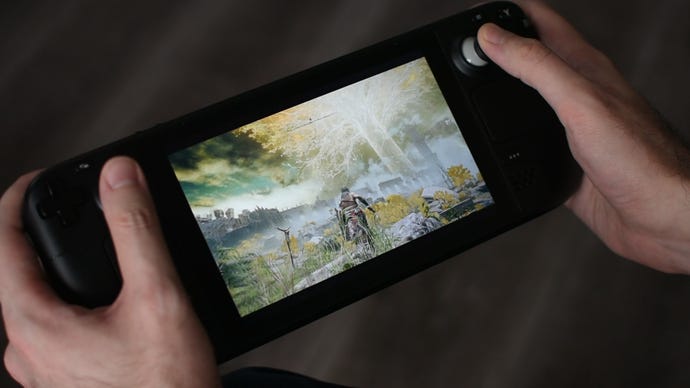
As for the newer, more demanding denizens of the Steam catalogue, you might need to lower some quality settings, but the Steam Deck usually has the horsepower to get over the 30fps mark. New wizard hotnessElden Ringticks along at 35-40fps on Low quality, andForza Horizon 5’sbuilt-in benchmark returns a 36fps average on High. Dropping to Medium pushed this to a visibly slicker 44fps, while Low netted 52fps.Total War: Three Kingdomshas a tougher time, especially on the campaign map, but on Low quality still managed a reasonably stable 30fps in the Battle benchmark.
Clearly, the Steam Deck won’t send shivers down the circuit boards of 2022’sbest graphics cards. But some recalibration of standards is surely fair for a handheld, and considering this one costs less than some individual PC components - let alone an entry-level gaming laptop - it’s not half bad. In fact, the very sensation of having these game running decently on a handheld is pretty enjoyable in itself; I’ve played some nice-looking mobile games but nothing like High-quality Forza.
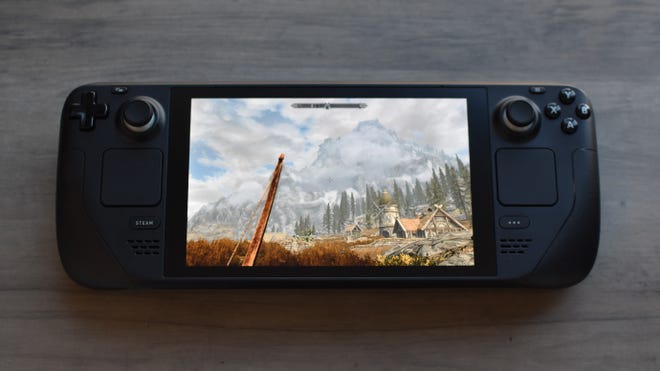
And again, much smoother frame rates can be had elsewhere.Wolfenstein II: The New Colossusmaintained a perfect 60fps even on the highest ‘Mein Leben!’ quality preset, andMonster Hunter Risehung around the 45-60fps area on High. TheElder Scrolls V: Skyrimcan also max out the refresh rate on Ultra quality, at least within buildings and dungeons – out in the wilds it’s more like 30-40fps.
EvenCrysis Remastered(a popularreader request) can hit 60fps on Medium quality, with occasionally but rarely noticeable drops down into the fifties. High quality is playabale too, sticking just above 30fps, though tragically the ‘Can It RunCrysis?’ setting donks this down into the spluttering 20-25fps range.
Unsurprisingly, games originally crafted for consoles tend to work well too. Besides the former Switch exclusive Monster Hunter Rise,God of Warlands in the 30-35fps range on Original quality; that’s slightly faster than it ran on the base PS4, though that was targeting a more taxing 1080p resolution.Horizon Zero Dawn, meanwhile, averaged 40fps on Original quality, hopping up to 44fps with Ultra-quality FidelityFX Super Resolution (FSR) upscaling.
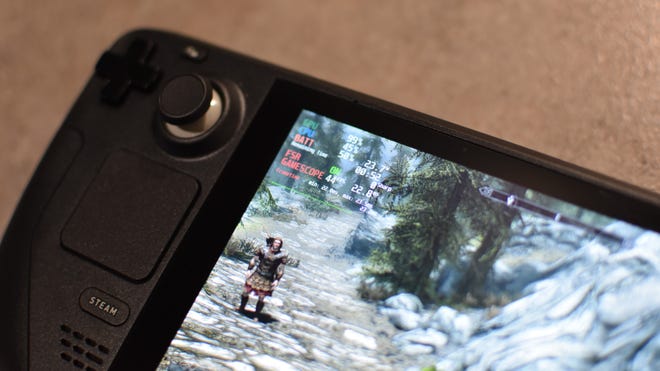
I say “can” rather than “will” because in practice this system-level FSR won’t be available for every single game. For one thing, not all games actually offer resolution options lower than the Deck’s 1280x800, and those that do might not work. Three Kingdoms, for example, has lots of lower resolution options, but none of them seemed to make FSR kick in.
When it does work, however, FSR could well smooth out a struggling frame rate, or further improve performance on games that have a bit more headroom. With Skyrim set to 800x500, outdoor performance rose to the 40-50fps range, a visible step up on smoothness. And although text looked less sharp, most of the game still looked close enough to native resolution.
Ultimately you don’t need to worry much about your favourite games falling short on frames per second, at least not terminally. Unfortunately, that’s not the same thing as saying all your games will simply work. There’s a bigger barrier to the simple business of getting some games to run on the Steam Deck: software jank.
As a Linux-based operating system, the Deck’s SteamOS relies on a compatibility layer called Proton to get Windows games up and running. For the most part, it does a fine job: all the games I’ve mentioned so far, and many more, will launch and run as if they were manually ported to SteamOS to begin with. The same goes for games that have a Linux port, like Three Kingdoms, but don’t officially support SteamOS’s specific Linux distro. In other words, it works, until it doesn’t.
Valve’scompatibility review programmeis a big help for identifying which games won’t work outright; any games that Valve has tested as part of this programme will have a compatibility rating on their Steam Store and library pages, including those that aren’t sufficiently functional. You can also use Valve’scompatibility checker toolto find out the status of your entire Steam library, regardless of whether you own, have ordered, or are intending to order a Deck. Still, this programme also an ongoing process that has so far only covered a few hundred of Steam’s tens of thousands of games.
Installing Windows, or at least setting up dual booting once it’s supported, could be a tempting workaround. AsGabe Newell explained to us, the Steam Deck isn’t designed to be a closed-off system, and swapping the OS is fairly easy to do with USB media (and a USB-C hub) as the boot menu is freely accessible. Though you naturally wouldn’t get the custom-designed SteamOS UI, nor the immensely useful suspend/resume feature, on Windows.
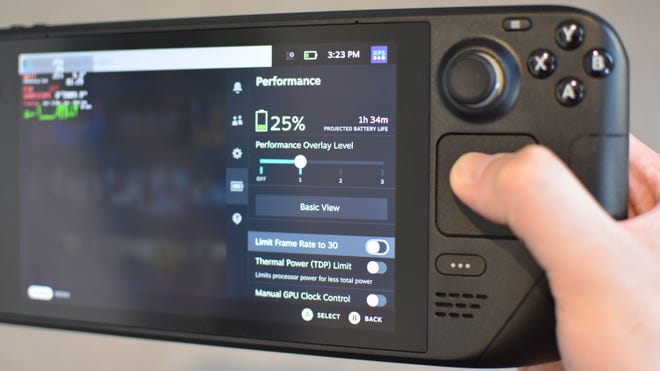
In another surprise to myself, I’ve been finding SteamOS comfortable and flexible enough to use as is, even with the crapshoot nature of game compatibility. It’s a good piece of handheld UI design work: easy to navigate without being so over-simplified as to hide important info, and like the desktop version of Steam, it makes smart use of overlays. Tapping the Quick Settings button brings up easy access to a host of options, including an FSR toggle, a screen brightness slider, and toggles for battery-saving tweaks like Airplane mode and a global 30fps cap. You can even set a thermal power limit and adjust the GPU clock speed, should you be willing to cut performance in favour of stamina. What console lets you do that?
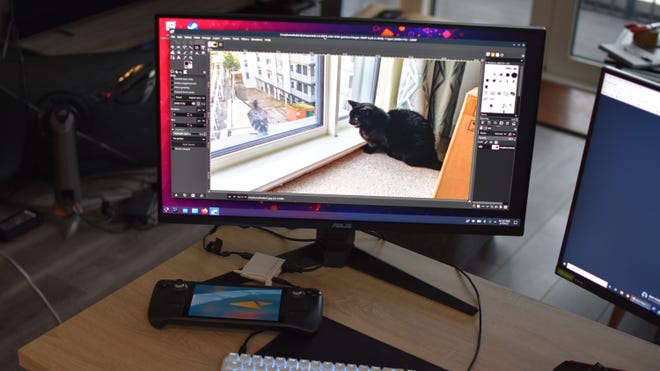
Get a USB-C hub with video output, you can play games or run apps on a monitor.
Back on the subject of compatibility, it is a shame that not everything works. But the vast majority of games I’ve tried so far have launched and ran either sufficiently well, or completely seamlessly, and that includes a fair few that haven’t yet been tested as part of Valve’s review programme. Even a conservative estimate would point towards tens of thousands of Steam games being Deck-capable, and remember, these are games that you already own, with backwards compatibility stretching back decades. That’s quite a library for a new handheld.
The diversity of available games also means that battery life can, er, vary. Valve say the Steam Deck will normally last between two and eight hours, depending on what you do with it, so I tried to hit both extremes. First, a worst-case scenario: Horizon Zero Dawn, running at Original quality (without FSR), with maximum screen brightness, Wi-Fi on and full speaker volume. In this torture test the Deck only lasted one hour and 23 minutes, short of Valve’s lowest estimate.
That is, indeed, a large yikes. But then running a much more easygoing game - the purely 2D Super Meat Boy – with minimum screen brightness, a 30fps cap, Airplane mode engaged some visually unnecessary FSR, the Deck kept going for nine hours and 17 minutes. That’s more of a transatlantic flight than Paddington to Swindon.
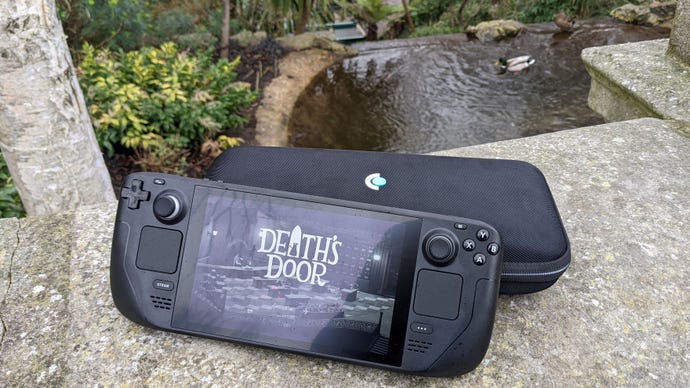
Since that’s as much theorycrafting as it is ‘real’ usage, I also measured how long I could get playing Death’s Door normally, and got 2 hours 53 minutes using 50% brightness. Realistically, I think most games are going to land at the lower end of the battery life scale, which isn’t ideal for long commutes. And the inconsistency is a bit of an issue too – it’s hard to tell how quickly a specific game will slurp up the juice until you’re already playing it.
In the Deck’s defence, most gaming laptops are unlikely to last longer; last year’sMSI GE76 Raiderran dry after a mere hour and 10 minutes, so it’s hard to see the Deck’s longevity as a step backward from current alternatives. And it doesn’t take an age to recharge: a little over two hours from empty to full. I found 30 minutes of mains power translates into 24% battery, with an hour doubling that precisely to 48%.
You could argue that the Switch lasts longer, which would be fair, though overall Nintendo’s console doesn’t have anywhere near the Steam Deck’s attention to detail. Again, there are all those little settings for stretching out battery life, but there’s a real sense that the Steam Deck has thought of everything.
Finding text too small to read on the 7in screen? Holding down the Steam button and L1 together will zoom in for a better view. Playing a retro game that wasn’t designed for the Deck’s resolution? The Quick Settings menu offers integer scaling, which keeps the original pixel art looking sharp. And yes, you can open it up to replace or repair parts,even if Valve say you shouldn’t– all you need is a small Phillips head screwdriver and a steady hand. Even the cheapest model’s 64GB of Flash storage can get a straightforward upgrade to an SSD, as it uses the same M.2 interface as the SSDs in the higher-spec models.
But as much as I appreciate tinkering with PCs, that’s not the reason I like the Steam Deck as much as I do, and am willing to at least live with its compatibility issues and brief stamina. See, I normally hate this word, but theexperienceof using a Steam Deck is satisfying, exciting, and largely unique: it’s playing a blockbuster action-adventure on the way into town and digging into a Humble Bundle haul on the way back; it’s shutting down your PC after reaching a save point, then picking up from the same cloud save later in bed; it’s a novel yet comfortable way to play the games you already own, with enough in the way of performance and PC-style openness to avoid it feeling like a gimmick. Cool new thing, yeah?
