HomeHardwareNews
Steam Deck gets Windows drivers to make switching OS easierThe speakers won’t work, though
The speakers won’t work, though
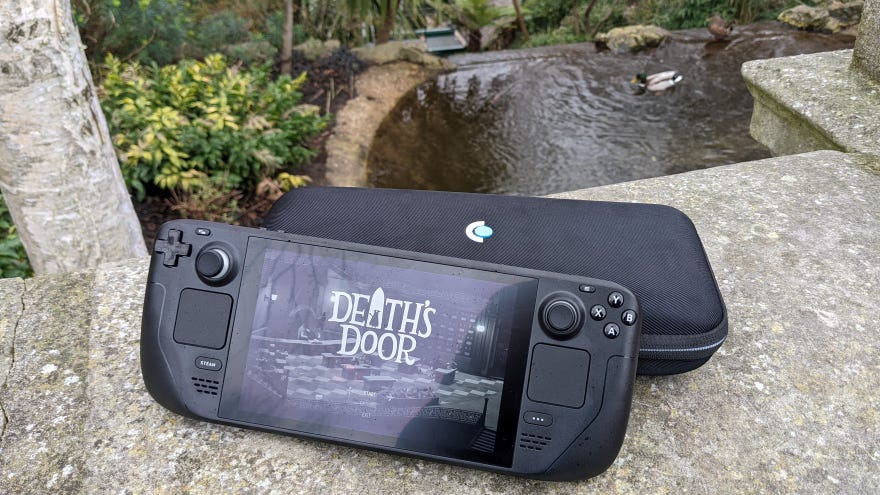
Valve have gathered up some crucial Windows drivers for theSteam Deck, improving performance for those who want to ditch the default SteamOS and replace it with Windows 10. GPU, Wi-Fi and Bluetooth drivers are all available fromSteam Support, so early Deck adopters looking for a change can get the requisite downloads all in one place.
These drivers come with caveats, mind. Audio drivers are still a work in progress, so only USB-C, 3.5mm, or Bluetooth headphones can output sound on Windows, and Valve’s post explains that dual-booting support still isn’t ready yet. Installing Windows, then, is an all-or-nothing switch that involves wiping SteamOS entirely.
Elden Ring On Steam Deck - Proton Update Improves PerformanceWatch on YouTube
Elden Ring On Steam Deck - Proton Update Improves Performance

You’ll also need to use a USB-C hub with an Ethernet port to activate Windows during setup, as the Wi-Fi driver can only be installed after Windows is installed. It’ll need to be Windows 10, too, as Windows 11 isn’t supported yet either (thoughWindows 11’s gaming features aren’t exactly essential). Oh, and Valve are “unfortunately unable to offer ‘Windows on Deck’ support”, so if it goes wrong you’re on your own unless you switch back to SteamOS.
That’s a lot of bad news for what is ultimately a step forward, so here’s some good. Firstly, installing Windows in the first place remains quite simple: you just need to create USB installation media and force the Steam Deck to boot from it, much like you might when installing Windows on a desktop PC. And while it was possible to get Windows running on the Deck without these drivers, they should make the whole experience a lot smoother and faster.
