HomeNews
RPS comment notifications have arrivedNever miss a comment reply ever again
Never miss a comment reply ever again
Image credit:Rock Paper Shotgun
Image credit:Rock Paper Shotgun

Good news, folks. Comment notifications have finally arrived at RPS. This should now make it much easier to keep track of your conversations with other readers, and help ensure you never miss those all important replies ever again. I know many of you have been asking for this feature since we redesigned the site last year, and I’m happy to say our tech team have delivered. Here’s how it all works.
You may have seen our notification system in action already, as our tech team snuck it onto the site around this time last week. From now on, when you log into Rock Paper Shotgun, you should see a new button in the top right corner of your screen that says ‘Notifications’, like so:
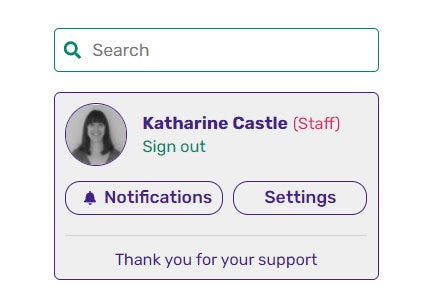
When someone has replied to a comment you’ve written, a little number will appear next to the bell in a nice bright colour, telling you how many replies you’ve had since you last visited the site. To jump to said replies, just click the Notifications button, and select a reply from the drop-down list. This will then zip you over to the article in question so you can read what they’ve written.
Alas, one thing to flag - clicking the notification button won’t take you to the exact place on the page where your comment’s actually located at the moment, so you may still need to scroll down a bit to find it again to post your reply. This is something I’ll be trying to sort out with our tech team in a future update, though, so hang tight on this!
Video Game Music Quiz - Can You Guess The Adventure Game From The Tune?Watch on YouTube
Video Game Music Quiz - Can You Guess The Adventure Game From The Tune?

