HomeGuidesMonster Hunter Rise
Monster Hunter Rise: How to lock onLearn how to track a specific target and lock the camera in Monster Hunter Rise on PC
Learn how to track a specific target and lock the camera in Monster Hunter Rise on PC
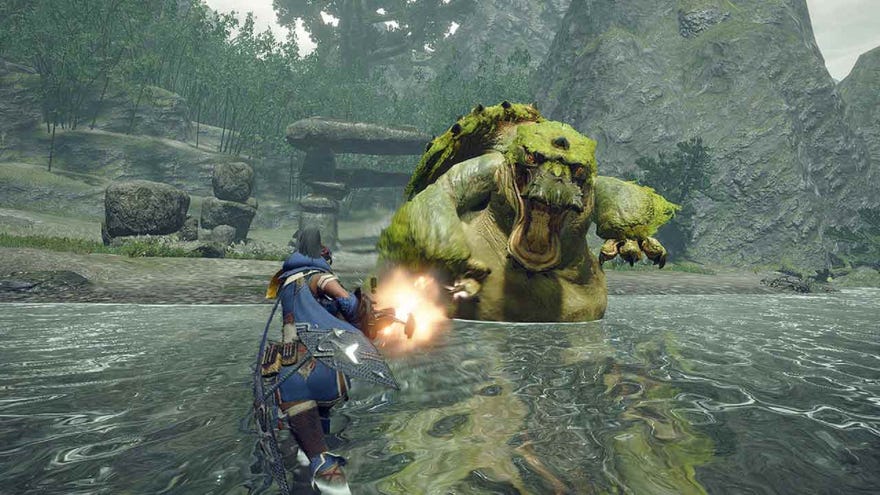
How do I lock on in Monster Hunter Rise for PC?InMonster Hunter Rise, you’ll frequently find that your prey runs away from you at various points during the fight. Large (boss) monsters in particular are inclined to try to flee once you’ve landed a certain amount of damage on them. Keeping track of them at these points can be tricky, particularly if there are multiple large monsters showing on the map.
On this page, we’ll cover how to lock onto a target both on the map and using camera controls when playing Monster Hunter Rise on PC.
Monster Hunter Rise: Sunbreak Review | A Delightfully Difficult Expansion That Doesn’t Disappoint

How to track a target in Monster Hunter Rise
This is useful, as it means that you don’t completely lose track of a monster you’re hunting when it runs away from you. However, if there are a couple of different monsters of the same type on the map, you can still end up getting confused quite easily, especially if they cross paths. Hunting one large monster is tough enough, without accidentally wasting time wearing down two different creatures' health bars.
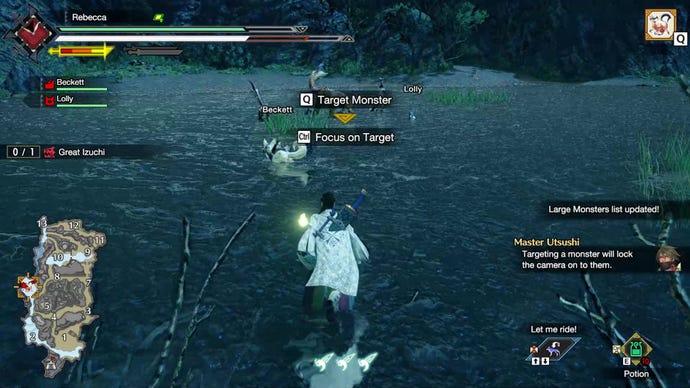
So in order to keep track of the monster you’re hunting,press Q to mark the monster you want with an orange diamondthat will highlight its location on the map.
Furthermore, if you look in the upper right-hand corner of the screen, you’ll see little icons representing every large monster on the map. Your selected monster’s icon will have a gold box around it.If there are several, keep pressing Q to highlight different ones until you’re tracking the monster you want.
The monster you’ve selected in this way will also be the target of any camera focussing you do.
Using the Targeting Arrow in Monster Hunter: Rise
Another tool at your disposal for tracking locked-on prey is theTargeting Arrow. With this optional enabled, any time you leave camp you’ll see a glowing reddish-orange arrow in front of your hunter. This arrow shows your current best route towards the locked-on creature.
How to lock the camera to a target in Monster Hunter Rise
When your locked-on prey is actually in sight of you, you can track them directly using the camera.
Monster Hunter Rise features a couple of different camera options to help you do this. PressEscand scroll through the menu until you reachSystem Settings > Camera Style. You can then choose from three different camera options:
Now that you know how to lock on to your prey in Monster Hunter Rise, you’ll need to know how to take them down. Take a look at our guide to choosing thebest weapons in Monster Hunter Riseto help you pick the perfect loadout for you. And if you’re hoping to bring some of your friends along on the hunt, see our guide to initiatingMonster Hunter Rise multiplayer.
