HomeGuidesMinecraft: Dungeons
Minecraft Dungeons crossplay: how to set up a Microsoft accountGetting ready for crossplay
Getting ready for crossplay
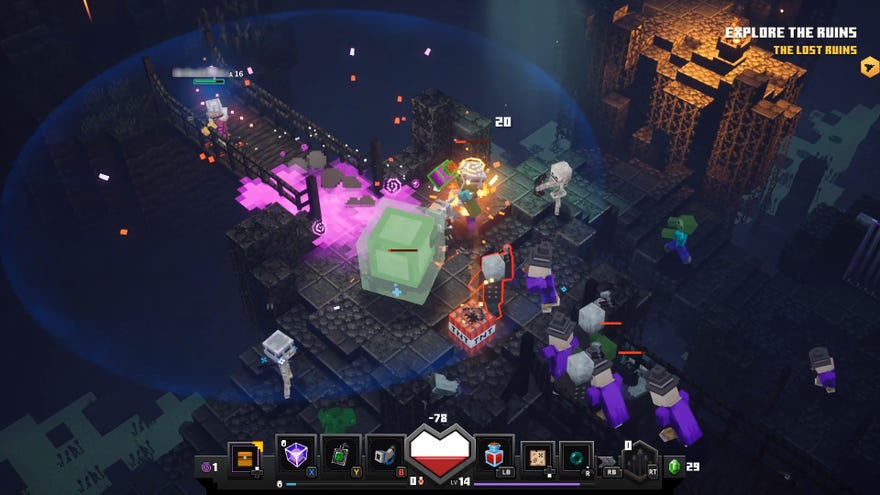
Minecraft Dungeons is more fun with friends, and one of the bigger questions that Minecraft Dungeons players have asked is: when is crossplay coming to the game? Sadly, not yet. But if you’re using the same PC we have all of the tips you need to get started.
In thisMinecraft Dungeons crossplayguide, we will explain what the current deal is withMinecraft Dungeons crossplay, as well as give you instructions of how you can set up your Microsoft account which will be needed when crossplay arrives.
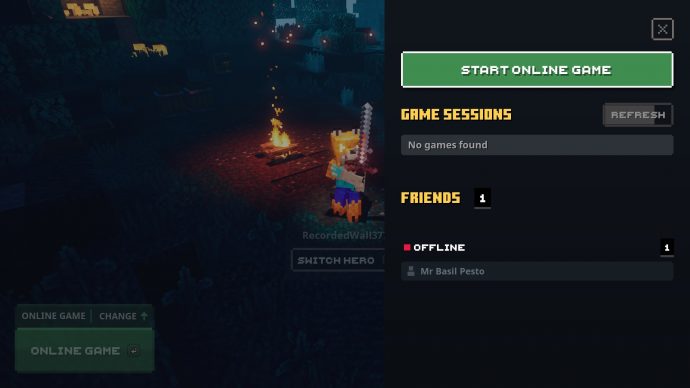
Is crossplay in Minecraft Dungeons?
First let’s get the big question out of the way. Crossplay is not currently available in Minecraft Dungeons and there is no confirmed date when crossplay will be coming to Minecraft Dungeons.
Since Minecraft Dungeons is available for Windows 10, Xbox One, PlayStation 4, and Nintendo Switch, it will eventually be possible to play with up to three other players across any combination of those devices.
Mojang have said that crossplay will be coming at a later date though via a free update, so your friends can connect to your game, no matter what device they are playing the game on. We still have no idea when this update will be coming to Minecraft Dungeons.
As soon as this update goes live, we will be giving you all the information you need to connect with your friends.
What is crossplay?
Crossplay is a feature that has appeared in many popular games, from Fortnite to Minecraft. Games with the feature allow players to play with each other, no matter if they play games on PC, consoles, or in some rare cases mobile phones.
Minecraft Dungeons does not currently have crossplay, but when it does, you’ll be able to play the games with friends on PC, Xbox One, PlayStation 4, and Nintendo Switch. If crossplay works in much the same way Minecraft’s crossplay works, it should not matter if you try to play the game on PC with two friends on their Switches and one friend on Xbox One in the same multiplayer session.
It’s not been confirmed how it will work, but it’s highly likely in this case that it will work in a similar way to Minecraft’s crossplay. This requires all players to have a Microsoft account and have it linked to their device.
How to link a Microsoft account to your device
The steps to link your Microsoft account are different, depending on what you are using:
Xbox One and Windows 10 PC
If you have a Windows 10 PC or an Xbox One console, you just need to have a Microsoft account to join up with friends. As you have bought Minecraft Dungeons via the Windows Store on Windows 10 or via the Xbox Store on Xbox One, you’ve already got a Microsoft account and can play immediately.
Nintendo Switch and PlayStation 4
Once crossplay has been enabled in Minecraft Dungeons, if you have already set up a Microsoft account, then you should only need to log into your Microsoft account to set up crossplay.
If you do not own a Microsoft account, don’t own Minecraft, and have just bought Minecraft Dungeons, follow the steps below to set up a new Microsoft account:
How to add friends
Minecraft Dungeons guide series
Thanks for reading our Minecraft Dungeons crossplay guide. You’ll find plenty more guides for the game in the section below, so do check them out.
