HomeGuidesMinecraft
Minecraft: Can you transfer pet ownership?Learn whether you can give pets to other players in Minecraft
Learn whether you can give pets to other players in Minecraft
Can you transfer pets in Minecraft?If you’ve just started playingMinecraftand discovering everything about each biome’s local wildlife, you may be interested in taming a handful of animals and taking them home as your pets. It’s a fairly straightforward process to turn a tameable animal into a pet; what’s not so straightforward is the process of transferring ownership of an existing pet to another player.If you’re playing Minecraft in a multiplayer world and looking to transfer pet ownership from one player to another, then depending on whether you have cheats enabled you may be in for some disappointment. But if youdohave cheats enabled and you’re willing to input a few commands, then keep reading to find out exactly how you can change the owner of a pet in Minecraft.The Best Minecraft ShadersWatch on YouTubeCan you transfer pet ownership in Minecraft?Sadly, there is currently no way to transfer pet ownership in Minecraft without the use of eithermodsorcommands. Once a pet accepts that you are its owner, then it’s yours for life, and it will only follow you.However, there is a way to transfer pet ownership using commands, as long as you have cheats enabled on yourMinecraft server. It’s a little bit finnicky, but don’t worry - we’ll walk you through each step below.How to transfer pet ownership in Minecraft using commandsTo transfer pet ownership in Minecraft using commands, here’s what to do:Image credit:Rock Paper Shotgun/Mojang Studios1. Find out the UUID of the new ownerEvery entity in Minecraft has a Universally Unique Identifier, or UUID, and in order to transfer ownership of a pet you’ll need to find out the UUID of the player you want to become the new owner. Annoyingly Minecraft prints UUIDs in various different formats, and we need it in one specific format for the next step to work.To do this, stand next to the new owner and look at them, then type the following into the Minecraft chat:/data get entity [identifier] UUIDWhen you come to the [identifier] bit, simply hit the TAB key to autofill in the identifier of the player you’re looking at. Then hit Enter, and the UUID of the player will be pasted into the chat.If you yourself want to be the new owner, then simply type:/data get entity @s UUIDThen hit Enter to reveal your own UUID.2. Transfer ownership of the pet to the new owner’s UUIDOnce you have the new owner’s UUID, stand next to the pet and type the following command:/data merge entity @e[type=TYPE,distance=..10,limit=1] {Owner: [I;0000000000,1111111111,2222222222,3333333333]}Replace TYPE with the type of animal that the pet is, e.g. cat, wolf, etc.Replace the long numbers at the end with the numbers of the UUID that you printed out in the previous step.Then hit Enter, and you will find that the pet now belongs to the new owner. Simple as that, eh?Note: In order to this command to work, the pet must already have an owner. It does not work with untamed animals.If you want to transfer pet ownership in Minecraft, then the above method is just about the only way to do it without resorting to mods and plugins. If you want to learn more about the various tameable animals in the game, look no further than ourMinecraft mobslist. Alternatively you can plan out a nice home for your new pet taking inspiration from ourMinecraft house ideasandMinecraft build ideasguides. And keep everything looking as wonderful as possible with thebest Minecraft shaderswhile you’re at it!
Can you transfer pets in Minecraft?If you’ve just started playingMinecraftand discovering everything about each biome’s local wildlife, you may be interested in taming a handful of animals and taking them home as your pets. It’s a fairly straightforward process to turn a tameable animal into a pet; what’s not so straightforward is the process of transferring ownership of an existing pet to another player.If you’re playing Minecraft in a multiplayer world and looking to transfer pet ownership from one player to another, then depending on whether you have cheats enabled you may be in for some disappointment. But if youdohave cheats enabled and you’re willing to input a few commands, then keep reading to find out exactly how you can change the owner of a pet in Minecraft.The Best Minecraft ShadersWatch on YouTubeCan you transfer pet ownership in Minecraft?Sadly, there is currently no way to transfer pet ownership in Minecraft without the use of eithermodsorcommands. Once a pet accepts that you are its owner, then it’s yours for life, and it will only follow you.However, there is a way to transfer pet ownership using commands, as long as you have cheats enabled on yourMinecraft server. It’s a little bit finnicky, but don’t worry - we’ll walk you through each step below.How to transfer pet ownership in Minecraft using commandsTo transfer pet ownership in Minecraft using commands, here’s what to do:Image credit:Rock Paper Shotgun/Mojang Studios1. Find out the UUID of the new ownerEvery entity in Minecraft has a Universally Unique Identifier, or UUID, and in order to transfer ownership of a pet you’ll need to find out the UUID of the player you want to become the new owner. Annoyingly Minecraft prints UUIDs in various different formats, and we need it in one specific format for the next step to work.To do this, stand next to the new owner and look at them, then type the following into the Minecraft chat:/data get entity [identifier] UUIDWhen you come to the [identifier] bit, simply hit the TAB key to autofill in the identifier of the player you’re looking at. Then hit Enter, and the UUID of the player will be pasted into the chat.If you yourself want to be the new owner, then simply type:/data get entity @s UUIDThen hit Enter to reveal your own UUID.2. Transfer ownership of the pet to the new owner’s UUIDOnce you have the new owner’s UUID, stand next to the pet and type the following command:/data merge entity @e[type=TYPE,distance=..10,limit=1] {Owner: [I;0000000000,1111111111,2222222222,3333333333]}Replace TYPE with the type of animal that the pet is, e.g. cat, wolf, etc.Replace the long numbers at the end with the numbers of the UUID that you printed out in the previous step.Then hit Enter, and you will find that the pet now belongs to the new owner. Simple as that, eh?Note: In order to this command to work, the pet must already have an owner. It does not work with untamed animals.If you want to transfer pet ownership in Minecraft, then the above method is just about the only way to do it without resorting to mods and plugins. If you want to learn more about the various tameable animals in the game, look no further than ourMinecraft mobslist. Alternatively you can plan out a nice home for your new pet taking inspiration from ourMinecraft house ideasandMinecraft build ideasguides. And keep everything looking as wonderful as possible with thebest Minecraft shaderswhile you’re at it!
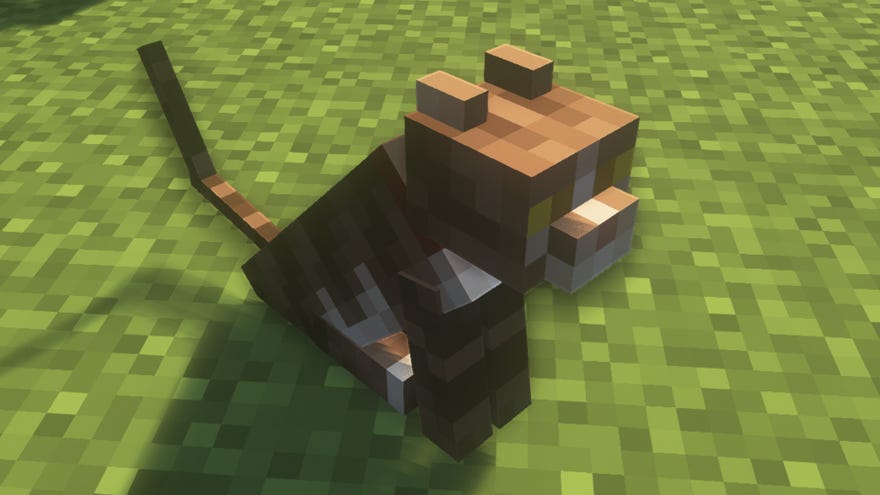
Can you transfer pets in Minecraft?If you’ve just started playingMinecraftand discovering everything about each biome’s local wildlife, you may be interested in taming a handful of animals and taking them home as your pets. It’s a fairly straightforward process to turn a tameable animal into a pet; what’s not so straightforward is the process of transferring ownership of an existing pet to another player.
If you’re playing Minecraft in a multiplayer world and looking to transfer pet ownership from one player to another, then depending on whether you have cheats enabled you may be in for some disappointment. But if youdohave cheats enabled and you’re willing to input a few commands, then keep reading to find out exactly how you can change the owner of a pet in Minecraft.
The Best Minecraft ShadersWatch on YouTube
The Best Minecraft Shaders

Can you transfer pet ownership in Minecraft?
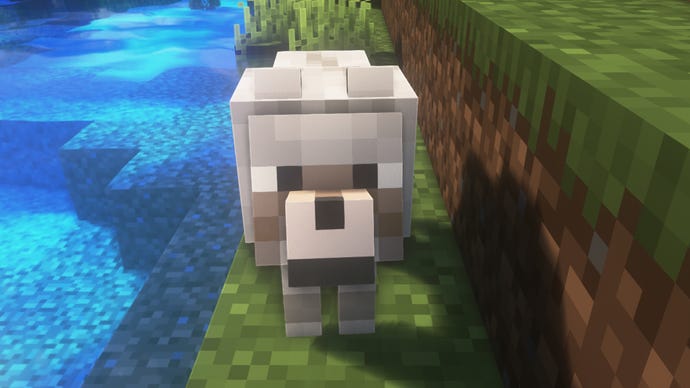
Sadly, there is currently no way to transfer pet ownership in Minecraft without the use of eithermodsorcommands. Once a pet accepts that you are its owner, then it’s yours for life, and it will only follow you.
However, there is a way to transfer pet ownership using commands, as long as you have cheats enabled on yourMinecraft server. It’s a little bit finnicky, but don’t worry - we’ll walk you through each step below.
How to transfer pet ownership in Minecraft using commands
To transfer pet ownership in Minecraft using commands, here’s what to do:
Image credit:Rock Paper Shotgun/Mojang Studios
1. Find out the UUID of the new owner
Every entity in Minecraft has a Universally Unique Identifier, or UUID, and in order to transfer ownership of a pet you’ll need to find out the UUID of the player you want to become the new owner. Annoyingly Minecraft prints UUIDs in various different formats, and we need it in one specific format for the next step to work.
To do this, stand next to the new owner and look at them, then type the following into the Minecraft chat:
When you come to the [identifier] bit, simply hit the TAB key to autofill in the identifier of the player you’re looking at. Then hit Enter, and the UUID of the player will be pasted into the chat.
If you yourself want to be the new owner, then simply type:
Then hit Enter to reveal your own UUID.

2. Transfer ownership of the pet to the new owner’s UUID
Once you have the new owner’s UUID, stand next to the pet and type the following command:
Then hit Enter, and you will find that the pet now belongs to the new owner. Simple as that, eh?
Note: In order to this command to work, the pet must already have an owner. It does not work with untamed animals.
If you want to transfer pet ownership in Minecraft, then the above method is just about the only way to do it without resorting to mods and plugins. If you want to learn more about the various tameable animals in the game, look no further than ourMinecraft mobslist. Alternatively you can plan out a nice home for your new pet taking inspiration from ourMinecraft house ideasandMinecraft build ideasguides. And keep everything looking as wonderful as possible with thebest Minecraft shaderswhile you’re at it!
