HomeGuidesHonkai: Star Rail
How to use Honkai: Star Rail’s interactive map: View fast travel points, treasure chest locations, and moreInstructions on how to access HoYoverse’s detailed map tool
Instructions on how to access HoYoverse’s detailed map tool
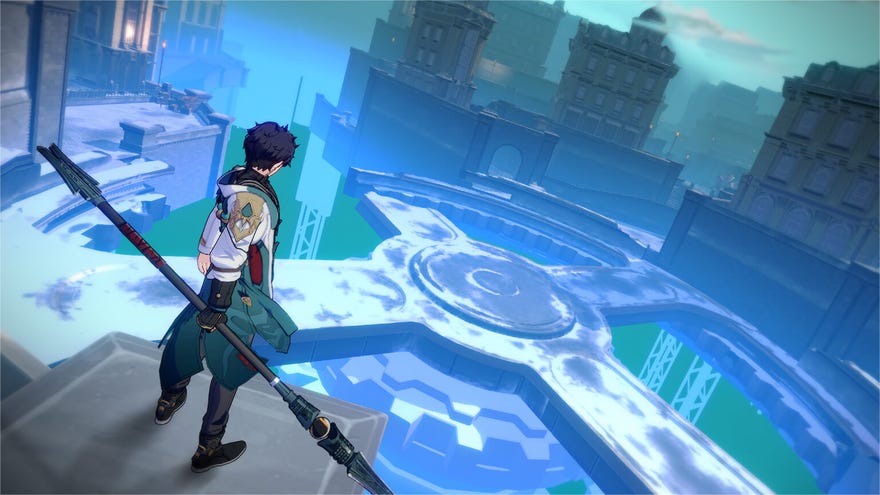
Want to know how to access Honkai: Star Rail’s interactive map?In an effort to put guides writers everywhere out of a job, HoYoverse have surprise-dropped an interactive map tool to accompany the release of their new turn-based RPGHonkai: Star Rail. This detailed companion lists the locations of fast travel points, treasure chests, and various other points of interest and collectibles to be found in the game at launch.
Gnawing fear for my own livelihood aside, this map is an incredibly welcome surprise, and undeniably useful for Star Rail players. Just about the only thing that isn’t crystal-clear is how to open it from within the game in the first place. Read on below for a quick overview of how to use the interactive map inHonkai: Star Rail.
Honkai: Star Rail - How Does It Compare To Genshin Impact?Rebecca chatted to Liam about how Honkai: Star Rail stacks up against Genshin Impact.Watch on YouTube
Honkai: Star Rail - How Does It Compare To Genshin Impact?

How to open the Honkai: Star Rail interactive map in-game
Honkai: Star Rail does feature an in-game map (which you can pull up using the “M” key), but it’s not as detailed as the interactive map tool. While unfortunately you can’t overlay the interactive map directly onto your game, you can access it from within the game.
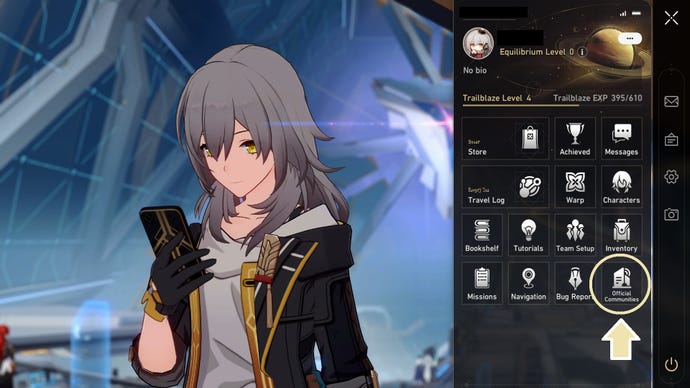
In the lower right hand corner of your various menu options, you should see anOfficial Communitiesbutton right next to the quit option. Press this and you’ll be taken to the Honkai: Star Rail Official Community tab.
Image credit:Rock Paper Shotgun
Here underTools, selectMap. This will open the interactive map on your device’s default browser, allowing you to quickly toggle between it and the game.
Image credit:Rock Paper Shotgun
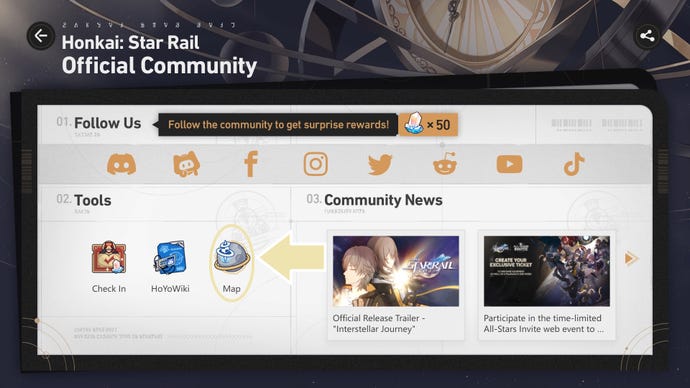
The interactive map covers the locations included in Honkai: Star Rail Version 1.0 quite comprehensively, with maps of every area in theHerta Space Station,Jarilo-VI, andXianzhou Luofusections of the game. Expect to see more added as the game expands over the coming months!
Now that you know how to access Honkai: Star Rail’s interactive map, be sure to check out the details of thenext Honkai: Star Rail bannerand our regularly-updated list ofHonkai: Star Rail codes!
