HomeGuidesGenshin Impact
How to play Co-Op mode in Genshin ImpactEverything you need to know about Co-Op mode in Genshin Impact
Everything you need to know about Co-Op mode in Genshin Impact
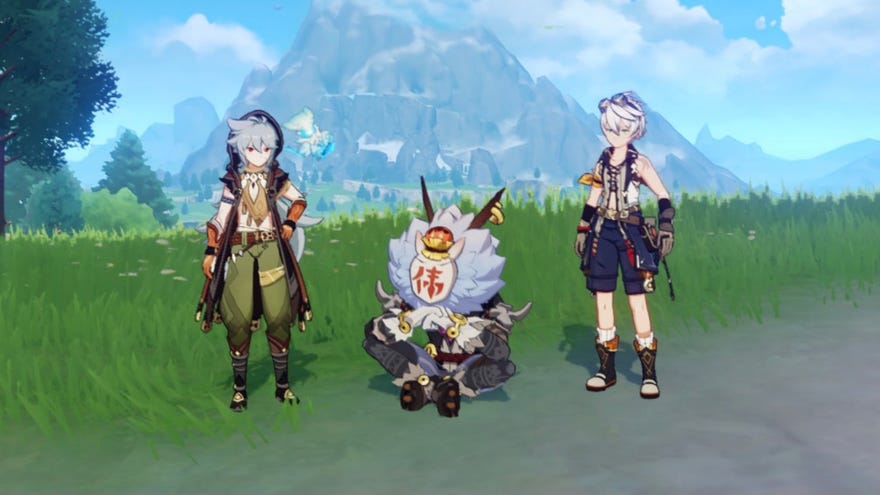
Especially as a new player, playingGenshin Impactalone can feel challenging. Thankfully, after hitting a certain Adventure Rank, you’ll have access to Co-Op mode, which allows you to traverse the world of Teyvat with friends and strangers alike. Here’s a primer onhow to play Co-Op Mode in Genshin Impact.
Version 1.6 “Midsummer Island Adventure” Trailer | Genshin ImpactWatch on YouTube
Version 1.6 “Midsummer Island Adventure” Trailer | Genshin Impact

How to play Genshin Impact Co-Op Mode
To play Co-Op Mode in Genshin Impact, you must first reachAdventure Rank 16. Fortunately, with the abundance of quests and EXP that the early stages of the game provide, hitting Adventure Rank 16 is a much smoother ride than it might seem, although it will take a few hours.
Once you reach Adventure Rank 16, Genshin Impact will notify you that Co-Op Mode is available.
Using Co-Op Mode
After unlocking Co-Op mode, you’ll be able to play withfriends on any platformthrough a few different methods. Accessing Paimon’s menu in the top left corner of the screen will bring up both the Friends option and the Co-Op Mode options.
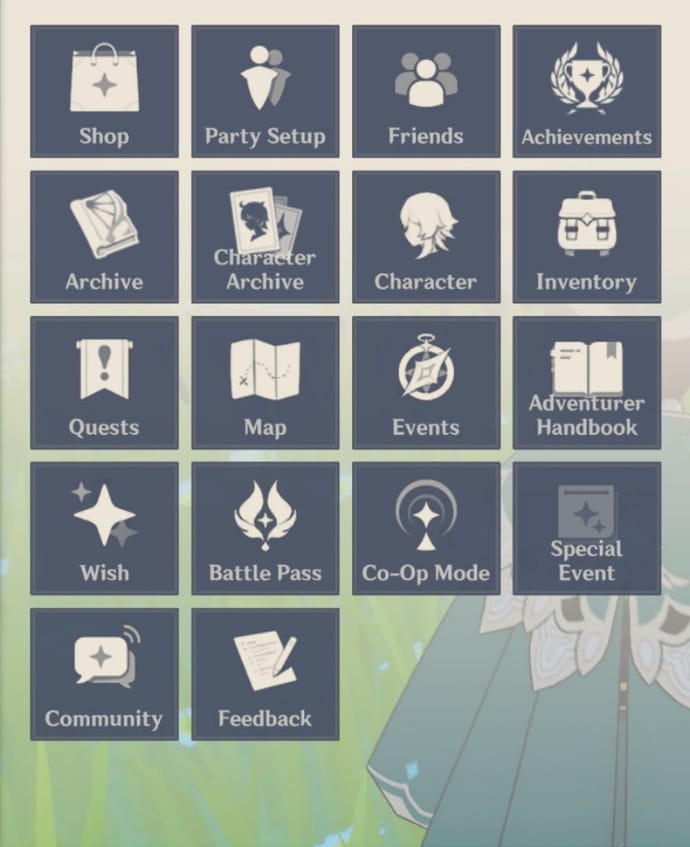
The Friends menu will allow you to play with people you already know. Friends are added via UID (the number found at the bottom right of your screen) and can be chatted with at any time.
While inviting people to your world, keep in mind thatother players will be able to take your resources, so make sure to collect anything you need before allowing potential mineral and vegetable thieves into your world. Additionally, when playing with others, your party size will shrink to fit the other players’ parties. For example, if you’re playing with one other friend, you’ll have two characters to switch between instead of the usual four, so make sure to use your best characters!
Unfortunately,Co-Op Mode isn’t always accessible.During a few lengthier quests, the Co-Op Mode button will be greyed out until you complete certain tasks. Additionally, Genshin Impact won’t let you join players with higher World Levels, so if your friend is at a much higher level than you are, they’ll have to join your world instead.
Using Co-Op Mode in the Serenitea Pot
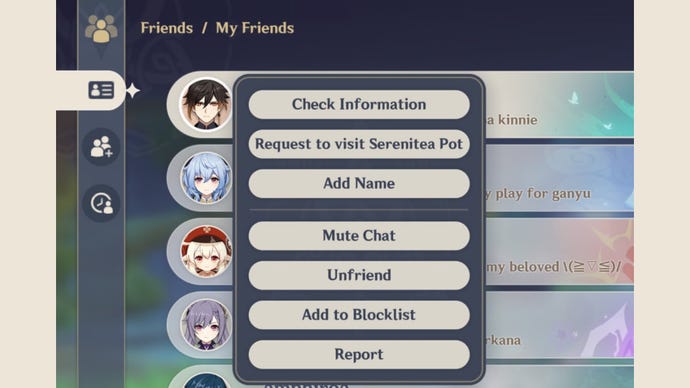
Genshin Impact’s 1.5 update brought with it a new way to play together: the Serenitea Pot. After completing the A Teapot to Call Home: Part I quest unlocked at Adventure Rank 35, you’ll receive your own teapot. Once you’ve decked out the interior of your teapot with various buildings and furniture, you’ll definitely want to show it off to your friends. Luckily, Mihoyo has made this possible for players, although the process is a little different than joining a regular world.
To join a friend’s Serenitea Pot, head to the Friends menu. Instead of clicking on the Request to Join button, however, click on your friend’s avatar. In the dropdown menu that appears, click Request to visit Serenitea Pot and you’ll be able to check out your friend’s teapot in no time.
That’s all we’ve got on using Co-Op Mode in Genshin Impact. If you’d like to spruce up your team with some new characters before embarking on your Co-Op Mode journey, check out our pages on getting morePrimogemsandwishes.
