HomeGuidesElden Ring
How to pause Elden Ring without modsAn exploit has emerged that allows you to hit an unofficial pause button
An exploit has emerged that allows you to hit an unofficial pause button
Can you pause Elden Ring?Until recently, we believed the answer to this question to be a resounding “no” —Elden Ringmakes a point of not letting you pause, even in single player. Naturally, on PC the modding community quickly stepped in, but now it turns out that there is a cheeky exploit that allows you to effectively pause the game in its vanilla state.On this page, we’ll go over the five-step process you need to follow to force Elden Ring to pause. Yes, five steps is a lot, but fortunately they can be performed quite quickly, and in an emergency (parcels arriving, children crying, etc.) it could be the difference between life and death for your poor old Tarnished while you go and take care of real life for a few minutes.12 Elden Ring Tips And Tricks To Help You Easily Conquer The First 10 HoursWatch on YouTubeHow to pause in Elden RingIn order to trick Elden Ring into pausing, you need to perform the following steps:Press Esc. (on keyboard) or the Start button (on controller) to bring up the game menu overview.Select and enter any sub-menu.Attempt to back out of the sub-menu to bring up a list of options.Select “Help”.Select “Menu Explanation” from help list.At this point, an in-game pop-up will appear on your screen, and until you close it Elden Ring is effectively paused.You can tell if you look very closely that all movement in-game (right down to your character’s clothing blowing in the breeze) has ceased. Once this has happened, as far as we’ve been able to establish, you’re safe to walk away and take care of whatever needs taking care of out in the real world.We can’t guarantee the longevity of this solution, since if it’s truly an unintentional exploit then FromSoft might opt to patch it out; however, it was working when we checked it this morning. And frankly the fact that it exists in the first place suggests that maybe the game needs to pause when you do this for some reason. (Or maybe the devs figured that if you’re confused enough to be looking up tips on what the menus mean, you deserve a bit of a break.) So maybe it’ll stay — we simply don’t know at this stage.Now that your game’s paused, why not take a look at a few of our other Elden Ring guides while you’re here? We’ve got recommendations for thebest character builds, a list ofboss locations, and awalkthroughof the key story beats for the weary Tarnished in search of answers.
Can you pause Elden Ring?Until recently, we believed the answer to this question to be a resounding “no” —Elden Ringmakes a point of not letting you pause, even in single player. Naturally, on PC the modding community quickly stepped in, but now it turns out that there is a cheeky exploit that allows you to effectively pause the game in its vanilla state.On this page, we’ll go over the five-step process you need to follow to force Elden Ring to pause. Yes, five steps is a lot, but fortunately they can be performed quite quickly, and in an emergency (parcels arriving, children crying, etc.) it could be the difference between life and death for your poor old Tarnished while you go and take care of real life for a few minutes.12 Elden Ring Tips And Tricks To Help You Easily Conquer The First 10 HoursWatch on YouTubeHow to pause in Elden RingIn order to trick Elden Ring into pausing, you need to perform the following steps:Press Esc. (on keyboard) or the Start button (on controller) to bring up the game menu overview.Select and enter any sub-menu.Attempt to back out of the sub-menu to bring up a list of options.Select “Help”.Select “Menu Explanation” from help list.At this point, an in-game pop-up will appear on your screen, and until you close it Elden Ring is effectively paused.You can tell if you look very closely that all movement in-game (right down to your character’s clothing blowing in the breeze) has ceased. Once this has happened, as far as we’ve been able to establish, you’re safe to walk away and take care of whatever needs taking care of out in the real world.We can’t guarantee the longevity of this solution, since if it’s truly an unintentional exploit then FromSoft might opt to patch it out; however, it was working when we checked it this morning. And frankly the fact that it exists in the first place suggests that maybe the game needs to pause when you do this for some reason. (Or maybe the devs figured that if you’re confused enough to be looking up tips on what the menus mean, you deserve a bit of a break.) So maybe it’ll stay — we simply don’t know at this stage.Now that your game’s paused, why not take a look at a few of our other Elden Ring guides while you’re here? We’ve got recommendations for thebest character builds, a list ofboss locations, and awalkthroughof the key story beats for the weary Tarnished in search of answers.
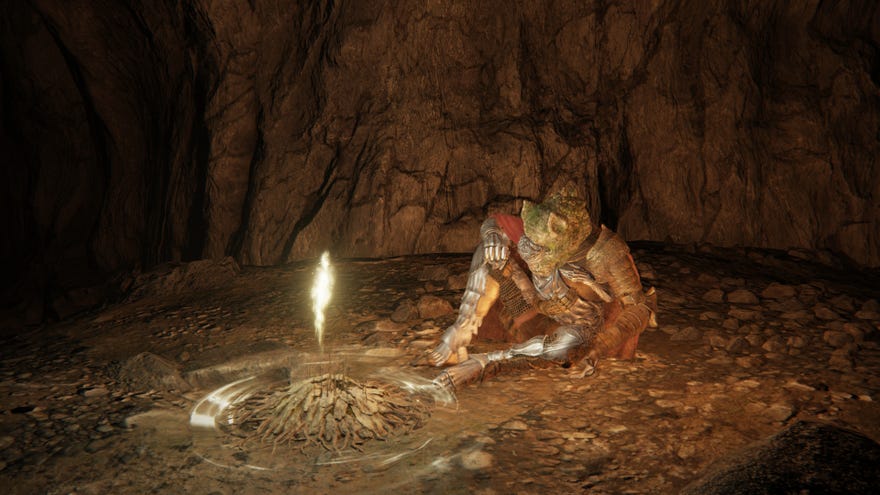
Can you pause Elden Ring?Until recently, we believed the answer to this question to be a resounding “no” —Elden Ringmakes a point of not letting you pause, even in single player. Naturally, on PC the modding community quickly stepped in, but now it turns out that there is a cheeky exploit that allows you to effectively pause the game in its vanilla state.
On this page, we’ll go over the five-step process you need to follow to force Elden Ring to pause. Yes, five steps is a lot, but fortunately they can be performed quite quickly, and in an emergency (parcels arriving, children crying, etc.) it could be the difference between life and death for your poor old Tarnished while you go and take care of real life for a few minutes.
12 Elden Ring Tips And Tricks To Help You Easily Conquer The First 10 HoursWatch on YouTube
12 Elden Ring Tips And Tricks To Help You Easily Conquer The First 10 Hours

How to pause in Elden Ring
In order to trick Elden Ring into pausing, you need to perform the following steps:
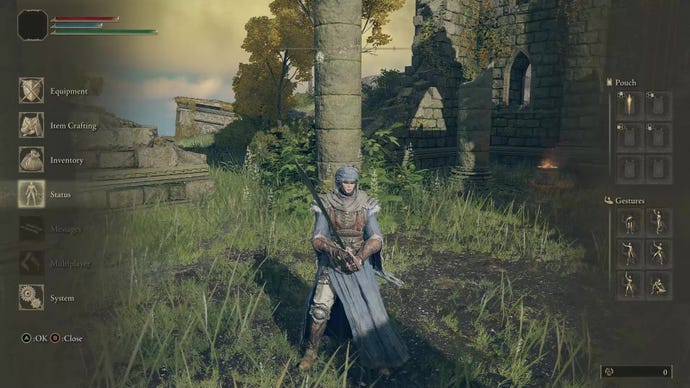
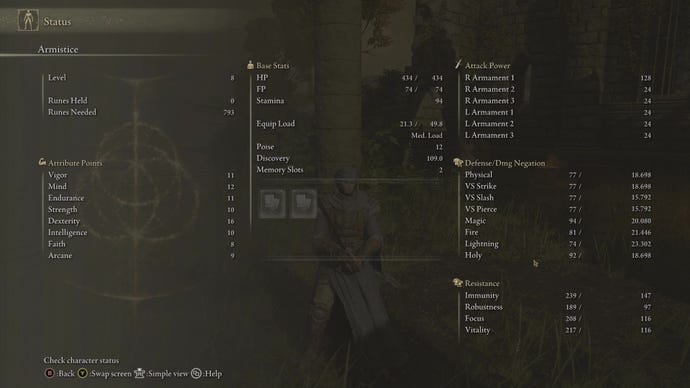
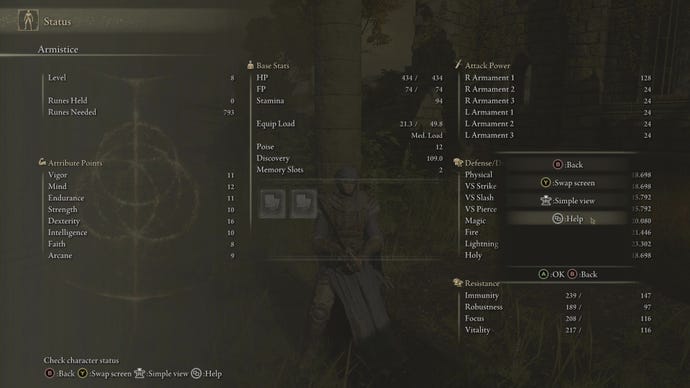
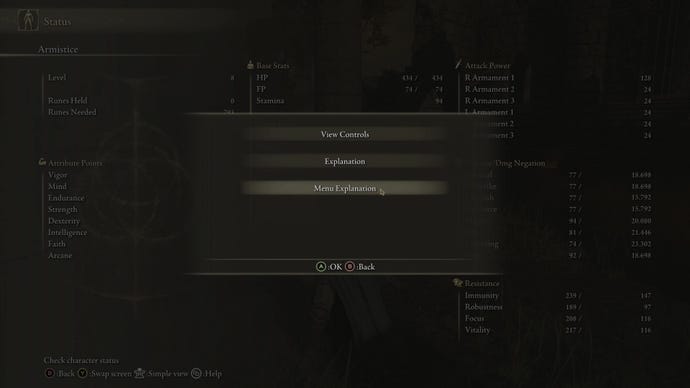
At this point, an in-game pop-up will appear on your screen, and until you close it Elden Ring is effectively paused.
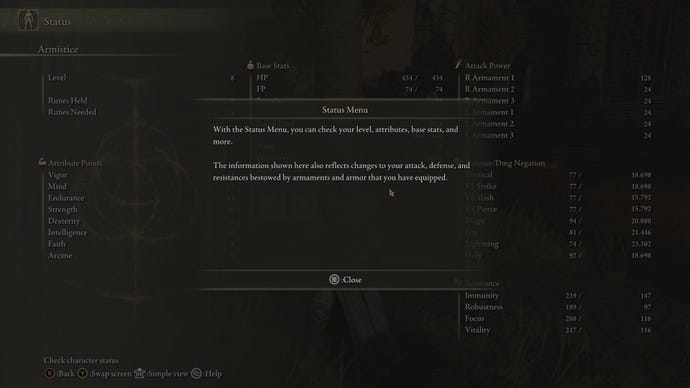
You can tell if you look very closely that all movement in-game (right down to your character’s clothing blowing in the breeze) has ceased. Once this has happened, as far as we’ve been able to establish, you’re safe to walk away and take care of whatever needs taking care of out in the real world.
We can’t guarantee the longevity of this solution, since if it’s truly an unintentional exploit then FromSoft might opt to patch it out; however, it was working when we checked it this morning. And frankly the fact that it exists in the first place suggests that maybe the game needs to pause when you do this for some reason. (Or maybe the devs figured that if you’re confused enough to be looking up tips on what the menus mean, you deserve a bit of a break.) So maybe it’ll stay — we simply don’t know at this stage.
Now that your game’s paused, why not take a look at a few of our other Elden Ring guides while you’re here? We’ve got recommendations for thebest character builds, a list ofboss locations, and awalkthroughof the key story beats for the weary Tarnished in search of answers.
