HomeGuides
How to make a Minecraft map: maps, cartography tables, and explorer maps explainedLearn about the different kinds of Minecraft maps and how to use them
Learn about the different kinds of Minecraft maps and how to use them
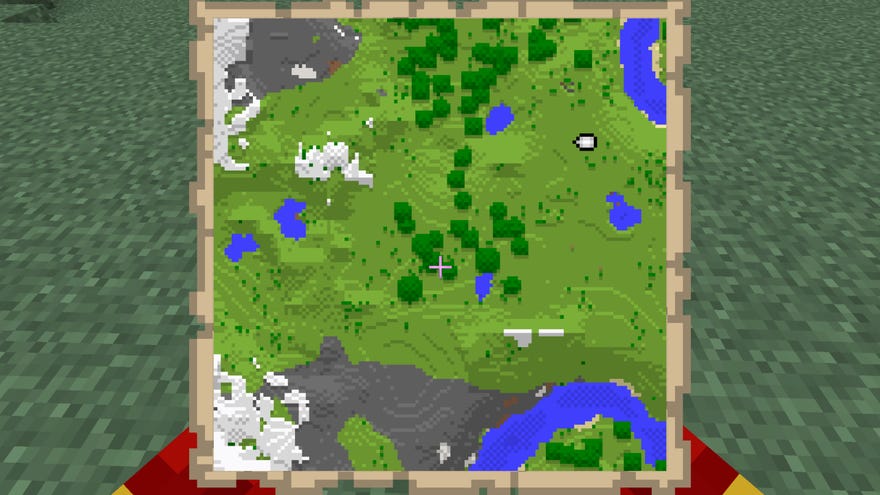
Interested in learning more about Maps in Minecraft?Every adventurer inMinecraftshould always keep a map on them, because they’re just so darn useful. Whether it’s exploring the new caves in the1.18 update, or leaving yourhome castlebehind, maps will always help you find your way around. They were pretty limited in scope for a while, but the addition of the Cartography Table has made them a far more valuable resource.
Below we’ve detailed exactlyhow to make a map in Minecraft, as well as how to get your hands on and use a cartography table. We’ll also explain the two different types of maps present in the game, and discuss third-party mapping tools that are available, if that floats your boat.
The Best Minecraft ShadersWatch on YouTube
The Best Minecraft Shaders

How to make a Minecraft map
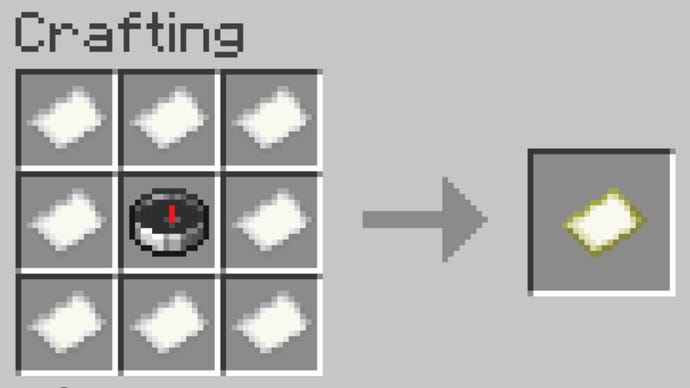
To begin with the map will be blank. To turn it into an “active” map that can be explored and filled in, simply right-click with the blank map in your hand. This will set your current position as the centre of the map.
In Java, the addition of the Compass in the map recipe means you’ll always be able to see your current location as a marker on the map. In Bedrock, you’ll need to combine the Map with a Compass in an Anvil in order to get this location marker functionality.
Creating and exploring a map in Minecraft is a fantastic way to get a good look at your surroundings, because as we all know, everyMinecraft world seedis unique and offers unique discoveries and surprises.
How to mark a map
If the Banner is destroyed, the marker will remain until you re-explore that area in the world, after which the map will update and remove the marker.

How to make and use a Cartography Table
It’s fairly obvious why you might need to zoom or clone a map. Locking a map and preventing further exploration is useful for a variety of reasons, but one of the most common uses is for creating adventure maps and special scenarios onMinecraft serversand the like.
Map zoom levels
A default Minecraft map covers a square of 128x128 blocks. You can zoom out the map using a Cartography Table a maximum of 4 times, expanding the area to 256x256, 512x512, 1024x1024, and 2048x2048 blocks respectively.
On a default map, the origin (your position when you activated the map) is in the map’s centre, but for zoomed maps the origin will instead be in the top-left corner.
What are Explorer maps?
Explorer Maps cannot be crafted. To get one, you have to trade Emeralds and a Compass with a CartographyVillager(or, in the case of Buried Treasure Maps, you must find them in Shipwrecks and underwater Ruins).
Using a Minecraft map viewer
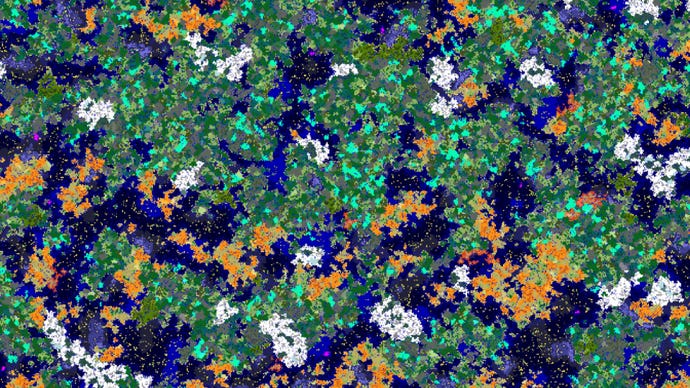
If you want to stay within the confines of Survival Minecraft, then map items and Cartography Tables are your only option. But if you’re not averse to using third-party tools, then you might want to use an online Minecraft map viewer to get the best possible view of your world.
Currently the best map viewer out there is theChunk Base Seed Mapwebpage. Just input your Minecraft seed and version number, and you’ll be able to view everything for thousands of blocks around the world spawn point.
Mapping out a world in Minecraft is a time-consuming but eminently satisfying and enjoyable process. If you want to make your Minecraft world pop even more both on paper and on-screen, be sure to check out our guide on thebest Minecraft shadersand thebest Minecraft texture packs. You might also be interested to hear about the world generation changes that are approaching with theMinecraft 1.18 update.
