HomeGuidesWild Hearts
How to change your appearance in Wild HeartsHow to change your appearance with the Looking Glass
How to change your appearance with the Looking Glass
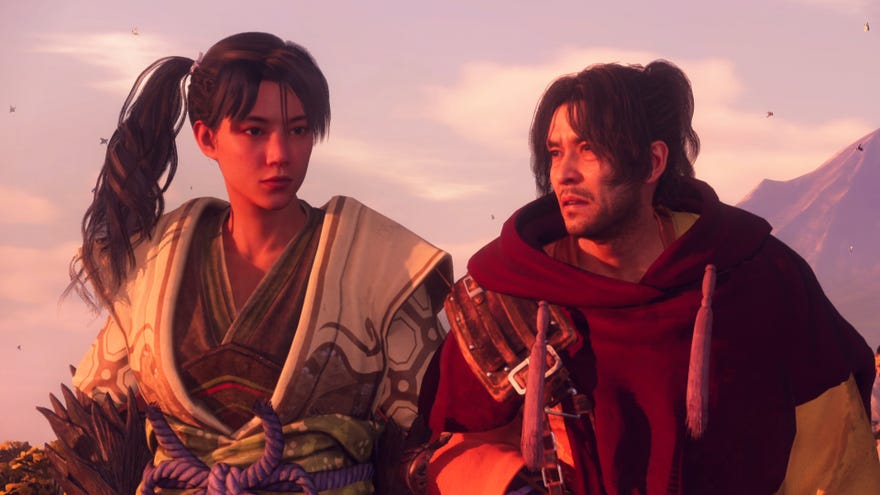
Want to know how to change your character’s appearance in Wild Hearts?Wild Heartsallows players to customise the look of their character at the beginning of the game, using a surprisingly robust and powerful character creation system. There are no gameplay choices in character creation, no classes or weapons or perks to pick. Everything comes down to appearance.
But what if, several hours into Wild Hearts, you find yourself no longer entirely satisfied with your character’s look? Is there a way to change your appearance after character creation? The answer is yes, using a particularDragon Karakurinamed the Looking Glass - and on this page, we’ll explain exactly how you can do so.
WILD HEARTS Official Story Trailer | Welcome to MinatoWatch on YouTube
WILD HEARTS Official Story Trailer | Welcome to Minato

How to change appearance in Wild Hearts
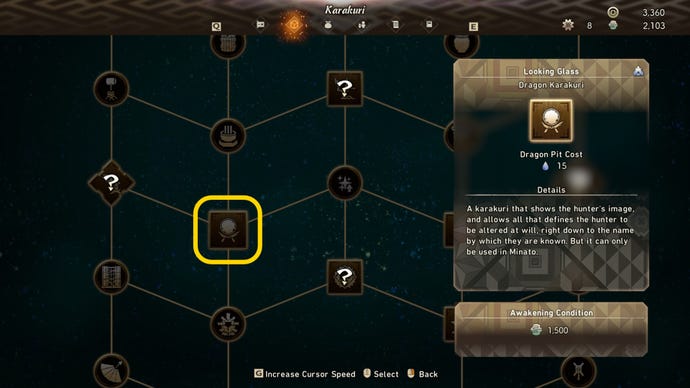
To change your character’s appearance after character creation, you need to unlock the Looking Glass Karakuri. To do this, open up the map menu and select the Karakuri tab at the top of the screen. To easily find the Looking Glass Karakuri, hover over the Hunter’s Tent Karakuri at the very top of the upgrade tree, and then move down 17 times.
The Looking Glass Dragon Karakuri is a mirror which the player can interact with in order to open up the character creation screen once again, and customise their appearance. It costs 1,500 Kemono Orbs to unlock this Karakuri in the tree, and you’ll also need to obtain all the prerequisite upgrades first - no jumping ahead, unfortunately.