HomeGuidesStarfield
Here’s how to fast travel in StarfieldHere’s how the confusing Starfield fast travel system works
Here’s how the confusing Starfield fast travel system works
Image credit:Bethesda Game Studios
Image credit:Bethesda Game Studios
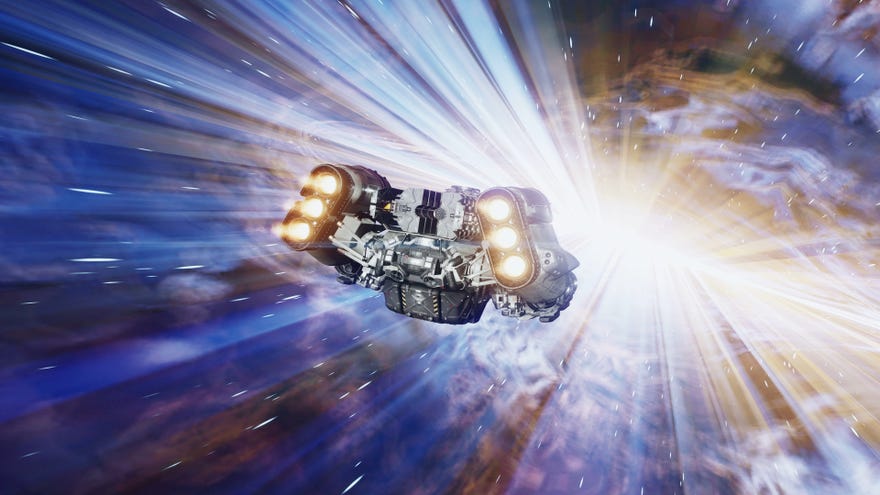
Want to know how Starfield fast travel works?The universe is a vast place, and there’s a lot of time spent simply getting to new places inStarfield, so taking advantage of fast travel is crucial.Starfieldpresents a robust set of options for getting around, but learning to use the various fast travel options can be pretty confusing.
In this guide, we’ll walk you through every different way you can fast travel in Starfield to reach your destination more quickly and minimise downtime between the periods of action. We’ll also explore how to increase your Grav Jump distance so you can fast travel to more distant locations, and answer your questions about why you might not be able to fast travel at certain moments.
In this guide:
To see this content please enable targeting cookies.Manage cookie settingsWas Starfield worth the wait? Liam and Alice B discuss this question - and more - in the video above.Watch on YouTube
To see this content please enable targeting cookies.Manage cookie settings
To see this content please enable targeting cookies.Manage cookie settings
How to Fast Travel in Starfield
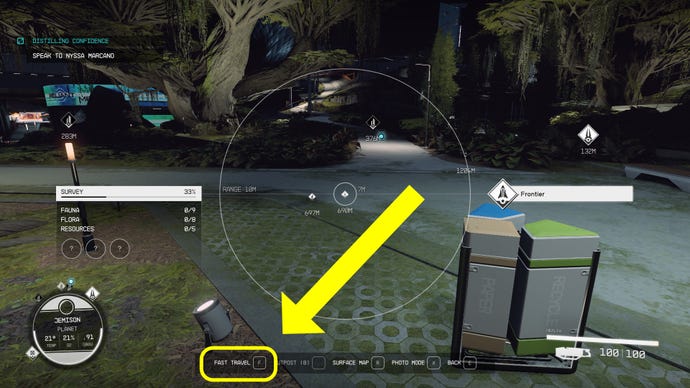
The easiest way to fast travel in Starfieldis to tap “F” (“LB” on controller) to bring up your Hand Scanner, then hover over the location you want to go to and tap “E” (“A” on controller). You will then be able to fast travel there immediately.
Hitting F while scanning brings up fast travel map |Image credit:Rock Paper Shotgun/Bethesda Game Studios
How to Fast Travel using the Map
To fast travel to distant star systems, first open the map from the Character Menu, and then use the button in the bottom-right corner to zoom out from the planetary view to the system view, and then from the system view to the starmap.
Image credit:Rock Paper Shotgun/Bethesda Game Studios
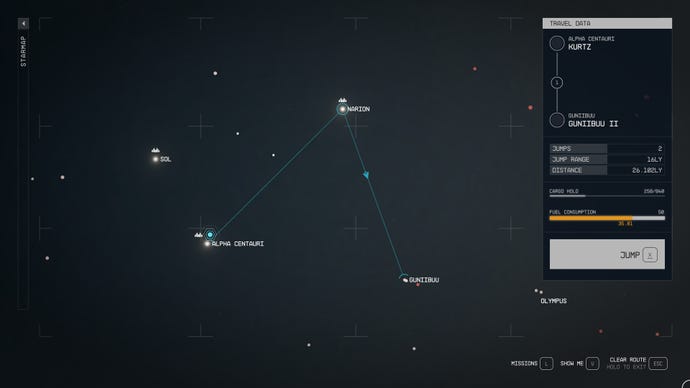
From the starmap, you can select any star system you like, andas long as the path your ship must take uses only pre-explored star systems, you’ll be able to fast travel across the Settled Systems with ease.
You can also use the map to fast travel within systems or planets. Just open the map to the relevant zoom level, select your destination (whether it’s a planet, a moon, or a specific location on a planet or moon you’re already on), and you can set a course to land there.
How to Fast Travel using the Missions Menu
One of the easiest and quickest ways to get to where you need to go is to fast travel from the Missions Menu. To do this, opening the Missions Menu from the Character Menu, make sure the mission you want to do is tracked, and then tap “R” (or “X” on controller) to “Set Course”.
Image credit:Rock Paper Shotgun/Bethesda Game Studios
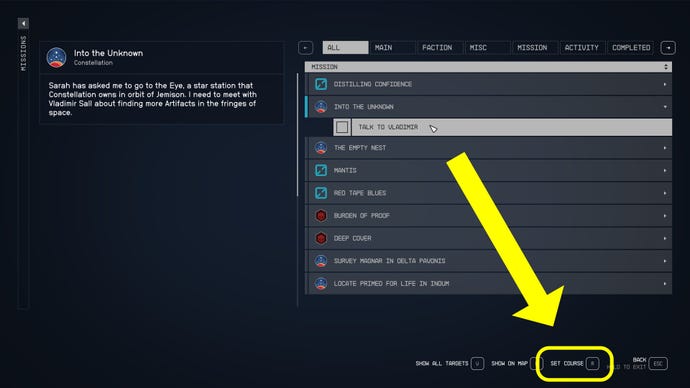
Doing this will automatically switch the screen to your map and, after a few seconds, show you the exact location you need to go in order to follow the mission. From there you can fast travel or land there with the press of a button.
This method of fast travel is particularly useful because it means you don’t have to spend any time figuring out where you need to go next. The game will automatically tell you where to go, and fast travel you there once you confirm you want to do so.
How to increase Grav Jump distance
Image credit:Rock Paper Shotgun/Bethesda Game Studios
Image credit:Rock Paper Shotgun/Bethesda Softworks
Why can’t I Fast Travel in Starfield?
There are a few situations in which you’re not able to fast travel anywhere in Starfield. If you’re having trouble fast travelling to your location, one of these reasons might be the culprit:
That wraps up this walkthrough on how to fast travel anywhere in Starfield. It’s a bit of an overly complex system, but soon it’ll become second nature to you. To make sure your character is up to the task of travelling across the Settled Systems, check out our guides on thebest Starfield skills,best traitsandbest buildswe’ve found so far! We’ve also got guides on theStarfield romance options,where to sell contrabandandhow to pick locks easily.
