HomeHardwareFeaturesStarfield
Got Starfield on PC Game Pass? Here’s how to play it with a Steam DeckLocal play is bleh, but Game Pass Ultimate holders can still call upon the cloud
Local play is bleh, but Game Pass Ultimate holders can still call upon the cloud
Image credit:Rock Paper Shotgun
Image credit:Rock Paper Shotgun
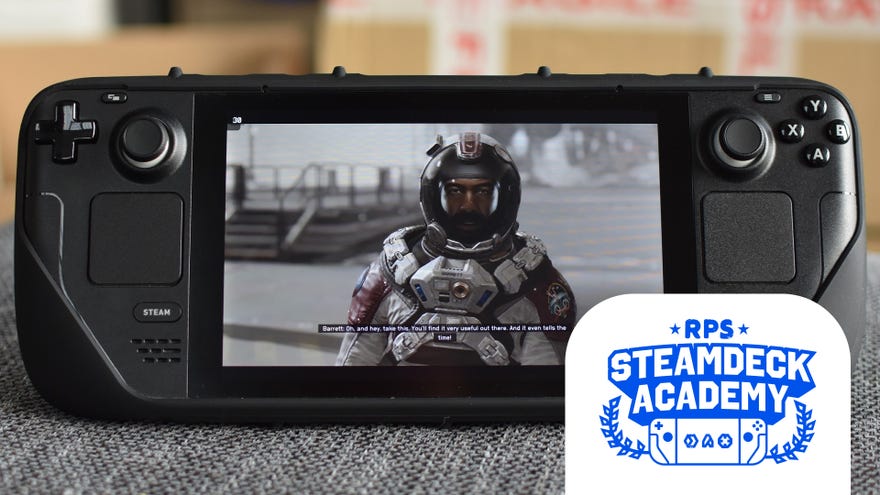
Sad news vis-a-vis playingStarfieldon theSteam Deck:it runs like a slug, even on the lowest possible settings. And if you were planning to get it throughPC Game Pass, that’s another issue, as Game Pass games are locked down behind the fully Deck-incompatible Universal Windows Platform system. If the wonder of space depends on the it being a borderless infinity realm of endless possibilities, nobody told Microsoft.
To see this content please enable targeting cookies.Manage cookie settingsWas Starfield worth the wait? Liam and Alice B discuss this question - and more - in the video above.Watch on YouTube
To see this content please enable targeting cookies.Manage cookie settings
To see this content please enable targeting cookies.Manage cookie settings
Image credit:Rock Paper ShotgunSteam Deck Academybrings together all our guides and explainers on getting the most out of your Steam Deck, no student loans or sweaty dormitories required.
Image credit:Rock Paper Shotgun
Steam Deck Academybrings together all our guides and explainers on getting the most out of your Steam Deck, no student loans or sweaty dormitories required.
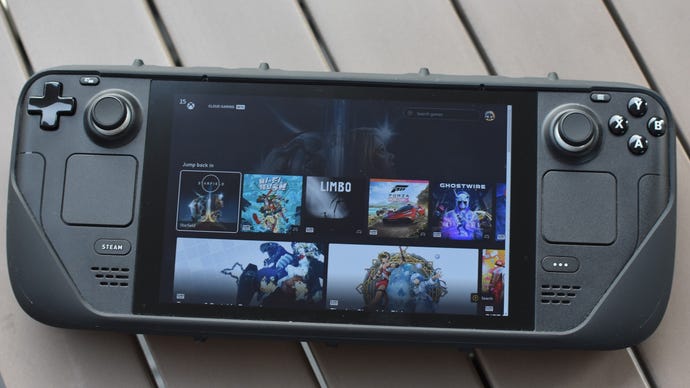
Before we start, know that playing Starfield over Xbox Cloud Gaming won’t have all the conveniences that come with native Steam Deck play. Or would have done, if it ran decently. The cloud gaming method might save onmicroSD cardspace, but you’ll need a fast internet connection at all times, so don’t expect to stream some Starfield on your next bus ride. You also can’t tinker with the in-game graphics settings, so the performance you get is the performance you get.
Most importantly,your Game Pass account specifically needs to be a Game Pass Ultimate account. Even though Starfield is available to standard PC Game Pass holders, access to Xbox Cloud Gaming is currently limited to those who shell out for Ultimate. This is£13 / $17per month, up from £8 / $10 per month for a standard account, though it naturally becomes a better deal if you end up streaming other Game Pass games on your Steam Deck besides Starfield.
If you’re willing to live with these caveats, then read on for the full guide. Since it involves delving into the Deck’s desktop mode, which can be fiddly without amouseandkeyboard, I’d recommend doing this with a dock or USB-C hub to connect those peripherals. Ourbest Steam Deck accessoriesguide has some good’uns.
How to play Starfield with PC Game Pass on the Steam Deck
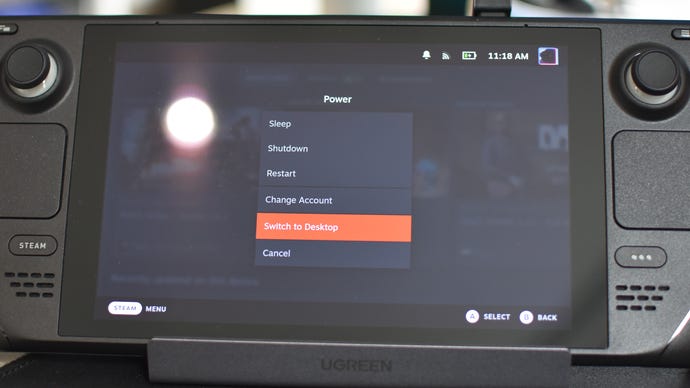
Step 1:Hold down the Steam Deck’s power button to bring up the power menu, then select “Switch to Desktop”.
Image credit:Rock Paper Shotgun
Step 2:Once you’re in desktop mode, click the Discover Software Center icon in the taskbar. It’s the blue shopping bag.
Image credit:Rock Paper Shotgun
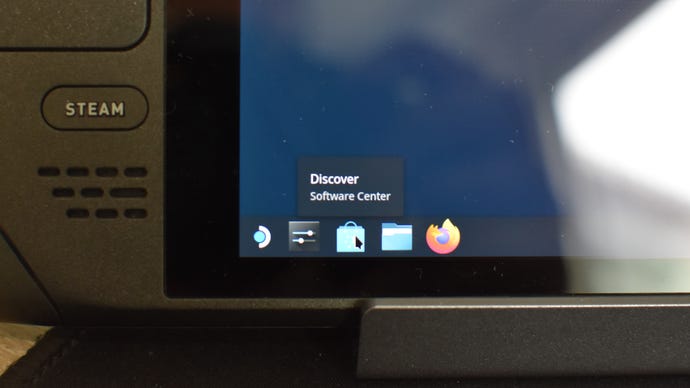
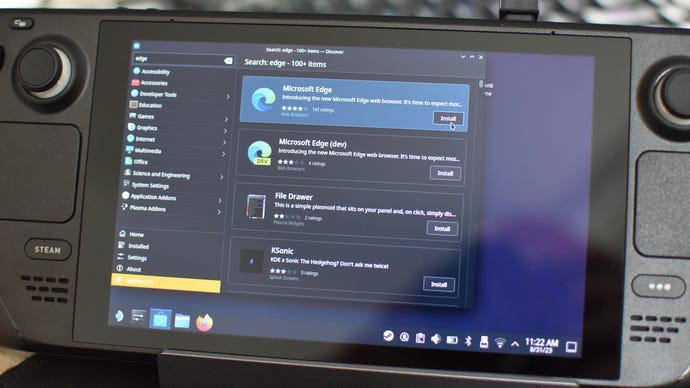
Image credit:Rock Paper Shotgun
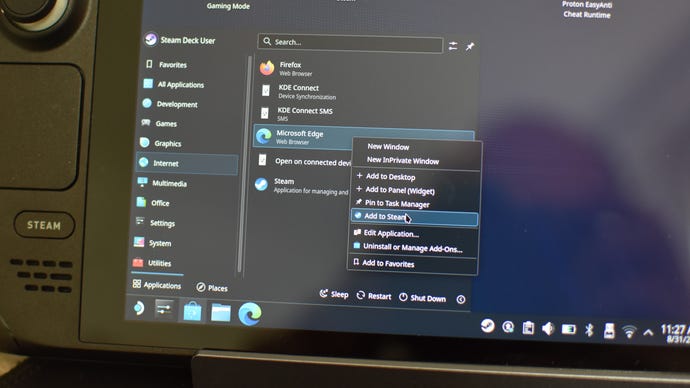
Step 4:Once Edge is installed, click the Steam Deck icon in the very bottom-left of the screen to open the Application Launcher. Click the Internet tab, then right-click on Microsoft Edge and select “Add to Steam”. To make sure it does, you can launch the Steam app – still in desktop mode! – and find Microsoft Edge in your library.
Image credit:Rock Paper Shotgun
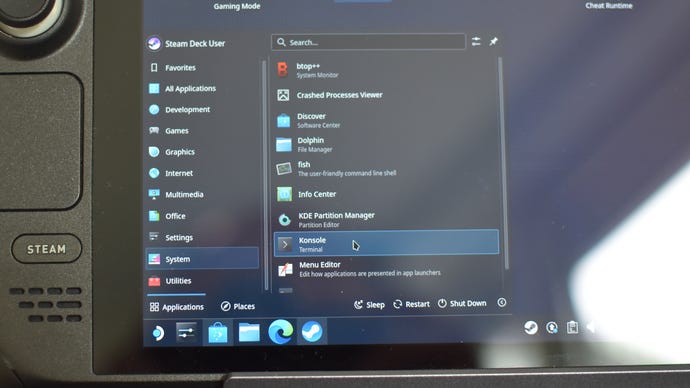
Step 5:Open the Applications Launcher again click on the System tab. From here, open Konsole.
Image credit:Rock Paper Shotgun
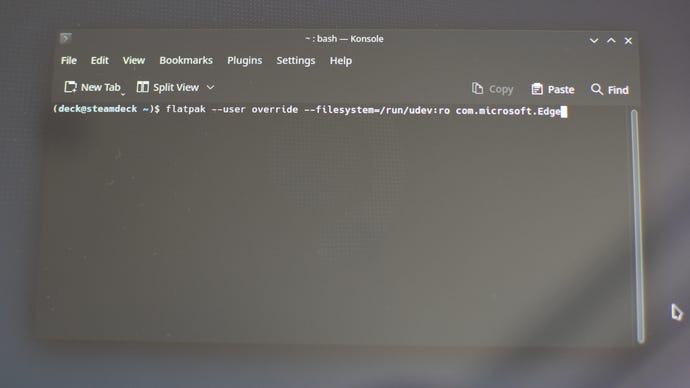
Step 6:In Konsole, type or paste the following:
flatpak –user override –filesystem=/run/udev:ro com.microsoft.Edge
Hit Enter, then close Konsole.
Image credit:Rock Paper Shotgun
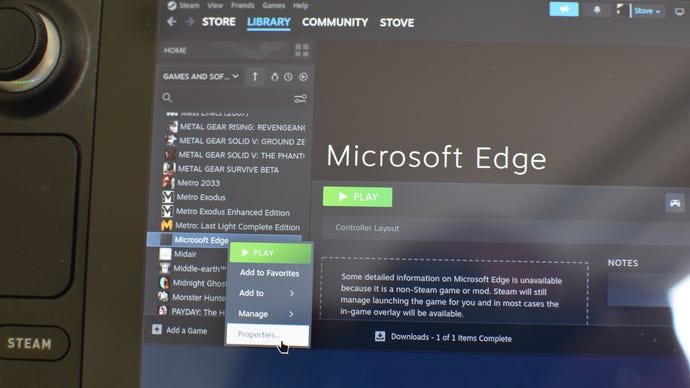
Step 7:In the Steam app, find Microsoft Edge in your library, right-click on it, and select “Properties”.
Image credit:Rock Paper Shotgun
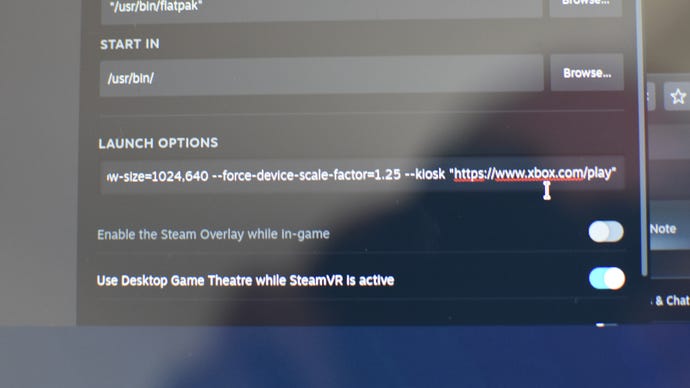
Step 8:Scroll to the end of the text jumble that’s already already occupying the Launch Options field, then add a space. Then, type or paste the following, taking care not to delete any of the existing text:
–window-size=1024,640 –force-device-scale-factor=1.25 –device-scale-factor=1.25 –kiosk https://www.xbox.com/play
Image credit:Rock Paper Shotgun
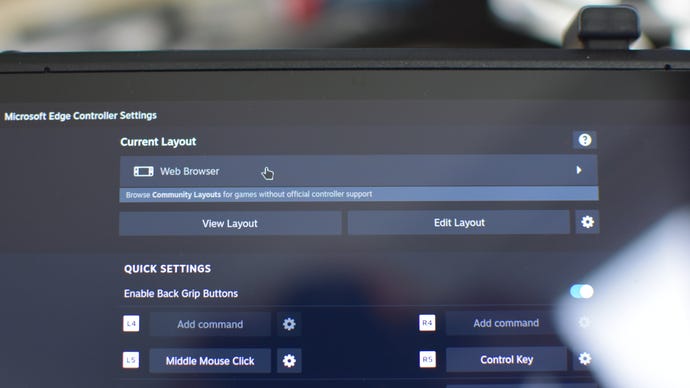
Step 9:Close the Properties window, right-click on Edge in Steam again, then select “Controller layout”. Click where it says “Web Browser” at the top of the window.
Image credit:Rock Paper Shotgun
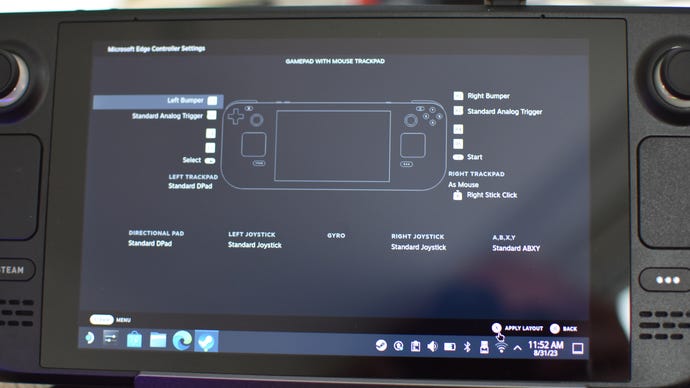
Step 10:Click “Gamepad with mouse trackpad”, then “Apply layout”.
Image credit:Rock Paper Shotgun
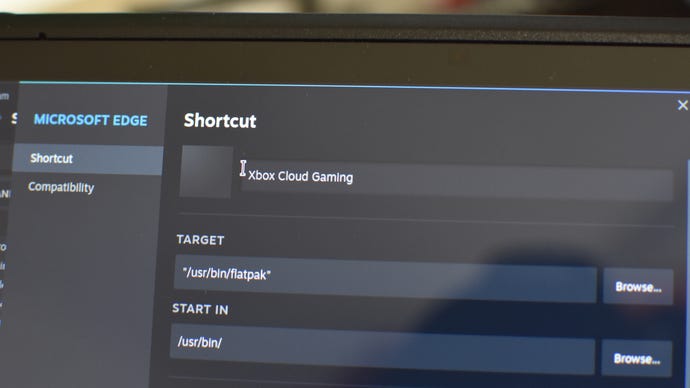
Step 11:You’re basically good to go, but since launching the Edge app will not immediately launch it onto the Xbox Cloud Gaming, you can optionally rename it to something more suited to its purpose. If you want to, go back to Edge’s Properties menu in Steam, delete “Microsoft Edge” in the top field and call it something like… well, why not “Xbox Cloud Gaming”?
Image credit:Rock Paper Shotgun
Step 12:Close the Properties menu and restart your Steam Deck back into Gaming mode. You’ll find Edge, or whatever you’ve renamed it, in the Non-Steam Games section of your library. Launch it, and you’ll find yourself right there on the Xbox Cloud Gaming homepage. Simply log into your Game Pass Ultimate account, and Starfield – or any other Game Pass game that the cloud service has to offer – is yours.
Image credit:Rock Paper Shotgun