HomeHardwareNews
GeForce Now is finally usable now you can sync your Steam library with itNvidia’s cloud gaming service just got a little bit better.
Nvidia’s cloud gaming service just got a little bit better.
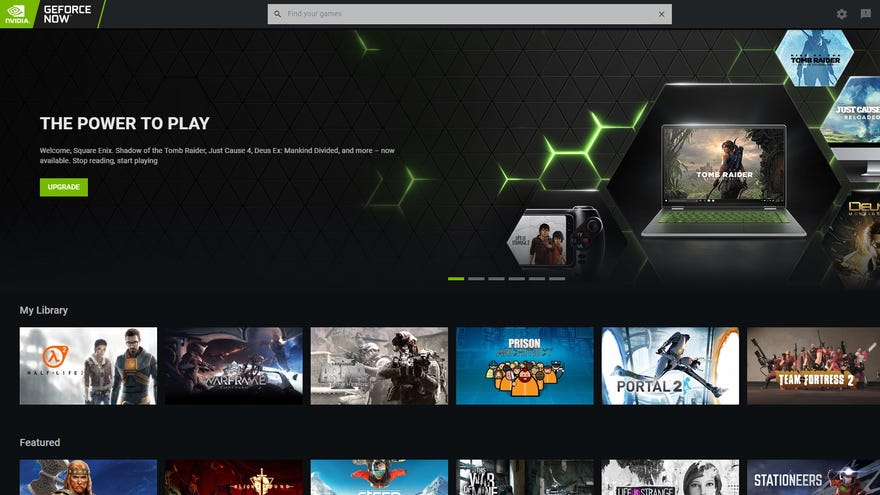
To get yourself set up, you’ll need to open up the GeForce Now app on your PC and click on its Settings cog. In the top right corner, there should now be a new Game Sync section with a little sync button you need to click. If there isn’t, you’ll probably need to update GeForce Now.
Still, provided you’ve got your Steam profile set to public, all you need to do is hit that sync button, log into your Steam account through GeForce Now and you’re done. Easy peasy. Once it’s set up, you can also disable Game Sync at any time, and you can refresh it if you’ve recently bought a new game and want to see if it’s on GeForce Now as well.
Update your GeForce Now app and you’ll find its new Game Sync feature in the Settings menu.

They advertised a couple of the big hitters such as Fortnite and The Witcher 3 within the app when you fired it up, but figuring out what other games from your library worked on GeForce Now was a right pain in the rear. Combine that with the constant flip-flopping of several major publishers and developers leaving and re-joining the service over its first few months and it was like watching a car crash in slow motion.
Fundamentally, the biggest issue I had with the service - finding out what games you can play on it - has now been fixed, which is a good thing. Now we just needmoregames to play on GeForce Now, and Nvidia might finally have a decent chance of having a cloud gaming service worth paying for.
