HomeGuidesFactorio
Factorio console commands guide: world editor, game speed, god mode, and moreTaking automation to a whole new level
Taking automation to a whole new level
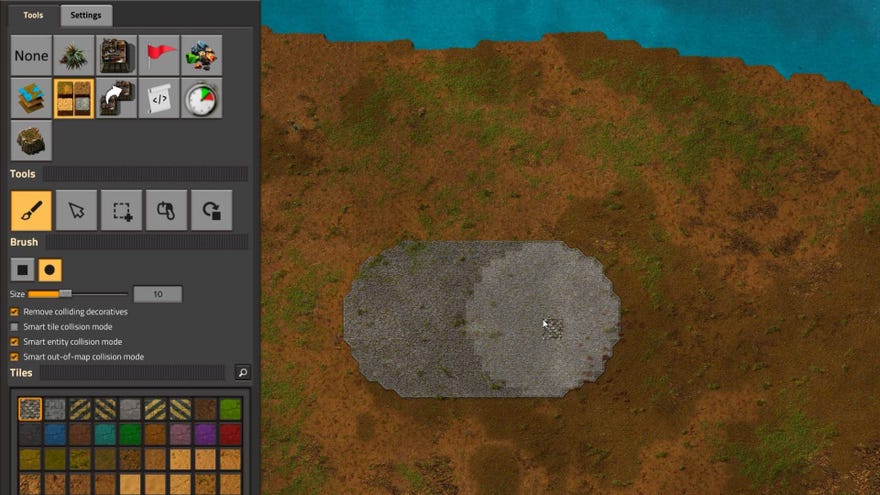
UsingFactorio’s in-game console, players can do just about anything they could ever want to do in this marvellously addictive factory management game. From modifying the world around them to controlling the spread of biters, from instant teleporting to increasing your inventory size, from adjusting the game speed to enabling instant crafting of items, ourFactorio console commands guidewill show you exactly how to use all the most useful and powerful cheats in the game.
Product Placement Scented | Mystery Steam Reviews (Advertising in Video Games)Watch on YouTube
Product Placement Scented | Mystery Steam Reviews (Advertising in Video Games)

Factorio console commands
There’s a simply colossal number of ways in which you can change your Factorio game using the in-game console. But we’re both busy people, so I’m just going to lay out the most useful and frequently used cheats for you below.
How to use the Factorio console
For a list of basic commands, simply type “/help” into the console, and you’ll be given a list of possible commands that you can type in. However, if you’re after cheats, what you’re really after is the “/command” command (which you can abbreviate to just “/c”).
Please note: using the “/c” command willdisable all achievementsfor your Factorio world, so make sure this is what you want to do before committing.
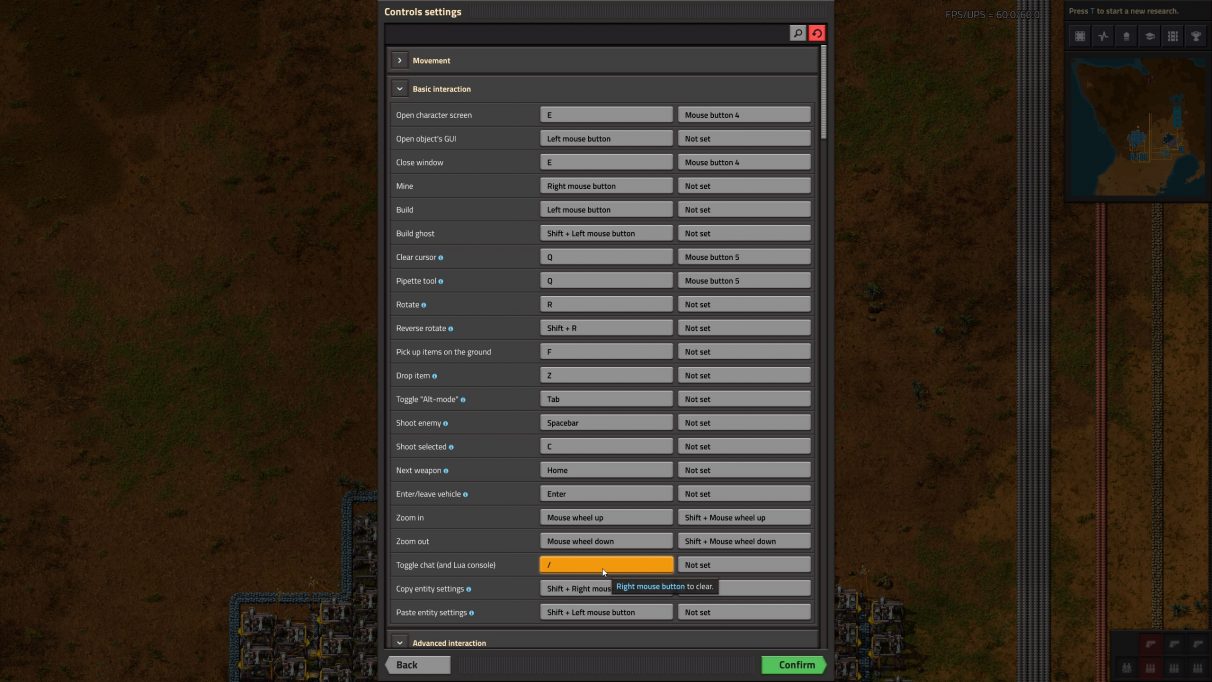
Now let’s take a closer look at the most useful console commands in Factorio.
Player console commands
These Factorio cheats directly affect the player, allowing you to quickly move around and expand your manual capabilities.
Teleport player
/c game.player.teleport([x],[y])
Mine faster
/c game.player.force.manual_mining_speed_modifier=100
Craft faster
/c game.player.force.manual_crafting_speed_modifier=100
Increase player reach
/c local reach = 500game.player.force.character_build_distance_bonus = reachgame.player.force.character_reach_distance_bonus = reach
Inventory console commands
Become a master of the inventory with these Factorio inventory-focused console commands.
Enable Cheat Mode
/c game.player.cheat_mode=true
Add item to inventory
/c game.player.insert{name=“infinity-chest”, count=100}
Increase inventory size
/c game.player.force.character_inventory_slots_bonus=80
Enemy console commands
Control the spread of Biters in your Factorio world using these commands.
Enable Peaceful Mode
/c game.player.surface.peaceful_mode=true
Disable Biter Evolution
/c game.map_settings.enemy_evolution.time_factor=0/c game.map_settings.enemy_evolution.pollution_factor=0
Disable Biter Expansion
/c game.map_settings.enemy_expansion.enabled=false
Kill all enemies
/c game.forces[“enemy”].kill_all_units()
/c local surface=game.player.surfacelocal pp = game.player.positionlocal cnt = 0for key, entity in pairs(surface.find_entities_filtered({force=“enemy”, radius=250, position=pp })) docnt = cnt+1entity.destroy()endgame.player.print(cnt)
Set Biter evolution factor
/c game.forces[“enemy”].evolution_factor=0
World console commands
From altering the time of day and speed of time to changing the very terrain around you, these powerful commands will allow you to sculpt your perfect Factorio experience.
Enable the map editor
/editor
Reveal the map around the player
/c local radius=1000game.player.force.chart(game.player.surface, {{game.player.position.x-radius, game.player.position.y-radius}, {game.player.position.x+radius, game.player.position.y+radius}})
Eternal daytime
/c game.player.surface.always_day=true
Change game speed
/c game.speed=2
Remove pollution
/c game.player.surface.clear_pollution()
Turn off pollution
/c game.map_settings.pollution.enabled=false
Research console commands
Unlock all technologies or just making researching a lot quicker and easier with these commands.
Research all technologies
/c game.player.force.research_all_technologies()
Unlock all recipes
/c for name, recipe in pairs(game.player.force.recipes) do recipe.enabled = true end
Research specific technology
/c game.player.force.technologies[‘steel-processing’].researched=true
Increase research speed
/c game.player.force.laboratory_speed_modifier=2
And with that, we’ve illustrated all the most useful Factorio console commands that we’ve found. Hopefully you found the above list useful. It might also be worth checking below for any other Factorio guides that take your fancy.
