HomeHardwareFeatures
Exclusive: Here’s how you’ll know which games will run on Valve’s Steam DeckWe speak to Valve about their Steam Deck compatibility review programme
We speak to Valve about their Steam Deck compatibility review programme
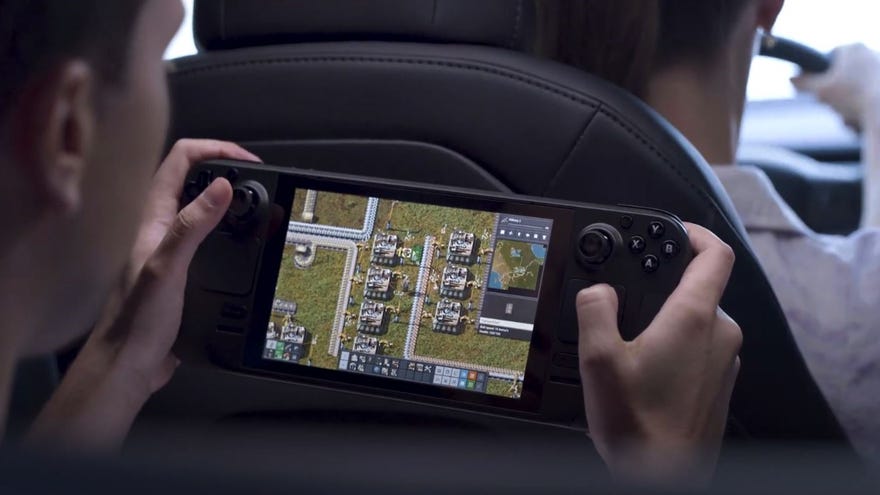
Valve have always maintained that theSteam Deckis closer to a conventional PC than a handheld console, and as such should be able to run your existing library of games on Steam. But while the officialSteam Deck Twitteris full of videos showing games performing well on dev kits, the compatibility status of many more gamesremains up in the air. That could just be through a lack of confirmation, or it could be deep-lying technical issues relating to hardware requirements oranti-cheat services that needed tweaksto work on the Deck’s Proton-based OS. Ahead of the planned December launch, Valve haveunveiled their planto bring clarity on whether specific games will be able to run (and run effectively) on the Steam Deck.
Valve Steam Deck Announced | Steam Deck NewsWatch on YouTube
Valve Steam Deck Announced | Steam Deck News

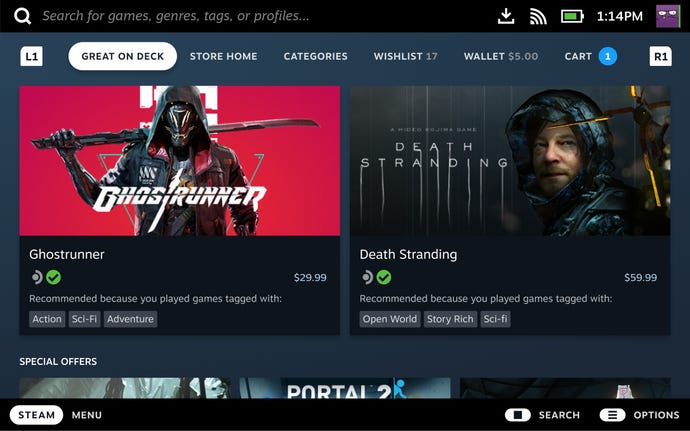
Games that meet all these criteria will find themselves in the ‘Verified’ category, whereas some will enter the ‘Playable’ category if they mostly work outside of needing some settings changes on the user’s part. The ‘Unsupported’ category will cover games that aren’t sufficiently functional on the Steam Deck, and the final ‘Unknown’ category will contain games that Valve haven’t reviewed yet. When you’re browsing Steam on the Steam Deck, games will display a badge marking their category (and thus degree of compatibility), hopefully making it much easier to know which of your collection will perform on the portable PC. Steam’s library section will also get a new ‘Great on Deck’ tab solely containing games with Verified status, and even before the Steam Deck is released, Valve are aiming to let Steam users see which of their games will be compatible on launch.
Those green checkmarks show the game has achieved Verified status, and should run without trouble.
Steam has alotof games. What kind of resources are being put towards reviewing the entire catalogue, and how much will stay in place to review future game releases?
Steam does have a lot of games, and Valve is putting significant effort into this review program. We’ve hired an additional group of testers specifically for Steam Deck compatibility, and will continue to hire additional staff to support this group. It will take time to review the Steam catalog (in addition to the new titles that are being launched all the time), and we see some version of this process being in place for the foreseeable future.
How’s the review process going so far? Are you happy with the number of Verified and Playable games coming through?
The review process is going well, and we are generally happy with the spread of compatibility ratings we’re seeing so far- especially given that up until now developers haven’t had a specific set of targets to aim for.
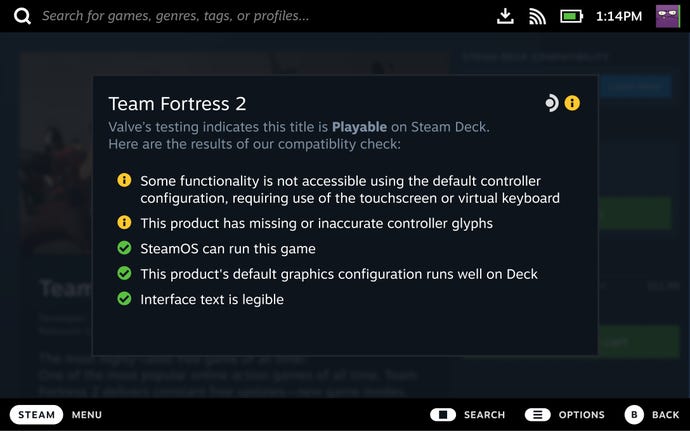
‘Playable’ games may require some user tweaking – what kind of tweaks are we talking?
Some examples of this would be titles that require a player to manually select a community controller config, require players to manually bring up the on-screen keyboard for text input, or requires them to use the touchscreen to navigate a launcher.
In terms of Proton support, we know some games use compatible anti-cheat likeEasy Anti-CheatandBattlEye, but their developers haven’t fully committed to making sure their games will be ready for the Steam Deck at launch. What’s the mechanism for re-reviewing games that might not initially be playable, but gain full compatibility later?
How does the review process judge general performance? Presumably a game wouldn’t get Verified status if it ran at 12fps on its lowest settings.
Our team is primarily testing for a good experience on default settings. In terms of framerate, the floor is a minimum of 30fps to meet the Verified bar. To make this easier to target for developers, we’ve provided an API that allows them to tell whether their title is running on Steam Deck - so they can adjust default settings as needed.
Issues like Proton support seem more within Valve’s influence than, say, resolution support or text size. Will Valve be encouraging or offering support to developers to clear these other potential hurdles?
Definitely. In addition to providing these guidelines, we’re continuing to add new tools to the Steamworks API to make developer lives easier on both Deck and PC. Older APIs like Steam Input are continually updated to make it easier for developers to support matching controller glyphs on all devices. We’ve also recently introduced new APIs for developers to more easily support on-screen keyboards, suspend/resume functionality, and other Deck technologies. We fully expect we’ll continue expanding our support here in the future as developers tell us how we can be the most helpful.
On a similar note, how closely are you working with developers on the reviewing process itself? Or is it not even necessary for games that work well out of the box?
To be successful, this compatibility review process needs to serve both customers and developers. We’ve been working extensively with both groups to make sure the results of the testing process, as well as the process itself, help make shopping for and playing games on Deck more comfortable for everyone. As for developer involvement in the review process itself - they are involved at all steps. They can initiate a review, get feedback and notes whenever a game is reviewed, and can request a re-review if they make any big updates or improvements to their Steam Deck compatibility.
Will users be able to attempt to play ‘Unknown’, or unreviewed, games on their Steam Deck? Will there be a warning or is it an “at your own risk” kind of thing?
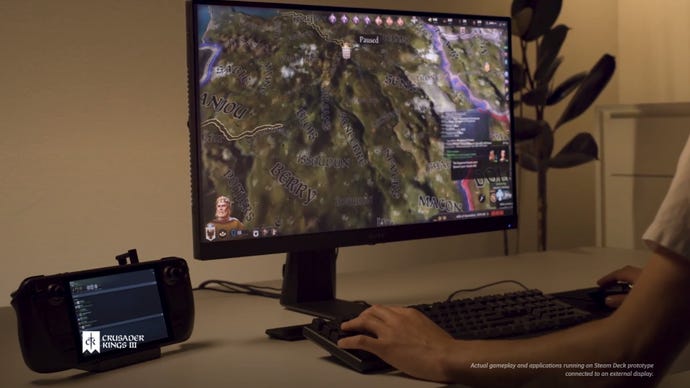
We want customers to be informed, but fundamentally the Deck is a gaming PC, and Valve doesn’t want to be in the position of telling customers they’re not allowed to do things on their own device. So yes, they will be able to purchase, install, and launch games that are categorized in the compatibility review as “Unknown”, and we will make sure they’re aware of the game’s status before doing so.
Will the compatibility badges be visible when viewing games on a PC, or in the Steam mobile app? It would be good to see if a game works well on the Steam Deck even if you’re primarily playing on a desktop or laptop.
We plan to make the Steam Deck compatibility badge visible on PC for players who own a Steam Deck, and compatibility badges will also be discoverable via searching and tag browsing for everyone using the desktop version of Steam or the Steam web site. In addition, the team is currently working on a new feature, to be released before Steam Deck’s launch, that will let players check the compatibility category of each of the games in their own library.
Having developed the criteria for Deck Verified status, is it still Valve’s intention for every game on Steam to be playable on the Steam Deck? Or to put it another way, is that still seen as a viable outcome?
We’re going to get as close to 100% as we can. That said, not every game makes sense to bring to Steam Deck - for instance, we’re all proud ofHalf Life: Alyx, but it’s not a game that Steam Deck was meant to run. Same reasoning applies for a game like “Gordon Teaches Typing” (not a real game, don’t try to look it up). Sure, you could plug a keyboard into Deck, but that’s not the default experience so we wouldn’t call a game like that a Verified title. In addition, there are some factors that are out of our control that can determine a title’s compatibility - anti-cheat is a big one. We’re working with major anti-cheat providers to have Proton support for launch, and while we’ve gotten to a great place with BattlEye support, Easy Anti-Cheat is a bit more complicated.
