HomeGuidesDyson Sphere Program
Dyson Sphere Program tips and tricks to help get you startedUse these Dyson Sphere Program tips to master the game
Use these Dyson Sphere Program tips to master the game

Dyson Sphere Program, like all games in the factory-building genre, can be pretty hard to wrap your head around. There’s an awful lot to understand before you can start taking grand steps towards building your own Dyson Sphere. But don’t despair, because ourtop Dyson Sphere Program tips and tricksbelow will help you quickly get to grips with every major aspect of the game, from power levels and ratios to hotkeys and UI controls.
Dyson Sphere Program Release Date Announcement TrailerWatch on YouTube
Dyson Sphere Program Release Date Announcement Trailer

Dyson Sphere Program tips and tricks
There’s an awful lot of stuff inDyson Sphere Programalready, even for amanagement game. It most closely resembles other factory-building games likeFactorioandSatisfactory, but even here there are enough differences that you’ll want to bear the following tips in mind before you begin in earnest.
Here are our top Dyson Sphere Program tips:

Consult my walkthrough of your first hour of Dyson Sphere Program
Dyson Sphere Program, for the most part, is about figuring out things as you go, and marvelling at the fascinating problems that appear as things get more complex. But for those who are struggling to get properly started in a new game, you should check out myDyson Sphere Program guide to getting set up in under an hour. Follow these steps and you’ll have built a fantastic starter base in no time. A good foundation will really help with future endeavours.
Keep an eye on your mech power level
In Dyson Sphere Program, you control a mech which can move, jump, glide, and create just about everything in the universe from scratch. But one big difference between this game and its rivals is that your mech has a charge level at the bottom of the screen which you must always keep an eye on.
Don’t make your builds too compact
You have a ridiculous amount of space to work with in Dyson Sphere Program just on your home planet, so try to resist the urge to pack sections of your factory close together. True, it means you can walk from place to place quickly, but if you make your factory too compact you’ll run into problems later on when you’re trying to add big projects likeoil cracking and hydrogen productioninto the fold.
Your home planet is a big place, so don’t be afraid to spread things out.
Learn the basics of research
After completing the first few techs you’ll discover that most research relies on the production and consumption of coloured cubes, called matrices. You need to deal with these cubes in a particular building called the Matrix Lab. The Matrix Lab can be toggled between two modes: one for creating Matrices, and the other for consuming them to progress research and unlock new techs.
For full details on how research, techs, and Matrix Labs and cubes work, check out our comprehensiveDyson Sphere Program researchguide.
Automate production of basic components first
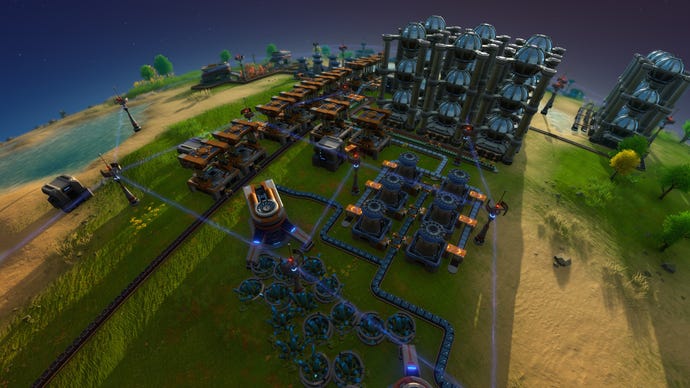
Dyson Sphere Program is all about automating things. Your first major goal should be to stop having to manually craft everything, because your factory is already crafting everything for you.
The absolute first step in automation is to use smelters to turn ore into ingots. But the crucial next step is to use assemblers and smelters to start cranking out the basic components used to create most things (Magnets, Magnetic Coils, Gears, and Circuit Boards). Just have one assembler producing each of these and plopping them into a storage box for you to take from whenever you need, and you’ll find things progressing much more quickly.
Factory power levels
Every factory needs power. The first tech you unlock will give you the basic building blocks of a day 1 power grid. You’ll have the Wind Turbine, which generates energy, and the Tesla Tower, which is used to connect the energy generator (Wind Turbine) to the energy consumer (the rest of your factory).
Click on any Tesla Tower or Wind Turbine to view information about your power grid. Pay particular attention to the satisfaction percentage, because it’ll tell you whether you’re generating enough energy to meet your needs. If satisfaction falls below 100%, everything connected to that grid will start to slow down. If you see this happening, it’s time to add more power generators.
Again, for lots more useful information on this, check out ourDyson Sphere Program power guide.
Ratios and throughput explained
A basic understanding of ratios and throughput early on is incredibly useful when putting together a basic factory. The most important thing to remember on day 1 is this:
Knowing that the throughput of a basic belt is 6 items per second allows you to figure out how to make things more efficient. For example, a sorter can move items at a maximum speed of 1.5 per second, which means 4 sorters is exactly enough to empty (or fill) a belt.
The Main Bus and the Mall
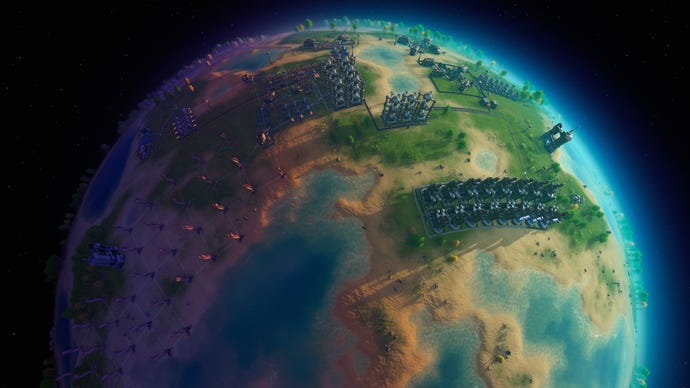
The idea of a “main bus” springs from the Factorio playerbase, and describes a way of organising your products in a structured set of belts, each carrying a different item type, each heading in the same direction. The idea is that you can easily pull whatever items you need away from the main bus using splitters, and keep everything nice and orderly.
But I’d suggest you curb this particular Factorioism. Any main bus would quickly become outdated once you reach the incredibly powerful and importantLogistics Stations, so I’d suggest not going through the effort of setting one up in the first place only to tear it down two or three hours later.
A “mall”, however, is absolutely worth building in Dyson Sphere Program. Another powerful tool of the Factorio player’s kit, a mall is a section of your factory which automatically churns out all of the basic buildings you need to continue expanding your factories. Belts, Sorters, Smelters, Mining Machines, Oil Refineries, Assemblers, Foundations… A mall can be as big or as small as necessary to keep you from ever having to manually create certain items again.
I’d suggest setting up a starting mall as soon as you finish automating blue Matrix cubes.
Understanding Belts and Sorters
Belts are absolutely essential to a factory in Dyson Sphere Program, and while their function is fairly simple on the surface, there’s actually a lot to learn about using belts properly, placing them without issues, manipulating them with Splitters, and so on.
It’s also worth remembering that there are three tiers of belt, each of which are costlier to produce but transport items at far greater speeds than the last. For absolutely everything you’ll ever need to know about belts, check out ourDyson Sphere Program beltspage.
Sorters are as much the bread-and-butter of a factory as your conveyor belts. To place a sorter, you have to connect it from a source (where it pulls its items from) to a destination (where it will place those items). You can attach it from a smelter to a belt, or from a belt to an assembler, or even from a smelter directly into an assembler.
What’s more, you can stretch a sorter over multiple tiles - but this will slow down its rate of movement of items. So a sorter moving across just one tile will transport 1.5 items per second, but over two tiles this changes to 0.75 items per second, and over three tiles it’s 0.5 items per second. You can also set filters on sorters so they’ll only take a particular item type. For full details on everything you can do with Sorters, be sure to check out our dedicatedDyson Sphere Program Sorterspage.
Belts and some buildings stack vertically
While placing a belt, you can use the up and down arrow keys to change the vertical level, allowing you to stack belts on top of one another and cross them without them intersecting and intruding on one another.
Certain buildings, such as Matrix Labs and Storage facilities, can also be stacked atop one another. Once the bottom one is full, it will start passing items automatically to the next building up.
Enable God Mode to make building easier
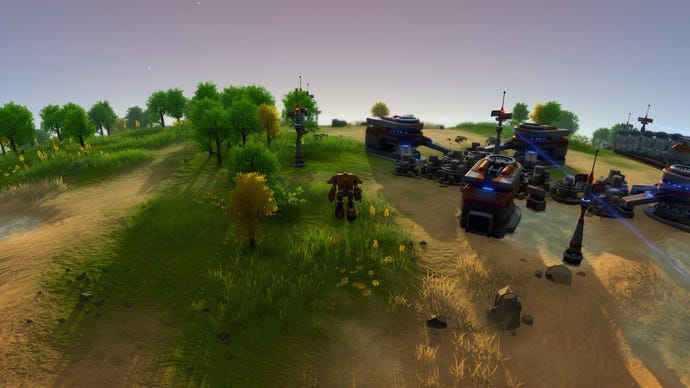
If you want to be able to build things in your factory without your view being locked to your mech, then head into the Gameplay tab of the settings menu, and set “Building View Mode” to “God mode”. This will allow you to move the camera around independently of your mech while in build mode.
Use hotkeys and UI controls
There’s a huge amount of stuff to learn about using hotkeys and the UI correctly in Dyson Sphere Program, so I’ll just list some of the major shortcuts and tools you should be aware of, to round off this Dyson Sphere Program tips page:
Alright, that’s probably enough Dyson Sphere Program tips and tricks for the time being. If you’re interested in learning a bit more about the game, why not check out our quick guide on the prospect ofmultiplayer in Dyson Sphere Program?
