HomeGuidesDyson Sphere Program
Dyson Sphere Program guide: how to get set up in under an hourFollow this Dyson Sphere Program guide if you’re struggling to get started!
Follow this Dyson Sphere Program guide if you’re struggling to get started!
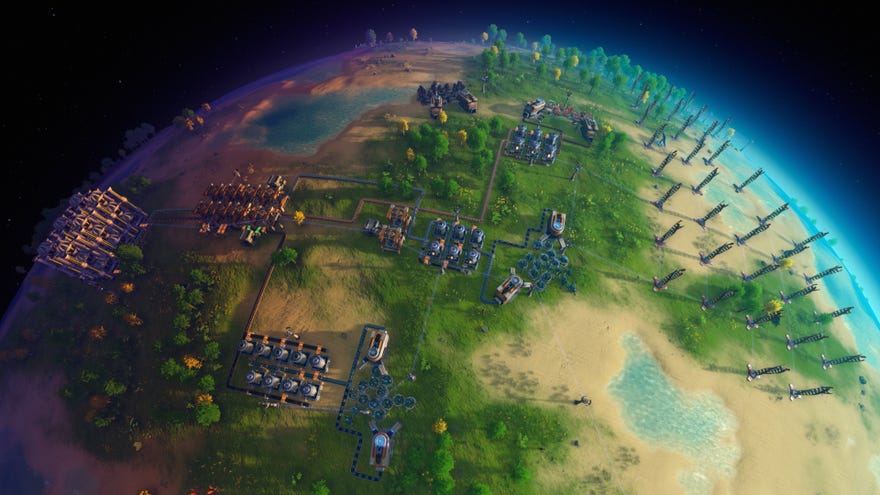
Dyson Sphere Program, like almost every factory management game out there, is a bit daunting to dive into for the first time. There’s an awful lot to know and the tutorial doesn’t do the best job of telling you what you should be doing.
But fear not! Below I’ve written up a foolproofDyson Sphere Program guidethat covers everything you should be doing in your first hour or so. Stick with this template and you’ll be off to a roaring start!
On this page:
Dyson Sphere Program guide: how to get set up in under an hourWatch on YouTube
Dyson Sphere Program guide: how to get set up in under an hour

Dyson Sphere Program guide: your first hour
Dyson Sphere Programis a pretty complex game, but after following this guide you’ll have firm footing for everything that comes next. Bear in mind that you don’t have to do everything exactly as I did it, nor keep up with me fully. I had the benefit of a good starting seed (41009301if you wanted to try it for yourself), and a fair bit of practice. The main point is to give you an idea of some starting goals, and an approximate timeline for accomplishing each one.
Tips and Tricks
Hydrogen & Oil setup
Research & Matrix Labs
Logistics Stations
Multiplayer mode
First steps: Initial techs

After landing, the absolute first thing you must do in Dyson Sphere Program is right-click your landing capsule to deconstruct it. While it’s deconstructing, hit “T” to open up your tech tree, then queue up the following techs in this order:
(If you’re a bit unsure about everything related to research and unlocking new techs, check out ourDyson Sphere Program research and Matrix Labs guide!)

Once the first tech is unlocked, you’ll be gifted a Mining Machine. Place it on the nearest patch of Iron Ore, trying to cover exactly 6 ore nodes with its cone of reach. If you’re having trouble, hold “Shift” to ignore grid snapping and finely control the building’s rotation.
Place a Tesla Tower next to the Mining Machine, and a Wind Turbine a little further away (but still connected to the Tesla Tower) to power it. If you’ve read ourDyson Sphere Program tipsyou’ll know not to make things too cramped and compact!
You can now periodically return to the Miner and pick up a stack of iron ore ready to turn into useful stuff in your Fabricator. Your next step is to craft all the components needed for the remaining four techs. So, in this order, you should craft:
You could of course craft all of the same type in one go, but the above order means you’ll unlock the techs faster!
Keep mining Copper and Stone, and drawing from your Iron Mining Machine until you have enough to craft all this. If you need more fuel, grab some coal or wood and place it in your Fuel Chamber. If you have time to kill, just keep mining ore or chopping wood until things happen.

Mining Machines and your first Iron belt
Once you have enough ore of all kinds, queue up 5 Mining Machines, 8 Turbines, and enough Tesla Towers to connect your ore patches together. You’ll want one Mining Machine each on Copper and Stone, and two each on Iron and Coal. This way you don’t have to spend all your time manually mining ever again.
From now on, you’ll have to stay on top of your energy levels. Make sure you keep building Wind Turbines to power everything. Click a Tesla Tower to see how your power grid is doing. If your energy satisfaction drops below 100% then Miners and Smelters will slow down.
Place your second Iron Mining Machine so that it covers 6 ore nodes, like the first Miner. 6 nodes means it’ll mine at a rate of 3 per second, so two of them will fill up aConveyor Belt(because a belt transports 6 items per second).
Next step is to construct enough Smelters (6) andSorters(12) to make a Smelting station that can output a whole belt’s worth of Iron Ingots. Here’s what you’re looking to create:

Connect the two Mining Machines and feed the iron ore into the central belt. The Smelters will pick up the ore, smelt it, and deposit the iron ingots onto the outside belts where they connect at the end to make a full belt of ingots.
This done, put down a couple of Assemblers to draw from your new iron ingot belt, set them to create Gears, and have them deposit their Gears into a Storage building for the time being. It’ll make life easier going forward, because Gears are used to build a lot of things you’ll need.

Belts of Copper and Magnets
This next section is simple, because all you’re going to do is repeat what you did for iron, but for copper. It’s exactly the same: 2 Mining Machines covering 6 nodes each, feeding into a little group of Smelters. Remember to build another 8 or so Turbines to keep power levels happy.

That done, find another Iron Ore patch, and get that set up too - but this time, you’re not smelting Iron Ingots, you’re smelting Magnets. Magnets take 1.5s instead of 1s to smelt, so you’ll need 9 Smelters instead of 6 to make a full belt, and about 11 Turbines to keep it all powered. But otherwise, it’s exactly the same process, just with 3 extra Smelters tacked onto the end.

Blue Science production
Here’s where things really start to happen. You’ve got a full belt of iron, copper, and magnets, which means you can start to automate production of Magnetic Coils and Circuits - the two ingredients needed to start producing the blue matrix cubes you’ll need to continue unlocking new techs.
First thing to do is queue up a whopping 18 Matrix Labs in your Fabricator. This’ll take a while, so make this the first thing you do.

Now place belts on the outside as well, as seen above. The belt next to the Coils is where your Magnets will go. The other belt is where your Iron Ingots will go.
Matrix cubes are created inside Matrix Labs, and we’re planning on having 9 Labs producing these blue cubes. Why 9? Because I like the ratios involved. 9 Labs means you need exactly 2 Assemblers each on Coils and Circuits. So why did we build 4 each? Because the remaining Assemblers are going to just store their items in Storage boxes so that we can take from them whenever we like.
So, for the initial two Assemblers in each column, place a Storage Box across from the outside belt, and then hook everything up with Sorters. Because the Assembler-to-Storage sorters are stretching across 2 tiles, you’ll want to replace these sorters with the faster Mk2 sorters when you can, because otherwise it’ll bottleneck your research. But for now, normal sorters are fine.
For the other four Assemblers, have them feed their products into new outer belts (use two sorters for each Assembler, to maintain throughput).


Now set the new stacks of Labs to research mode, and queue up your next techs to unlock! I’d suggest you start with the various techs in the Upgrade tab, because your poor old Mech needs a bit of love after all this work.
Next steps
Alright, that’s where I finish the video, even though it wasn’t a full hour. I’m guessing it’ll take a lot of players around an hour, if not more, but no one’s really counting in Dyson Sphere Program so it doesn’t matter. Just go at whatever pace you like, as long as you understand why you’re doing what you’re doing.
As for next steps, here’s what I’d recommend:
If you want some good clear instructions on how to do that last step, then the best place would be to head to ourDyson Sphere Program Hydrogen and Oil guide. But for everything else, I’ll leave it up to you to solve each problem how you like. That’s the fun of these games, after all.

If you’re looking for some more information on the future of Dyson Sphere Program, you may wish to look atour guide on the prospect of multiplayer.
