HomeNews
Discord ditches some underused features to stay “fast and clean"Failure to launcher
Failure to launcher

Since it first launched years ago as the Skype-killer app for Twitch streamers and gaming communities, VOIP and group chat appDiscordhas hulked up. New features are constantly in the works like sorting servers you’ve joined into folders, an overlay for seeing your voice chat while in-game, and plenty of other big ticket features. Like any widely-used app that reigns over a relative lack of competition (lookin' at you, Steam) some features just don’t survive contact with users and need to be culled (lookin' atyou, Steam). Discord threw two such underutilised bits in the bin this week.
First up on the chopping block is the Activity Feed. I’m sure someone out there used it, but I—a person who is on Discord during all of my waking hours seven days a week—did not. Apparently it lets you launch games you’ve recently played even from other launchers. Ah, hello toSims 4,Red Dead Redemption 2, andStardew Valley. Good to see you tucked up there. It tells you what your friends have recently played. Oh, and it links to blog posts from official websites, as Discord put, “for a game you playedonce8 months ago…oh Activity Feed…”
Instead, Discord remind users that they have access to the newer feature “Channel Following” which lets you get announcements from partnered and verified servers (often official game servers, big communities, and #contentcreators) and have those announcements replicated in your own server. It gives you more control over what you’d like to see than the Activity Feed’s slapdash information overload.
The Discord store in its beta days.
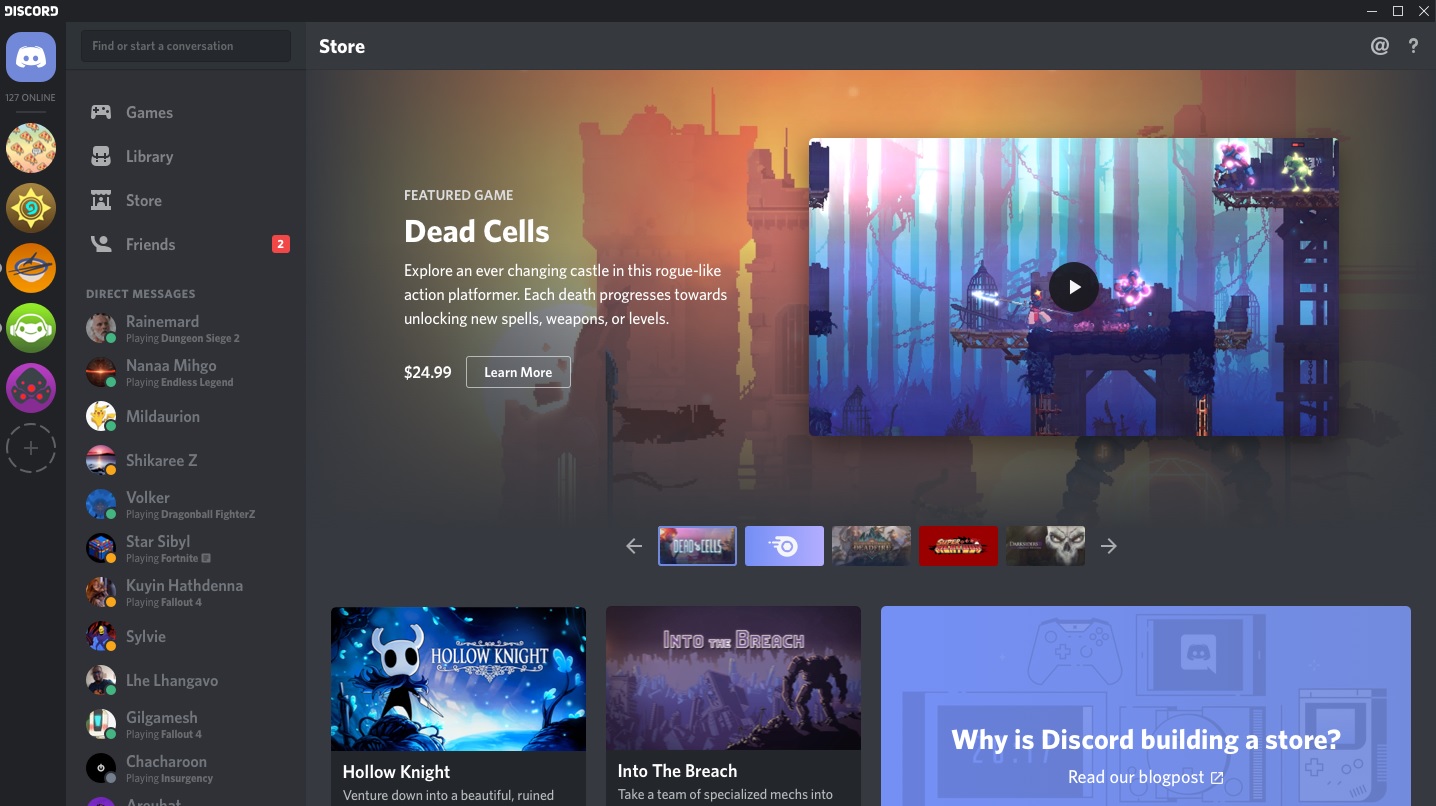
Second up to cut are the Library tab that hangs out above your list of direct messages and the related Universal Games Launcher. Discord’s take on the library to end all libraries apparently wasn’t hitting the mark. “We’re removing both of these to keep your Discord experience fast and clean,” they say. But wait, what about those of you who’ve bought games from Discord? You may have forgotten (I did) but Discord have actually dabbled with selling games to users.
If you have bought or will buy a game from Discord, your games will always be accessible. The Library tab will stay for you, and you’ll have the option to disable it from User Settings > Appearances.
You can read Discord’s blog post explaining these changes ontheir blog. If you’re looking for another server to call home, what about joining theRPS Discord server?
