HomeHardwareFeaturesHorizon Zero Dawn
Despite stellar performance on our end, Horizon Zero Dawn’s PC port has been nearly unplayable for othersFalse dawn?
False dawn?
Image credit:Rock Paper Shotgun/PlayStation PC LLC
Image credit:Rock Paper Shotgun/PlayStation PC LLC
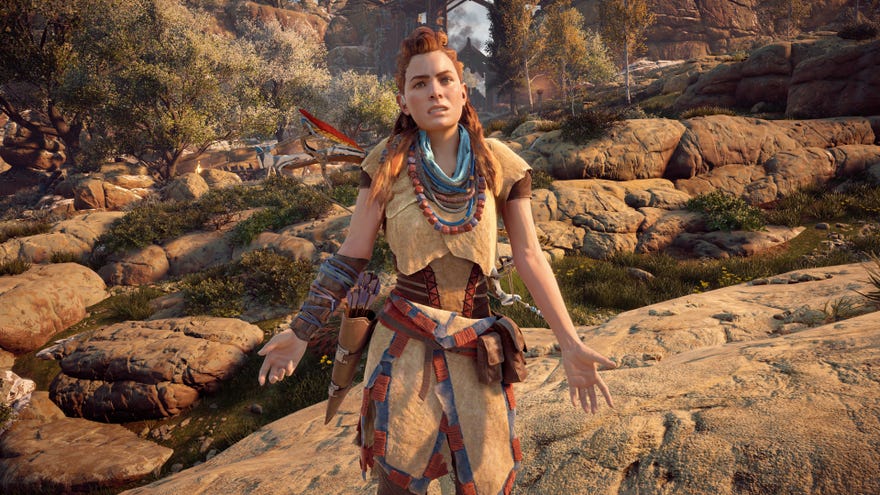
As you may have noticed, I’ve beenquite impressed with Horizon Zero Dawn’s PC port. I’ve been able to get the game running smoothly at 60fps on High settings even on a lowly GTX 1060 during the course of my testing, and I’m also very fond ofHorizon’s lovely ultrawide support, too.
First of all, I should point out that it hasn’t been plain sailing for everyone even within RPS. Both Nate and our VidBud Colm have reported problems far worse than what I’ve experienced so far, with frequent, often random crashes sending the game into meltdown, and occasional frame rate stutters coming in and out of cutscenes.
But these niggles still pale in comparison to what other people have been experiencing. To give you a small flavour of it, both Digital Foundry andArs Technicacouldn’t maintain a steady frame rate even with an RTX 2080 Ti and a high-end Ryzen 9 3900X CPU inside their PCs. Indeed, Digital Foundry also tried testing with the recommended GTX 1060 like I did and got vastly different results, saying: “On optimised settings, the GTX 1060 can drop beneath 1080p30 with highly erratic frame-times, meaning that it’s performing worse than a PlayStation 4 with only a small visual uplift.”
I must stress, I have not had these issues. My GTX 1060 rig was perfectly capable of hitting 1080p60 in-game on its High ‘Favour Quality’ settings, and at no point did I see it jumping all over the shop, either. I’ve also been testing the game on higher end cards since I did my initial performance review on Wednesday, and my RTX 2080 Ti / Intel Core i5-8600K combo has been equally trouble-free. In my experience, the built-in benchmark results are a reasonably accurate reflection of the performance I get in-game, and I’ve seen a smooth near-60fps frame rates on the Favour Quality settings at 4K that don’t give even the slightest suggestion that something’s wrong. For what it’s worth, bumping the settings up to Ultimate Quality gave me an average frame rate of 50-odd fps in-game, which is just a touch down from the 55fps average produced in the benchmark, but it still seems to be vastly better than what other outlets have been able to achieve.
Watch on YouTube
Watch on YouTube

There have also been issues where the frame rate would drop on certain paths, as well streaming issues on buildings near the Mother’s Cradle settlement and when certain adaptive performance settings were enabled, and some have reported flickering problems when they change the game’s resolution scale. To my knowledge, these issues haven’t been present on my build of the game, so it’s difficult to say whether they’ve been fixed or not.
Another biggie is that the game’sAnisotropic Filtering settings just straight up don’t work. This is what makes the texture details more realistic at different viewing angles, and the game’s handy in-game menu options demonstrate what this means in practice, as you can see below (click to enlarge etc):
LowMediumHighUltraNow, you might be thinking, “Are those actually four separate images?” and that’s a fair criticism. You have to look quite hard to see the differences in those four images, and I’m not sure I would have noticed this is someone hadn’t specifically told me there was a problem with it. That said, having now spent a fair amount of time squinting at various screenshots I’ve taken, it would appear that flip-flopping between the game’s four AF settings does indeed do naff all to the overall quality of the game.
LowMediumHighUltra
Low
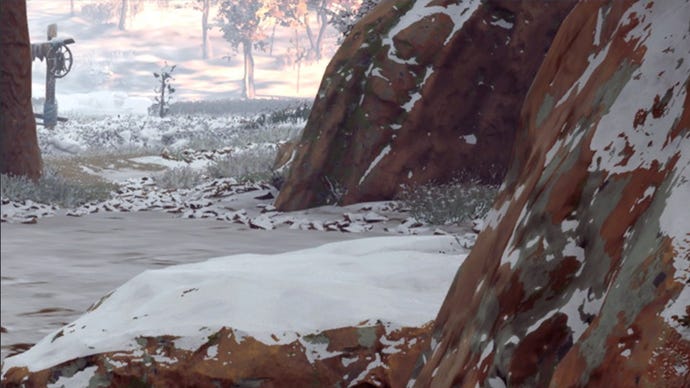
Medium
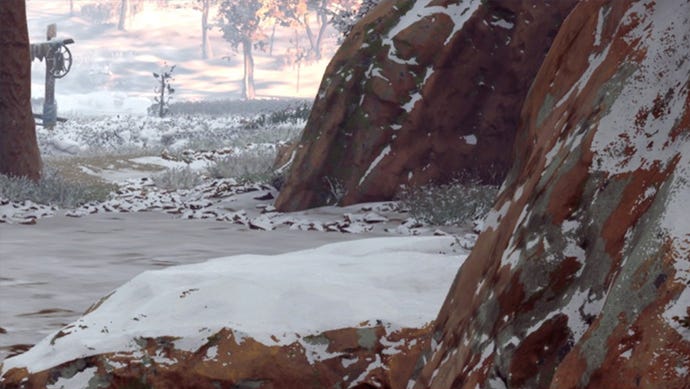
High
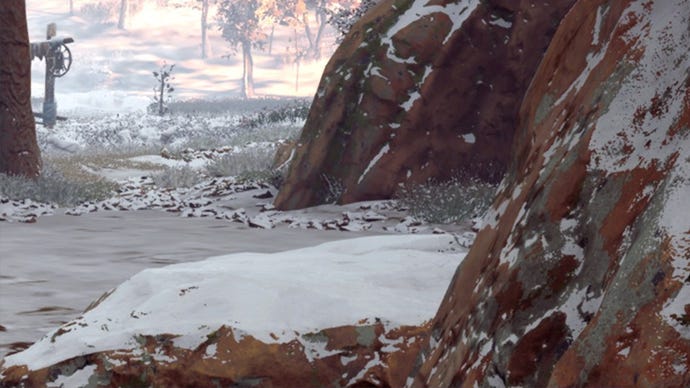
Ultra
Sony have said this is also “a high priority issue for us to resolve” in their communications with us, and that’s fair enough. I’m sure there will be some people who are up in arms about this kind of oversight, but as I said, it’s certainly not something I would have noticed on my own had someone not put a big angry flare sign over it.
The other big thing some people have noticed is thatsome of the game’s animations apparently only refresh at 30fps, even when the rest of the game is running at 60fps. Things like character’s facial expressions, eye blinks and other minutiae that again, I can’t say I noticed during my testing. For this one, Sony say they “are exploring how we can improve this with a future update,” so not quite as high priority as the others, but it’s still very much on the to do list.
There have also beenproblems with the game’s optimisation process. This happens the first time you boot up the game, and in my experience can take anywhere from 10-15 minutes. It’s a long-ass time, and an immense irritation when it insists on doing it every time I swap out my graphics card for a different GPU. Indeed, Digital Foundry reported the game would frequently crash during this stage, too:
“It’s an extended process to say the least, it adds to the storage footprint, and if your drive fills up during this procedure, the game crashes to desktop - sometimes with an ominous ‘fatal error’,” according to Digital Foundry’s Alex Battaglia. “While testing and re-testing across systems, the process could often stall and lock-up even when required storage was available.”
At the risk of sounding like a broken record, this wasn’t a problem for me either - and I’ve sat through that optimisation process at least a dozen times in the last couple of days. According to Sony, the error is because the “shader compilation process does not properly verify remaining storage space on user PC and can result in crashes if the user’s storage drive is low on space (compilation process requires additional ~2GB storage space),” but they did not give any kind of time frame or priority indication on when this ‘known issue’ might be fixed.
Watch on YouTube
Watch on YouTube

I must stress, I don’t mean to make light of these issues, as there are clearly some very serious problems going on here. Equally, though, I’d hesitate to call it a bad or disappointing port, because when it works, it’s really quite something, and my experience shows that a GTX 1060 is more than capable of delivering 60fps on its High ‘Favour Quality’ settings at 1920x1080 without issue.
Does a disappointing launch make for a disappointing game, period? I’m not so sure. It’s not like the old days where post-launch patches just weren’t even a thing and you had to like it or lump it. It simply isn’t in a developer or publisher’s interest to leave a game in that kind of state any more. Things will get fixed. It may take time, but those bugs will be squashed eventually, and a good handful (if not all) of these problems won’t exist any more. It was annoying when Red Dead wouldn’t load, sure, but within a week I was riding round that gorgeous wilderness havinga right old whale of a timeand I’ve rarely thought about those launch issues since.
Naturally, I will be keeping a close eye on Horizon Zero Dawn’s patch status over the coming days and weeks, and will do my best to keep you up to date with what’s going on. I had hoped to finish my big graphics card test today to show you what kind of performance you can expect to see on your own PC, but with such drastic problems occurring elsewhere with Horizon’s PC port, I’m now going to delay that until the beginning of next week. If you’re planning on playing Horizon Zero Dawn today, I really hope your experience falls on my end of the scale rather than Digital Foundry’s, as there’s so much to enjoy here, both froma technical point of viewand the game itself, as you can see from Nate’sHorizon Zero Dawn review. And even if you don’t, fixes are coming. I urge patience, because goodness knows there are more important things we should be getting angry about these days.
