HomeHardwareFeaturesCall of Duty: Modern Warfare II (2022)
Call of Duty: Modern Warfare 2 PC performance, system requirements and the best settings to usePrice to performance
Price to performance
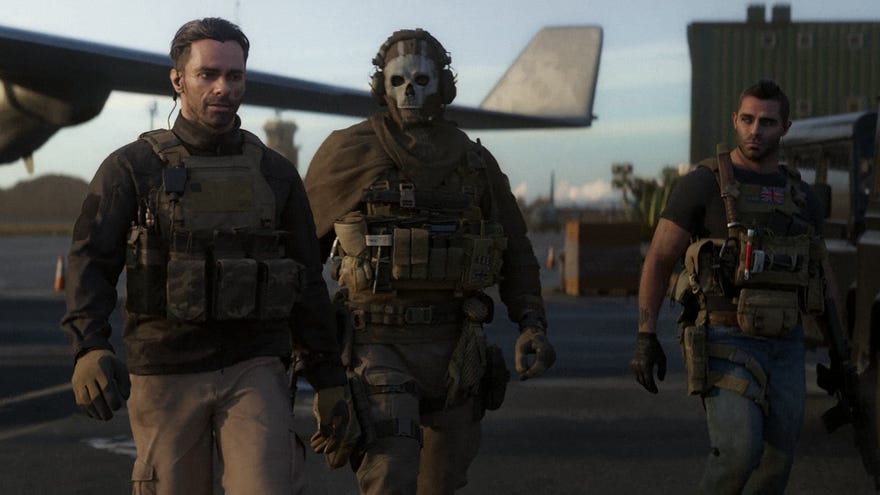
Hello again. Now thatCall of Duty: Modern Warfare 2(the second one) is out in full, not just its campaign, I’ve revisited my best settings guide to see whether it can provide a preset-beating balance of looks and performance in the multiplayer component as well. And it does! If anything the various online modes tend to run more smoothly and consistently than the singleplayer story, but whichever you prefer playing, you can make just a few key changes to visibly improve your frames per second. And a COD with more frames just feels better.
Despite this universal truth, MW2 can be a toughie on older PC hardware: evengraphics cardslisted among the recommended system requestions need quality cuts to get a stable 60fps at 1080p. In this guide I’ll be showing you how various GPUs perform and where, precisely, the make those cuts if needed.
5 Best Modern Warfare 2 Weapon LoadoutsUnsure what gun to choose in Modern Warfare 2? Confused which weapons pair best with one another? Look no further. The answers to your questions (and more) lie within the video above.Watch on YouTube
5 Best Modern Warfare 2 Weapon Loadouts

If you want to skip straight to myrecommended settings guide, click those words you just read. Otherwise, read on for a closer look at MW2’s official system specs, and more on how it runs on PC.
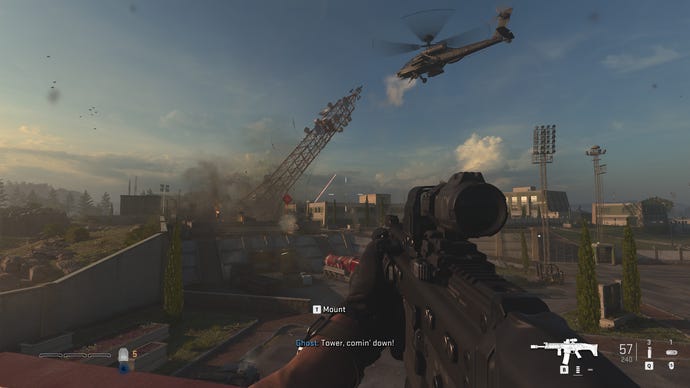
Call of Duty: Modern Warfare 2 system requirements and PC performance
Call of Duty: Modern Warfare 2 minimum system requirements
Call of Duty: Modern Warfare 2 recommended system requirements
I had a 6GBGTX 1060lying around, so began testing with it inside my Intel Core i5-11600-based test PC with 16GB of RAM. The game’s full release includes a built-in, multiplayer-focused benchmark tool, but since I only had access to the campaign at the time, I did all my testing using the oil rig infiltration mission roughly halfway into the story. It’s one of, if not the toughest sections in the game on PC performance, so anything that can run well here will run well anywhere. That said, the multiplayer benchmark doesn’t go overly easy, so it’s fine to use if you want to use it to test your own rig.
In spite of my CPU and RAM greatly exceeding the recommended requirements, the GTX 1060 couldn’t quite keep up with the best-looking settings at 1080p. The highest quality preset, Extreme, averaged 31fps – only just playable, and nowhere near Call of Duty’s optimal slickness. The Ultra preset looked and ran about the same, averaging 33fps, so it took dropping down yet another step – Balanced – to get a decently smooth 52fps.
1of5CaptionAttribution
1of5
1of5
1of5
CaptionAttribution





CaptionAttribution
Caption
Attribution
(Speaking of the Steam Deck, Call of Duty: Modern Warfare 2 is unfortunately only playable on Valve’s handheld if you’re using Windows on it. The game’s Richochet anti-cheat is incompatible with the default, Linux-based SteamOS, so will prevent MW2 from launching even if you’re only trying to play singleplayer.)
On the bright side, it’s not like you need anRTX 4090for good framerates, The GTX 1060’s bigger brother, theGTX 1070, is far better equipped for MW2 at 1080p: I got a mostly fine 45fps out of the Extreme preset and 73fps on Balanced. The latter also produced 51fps at native 1440p, though I highly recommended you avail yourself of one of the many upscaling options at this resolution and above. I originally played through the campaign at 4K using anRTX 2080 Ti, and usually got between 60fps and 70fps withNvidia DLSSon its Balanced mode. There’s more on these in the best settings section, but in short, DLSS is 100% worth using if your card supports it, andIntel XeSSis a fine GPU-agnostic alternative.
There were no recurring technical or performance problem during my campaign playthrough, nor my subsequent benchmarking. When MW2 does break, though, it breaks spectacularly, even if it’s just a one-off. Here’s how a usually picturesque Amsterdam scene once loaded in for me:
Like a fabulous flashbang.

And forgive the lack of screenshots, but I also got a bizarre bug where a newly-spawned squad of armoured enemies appeared completely invisible – except for the visors on their helmets, bobbing nonchalantly through the air. Even more strangely, their textures popped back into view after I snuck past them and turned around, as if their corporeality was dependent on viewing angle? Bizarre.
These are nothing a patch can’t fix (or, in the case of the luminescent Netherlands capital, a quick restart). However, RPS vid bud Liam informed me that MW2 stuttered badly for him when it was installed on his hard drive, before running normally after switching the install to anSSD. This sounds an awful lot like a stuttering issue that befell 2019’sModern Warfare, so while I haven’t experienced this myself, you may want to stick to solid state storage if you have the room.
Call of Duty: Modern Warfare 2 best settings guide
Judging from the performance gap between MW2’s Balanced and Ultra presets, you could just whack on the former and call it a day. Except on closer inspection, Balanced is mainly a combination of lower-end settings, resulting in some ugly spots – in the Amsterdam gallery above, see how the Balanced preset adds a fuzzy, pixelated effect on the car and water to the far left, not to mention visibly lower-quality shadows and less effective anti-aliasing.
I think we can do better, which means making individual adjustments to MW2’s graphics settings. These are incredibly detailed – I count over 40 separate options, including all the upscalers – but the kicker is that only a few of these have a meaningful impact on FPS performance. In other words, presets like Balanced and especially Basic are making cuts to visual quality that don’t actually help MW2 run much faster.
Normally at this point, I’d run through how every single setting helps or hurts framerates, but since so many of them don’t do either, let’s approach this part differently. First, I’ll simply list all the settings that you can leave on High or Ultra, as lowering them will have only negible FPS impact. Then, I’ll walk through the settings youshouldlower, along with how doing so improved performance on the GTX 1070 at 1080p. Sound good?
Aren’t you glad you didn’t just have to read 28 different variations on “I set this to Low and still got 45fps?” More importantly, here are the ones you should try lowering: the best settings, you might say. With these, and keeping all those settings above at their Extreme defaults, the GTX 1070 averaged 61fps at 1080p – which isn’t as fast as on Balanced, but produces a generally finer-looking picture. And that’s still a 36% improvement on using the Extreme preset as-is.
Remember to restart the game after applying these, so the change in shader quality can take effect. All other settings you can change freely without needing a restart.
1of6CaptionAttribution
1of6
1of6
1of6
CaptionAttribution
CaptionAttribution
Caption
Attribution
That will hopefully sort you for 1080p, but if you’re playing at 1440p or 4K, consider throwing in an upscaler as well. MW2 supports several, including Intel’s shiny new XeSS upscaler, and DLSS, which sadly doesn’t work on the GTX 1070. I therefore swapped in my RTX 3070 for testing these, again using the Extreme preset as a baseline and upping the native resolution to 1440p. Here’s how they performed:
That’s a clear, if shared win for DLSS and XeSS, so add one of those to the mix if you’re playing at high resolutions.
Activision Blizzard are currently the subject of a number oflegal actions,labour disputesand allegations ofworkplace harassment. Rock Paper Shotgun will continue to write about these issues, as well as covering Activision Blizzard games as part of our commitment to cover subjects of interest to our readers. The latest news can always be found under ourActivision Blizzardtag.
