HomeHardwareFeatures
Asus ROG Strix Scar 15 (2021) reviewAn expensive, but gorgeous RTX 3080 desktop replacement laptop
An expensive, but gorgeous RTX 3080 desktop replacement laptop
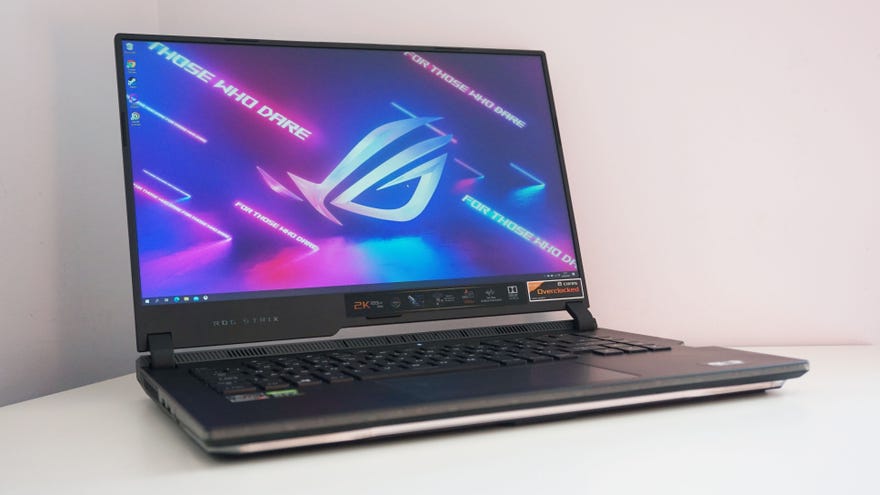
Of all thenew gaming laptops coming out this year, the 2021 edition of the Asus ROG Strix Scar 15 is almost certainly going to be one of the most powerful, high-spec machines you can buy. Not only is its top spec packed with the full 16GB variant of Nvidia’s new RTX 3080 graphics chip and an overclocked model of AMD’s brand-new Ryzen 9 5900HX CPU, but it also comes equipped with a 165Hz refresh rate display that has a gorgeous 2560x1440 resolution. It’s a real beaut of a machine, and could easily replace your entire desktop - provided you’ve got deep enough pockets for it, of course.
Yep, at its top price of£2699/$2700, the Asus ROG Strix Scar 15 (2021) isn’t exactly what you’d call a ‘sensible’ purchase, but man alive, it’s still a pretty lovely bit of kit all the same. Aside from the powerful hardware hidden inside its chunky, but surprisingly well-proportioned chassis, it’s the 2560x1440 display that really shines on the Scar 15. Not all Scar 15 laptops come with this type of display - there are also cheaper 1080p models with higher 300Hz refresh rate screens as well - but it’s the 1440p model I’ve got on test here today, and lemme tell ya, everything just looks so dang sharp thanks to that higher pixel density of 188 PPI (pixels per inch).
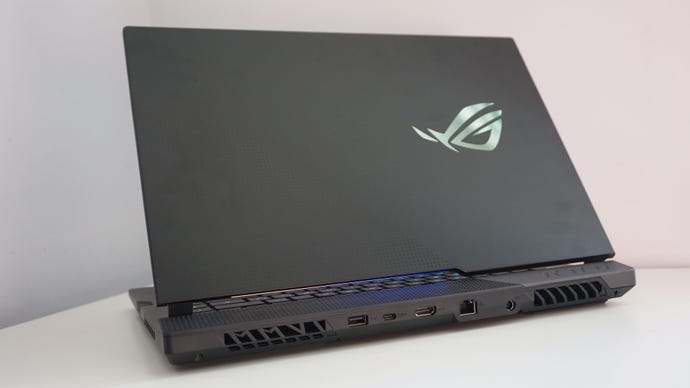
The Asus ROG Strix Scar 15 has most of its ports located at the rear of the laptop, including an HDMI 2.0 output, its single USB-C port, and one of its USB 3.2 ports. Look hard enough (or click to enlarge) and you can just about make out its swish dot pattern design on the left-hand side of the lid.
Of course, the Scar 15 is hardly the first 2560x1440 gaming laptop that’s ever existed, but it’s probably one of the first whose hardware can actually make the most of it. The combination of AMD’s top flight Ryzen 9 5900HX processor, 32GB of RAM and the 16GB variant of Nvidia’s flagship RTX 3080 graphics chip are more than enough to play the latest blockbuster games smoothly on max quality settings at 1440p, and well into the region of 80, 90 and even 100fps when you knock the resolution down to 1080p. Less demanding online shooters and 2D indie titles, meanwhile, can easily fill the 165Hz refresh rate at either resolution.
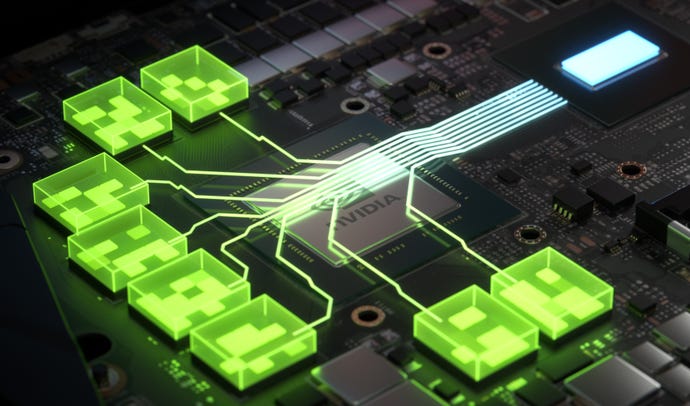
Nvidia’s Max-Q technology has changed a bit with the introduction of their RTX 30 series laptops. Whereas before Max-Q meant you were getting a cut-down, more energy efficient version of a particular GPU, now it encompasses a whole suite of different technologies, includingDynamic Boost 2.0, which uses AI to balance your laptop’s power between the CPU, GPU and GPU memory,Whisper Mode 2.0, which lets you choose a desired acoustic level, andResizable BAR, which lets your CPU have access to your GPU’s entire memory banks instead of just a small part of it, helping to improve performance in supported games.
The Asus ROG Strix Scar 15 has all three of these features, but this isn’t the same for all RTX 30 laptops out there. Some will only have Dynamic Boost 2.0, for example, while others may have this and Whisper Mode 2.0 but not Resizable BAR. It varies from laptop to laptop, which is why calling something a Max-Q laptop isn’t really indicative of what you’re actually getting anymore. Manufacturers still have to list exactly what Max-Q features a laptop has on their individual product pages, but the lines have definitely become a lot more blurred as a result.
Indeed, as a desktop replacement, the Scar 15 should see you right for many years to come. While there are some games that run better on High settings as opposed to Ultra at 1440p, you’re still getting pretty great performance across the board, and all without the laptop sounding like a massive jet engine in the process, too. This is thanks in part to the Scar 15’s various Nvidia Max-Q features, Dynamic Boost 2.0 and Whisper Mode 2.0, which are both system-level integrations that are enabled out of the box. The Scar 15’s fans did kick up a reasonable amount of fuss while playing games on its default Performance mode, but for the most part it was pretty manageable and didn’t require the use of a pair of headphones. You’ll definitely need them if you want to play using the Scar 15’s Turbo mode profile, admittedly, as this really was quite noisy even when browsing the internet and doing regular desktop tasks. In Performance mode, though, I found it perfectly manageable.
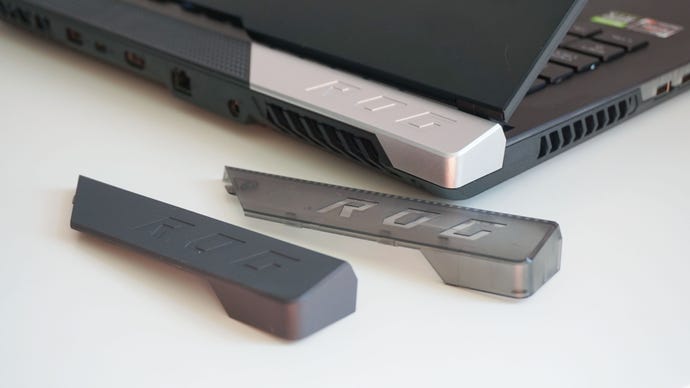
The Scar 15 also comes with three customisable back plates in the box, which snap on magnetically to give your laptop a bit more personality.
Elsewhere, though, the Scar 15 performed admirably at its top resolution. Assassin’s Creed Valhalla came in with an average of 58fps on Ultra High at 1440p (and an even smoother 66fps on High), while Monster Hunter: World produced an impressive 66fps average on its Highest quality settings. Shadow Of The Tomb Raider came in with the same result on Highest at 1440p as well, and I even recorded an average of 67fps with its ultra ray traced shadows and DLSS switched on.
Total War: Three Kingdoms, on the other hand, was a touch choppy at 53fps on Ultra, but this was quickly rectified with dropping the quality down to High, where the Scar 15 finished its internal benchmark with a super smooth average of 73fps. The Scar 15 even made a pretty good fist of Metro Exodus at 1440p, too, finishing with an average of 64fps on Ultra, and 55fps with ultra ray tracing and DLSS turned on. What’s more, I only had to drop the quality setting down to High before its ultra-fied ray tracing average was back up at a smooth 61fps, too.
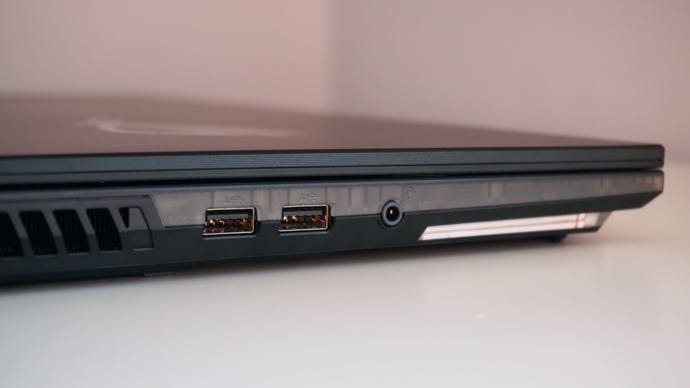
The Scar 15’s remaining USB 3.2 ports are found on the left-hand side, along with a combined headphone and microphone jack.
All in all, a very respectable set of benchmark figures across the board, with the one exception perhaps of Cyberpunk 2077 - although even here we’re only really talking about its 1440p performance rather than anything else. Still, it’s worth bearing in mind that as much as the Scar 15 is able to playmostof today’s biggest games without much worry at 1080p and 1440p, the games of tomorrow might not be so kind. If I had to guess, I’d imagine that most games going forward will be on the Assassin’s Creed Valhalla end of the performance scale rather than the Cyberpunk 2077 end, but if you don’t want the disappointment of having to tone down your laptop’s resolution from time to time, then maybe you’d be better off seeking out a 1080p model of the Scar 15 instead. Personally, playing games at 1080p still looks great on this particular model of the Scar 15, and I’d rather have the option of bumping it up to 2560x1440 where it’s feasible rather than limit myself to 1080p all the time.
As for the Scar 15’s CPU performance, AMD’s Ryzen 9 5900HX and its accompanying 32GB of RAM should definitely stand the test of time. As you’d expect from a brand-new, top of the line processor, its Cinebench R20 scores are better than anything else I’ve seen so far, with a single core score of 570, and a multicore score of a whopping 4935. To put those figures into context, the former is 17% faster than Intel’s current flagship CPU, the Core i7-10875H that was inside Lenovo’s Legion 7i, for example, while the latter is 33% faster. As such, this should be more than enough speed for gaming and media creation tasks alike, and should stand you in very good stead in years to come.
The Scar 15 also comes with buckets of storage: a 1TB PCIe 3.0 NVMe SSD that’s one of the fastest drives I’ve seen so far on a gaming laptop. While not quite as nippy as the one on theRazer Blade Stealth 13, its respective random read and write speeds of 48MB/s and 151MB/s put it ahead of theLenovo Legion 7i,Acer Predator Helios 300andAsus' ROG Zephyrus M15.
Get a load of that 90s see-through console aesthetic.
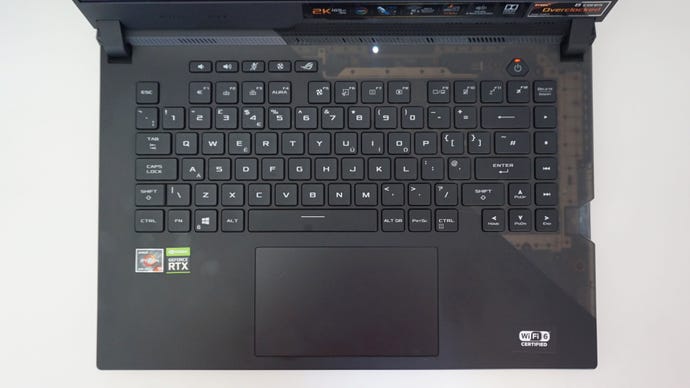
One thing that won’t change across models, though, is the Scar 15’s excellent RGB-backlit keyboard. Unusually for a laptop keyboard, the Scar 15 comes with optical-mechanical key switches, giving everything a lovely tactile clickyness that you just don’t tend to get on portable gaming laptops like this. Each key also has loads of travel, making them just as pleasurable for typing up long documents for work as they are for playing games. They’re sensibly spaced, too, and it took no time at all for me to get up to my usual typing speed.
Admittedly, I was worried its enormous touch pad might get in the way of my palms when typing, resulting in annoying accidental clicks or swipes, but I rarely found this to be much of a problem. There were a couple of instances where the edge of my right thumb caught the upper corner of it, but this only happened once or twice during the course of my testing. Of course, I do have smaller hands than most, so this may be more of a problem for those of you with larger hands. Needless to say, you should definitely use a mouse when playing games, as while the touchpad is just about usable at a push, it’s definitely not as easy or comfortable as having a proper mouse with dedicated buttons.
I mean, given the size and weight of the Scar 15, it’s unlikely you’ll be without a mouse very often anyway, as this is very much a desktop replacement laptop rather than one you’d constantly take on the go. It’s not entirely unthinkable. As I mentioned earlier, the Scar 15 isn’t so big that it recalls the beastly bricks of yore, but at 2.3kg and 27mm thick, it’s hardly the slimmest or sveltest of RTX 3080 laptops out there.
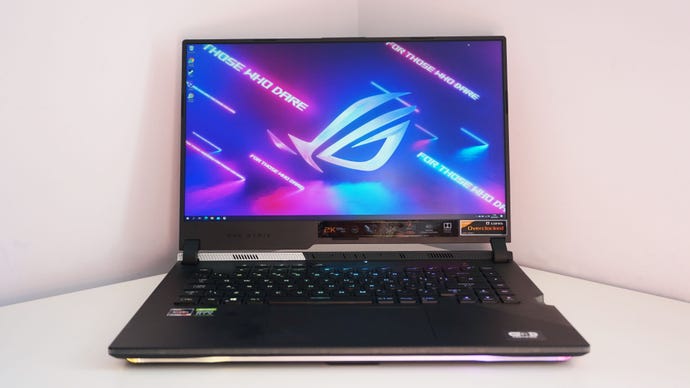
In some ways, it’s a shame, as I’m a big fan of its overall design and would want to show it off if I could. It’s still very much a ‘gaming’ laptop that would probably raise a few eyebrows if you got it out in a cafe, for example, but do I love the slash of see-through plastic on the inner right-hand side (it reminds me of my much-beloved clear plastic Game Boy from the late 90s), and I’m pleased to see the stylish dot pattern fromAsus’s ROG Zephyrus G14make another appearance on the laptop’s lid. Heck, I’m even quite partial to the sliver of RGB lighting you get on the screen’s lower bezel, as you can see it bouncing off the clear plastic section of the keyboard and the dot pattern hinge directly below it. It’s a good look, especially when combined with the RGB keys and the laptop’s outer RGB light bar - although you can, of course, turn it all off if you prefer using Asus' Armoury software.
Overall, though, there’s a lot to like about the Asus ROG Strix Scar 15. It’s expensive, sure, but it’s definitely got the performance chops to back it up. Compared to the £2200 / $2240 cost of my previous favourite gaming laptop, the Lenovo Legion 7i, the Scar 15 has a lot more going for it, with a higher refresh rate display, significantly better 1080p performance and the option of 1440p gaming on the go as well. It also has a brilliant keyboard and plenty of ports, and it’s all wrapped up in a rather lovely-looking chassis, too. If I was in the market for a desktop replacement laptop, the Asus ROG Strix Scar 15 G533Q would definitely be high up on my list.
