HomeHardwareFeatures
Asus ROG Flow X13 reviewA pint-sized RTX 3080 powerhouse, with a twist
A pint-sized RTX 3080 powerhouse, with a twist
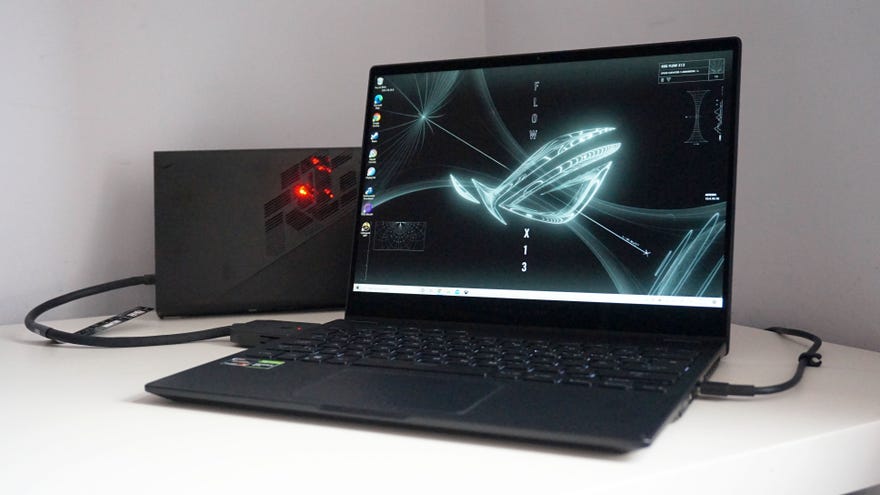
Diddy 13in laptops are all well and good for taking on the road, but their compact shape and super svelte innards rarely leave much room for powerful gaming components. Indeed, the best graphics chip you’ll often find on ‘gaming’ laptops like these is the humble Nvidia GeForce GTX 1650 GPU, as we saw onRazer’s Blade Stealth 13at the end of last year. It’s the Max-Q version of this entry-level graphics chip that sits at the heart of the new Asus ROG Flow X13 as well, providing a decent 1080p gaming experience as long as you’re prepared to make do with playing at Low to Medium quality settings. On the Blade Stealth 13, it was a decent trade-off considering the laptop’s tiny form factor. The Asus ROG Flow X13, however, has a rather nifty secret weapon that turns this pint-sized gaming laptop into an RTX 3080 powerhouse. Enter the Asus ROG XG Mobile eGPU.
External GPUs are nothing new, of course. In fact, they’re probably the most common way of turning ultraportable laptops like the ROG Flow X13 into makeshift desktop setups if your laptop’s lucky enough to have a spare Thunderbolt connection. That said, eGPUs are usually quite bulky things (Razer’s enormousCore X Chromaenclosure, for example, measures 374x239x168mm and weighs a whopping 6.9kg) and their actual GPU performance can often be stunted if you’ve got anything else plugged into its I/O ports, as their aforementioned Thunderbolt connection only has limited bandwidth to spread across everything that’s plugged in, resulting in less graphics performance than you might expect from your chosen card.
The ROG XG Mobile, on the other hand, is a much more elegant, if very niche and bespoke solution. You’ll still need to connect it to the mains in order for it to work, which somewhat limits its portable potential, but provided you can find a proper plug, it’s still a lot more convenient than other eGPUs. Indeed, even with its integrated power supply, the XG Mobile weighs just 1kg and has a footprint of 208x155x29.6mm. It’s pretty dinky, and together with the Flow X13 weighs no more than your average 15.6in laptop. It also has its own unique interface, providing a dedicated PCIe 3.0 x8 port for its GPU, and a USB 3.2 Gen 2 Type-C port for its I/O hub. That means your GPU performance doesn’t get hampered when you’ve got something else plugged in to the XG Mobile, and lets you take full advantage of the GPU inside it. My review sample had the top 16GB, 150W version of Nvidia’s mobile RTX 3080 GPU inside it, but it’s also available with an RTX 3070 as well.
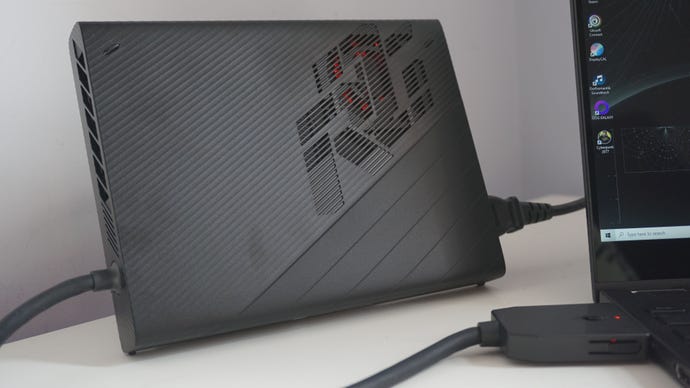
Before we get into the XG Mobile’s actual performance, there are some obvious downsides to it as well. For example, it’s nowhere near as flexible as more traditional eGPU enclosures right now. In fact, the Flow X13 is the only laptop that’s actually compatible with it at time of writing, and it’s not clear how many other Asus devices will work with it in the future. Plus, since you’re not plonking a full-sized desktop card inside it, you obviously can’t upgrade it to a newer GPU at a later date either. It’s niche, for sure, not to mention very expensive, with the RTX 3080 model on test here adding around another grand on top of the base cost of the laptop. That’s a lot of cash for something that’s not very futureproof at the moment, and it does somewhat detract from its overall appeal.
As a concept, however, there’s no denying that it’s an innately satisfying powerplay. Seeing the transformation from the Flow X13’s GTX 1650 GPU barely hitting 60fps on Low quality settings in today’s big blockbuster games to tearing through them at 70-80fps on Ultra settings with the XG Mobile’s RTX 3080 chip is delightful. When my husband and former RPS vid bud Matthew came into my office the other day, he was gobsmacked when he sawFinal Fantasy XVrunning at 60fps on Highest with everything cranked up to max (including all the extra Nvidia settings) on the Flow X13, especially when the XG Mobile’s cable is designed so it sits directly behind the laptop, making the whole unit invisible until you lower the lid. The XG Mobile isn’t even that loud, either. Its fans definitely kick up a fuss when it’s under load, but they’re no louder than a typical gaming laptop’s fans in my estimation, and I was still able to hear what was going on without feeling like I needed to plug in a pair of headphones.
The ROG XG Mobile has a dedicated PCIe lane for its RTX 3080 GPU, and a second USB-C port to handle its I/O connections.
It is, in essence, a remarkably similar experience to using a larger, more traditional gaming laptop, only here you have the option of leaving the XG Mobile behind when you just need something light and portable to get a bit of work done (and even then its tiddly form factor means it’s still really not that much hassle to bring with you as well when you’re out and about). It’s probably the best expression of a two-in-one gaming device I’ve ever come across, as it not only turns the Flow X13 into a full-blown desktop replacement at home, but (provided you can find two empty plug sockets) also aportabledesktop replacement when you’re on the move.
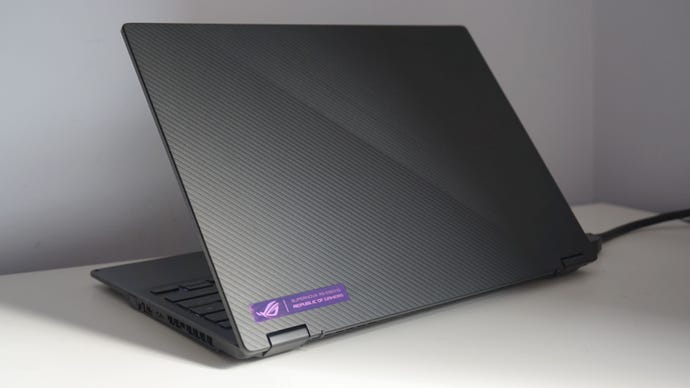
And what a stunning little laptop it is, too. Its svelte chassis and textured line pattern looks smart and respectable - a world away from the go-faster gaming LEDs that often adorn these kinds of machines - and its 13.4in, 1920x1200, 120Hz display really makes the most of the available screen space. Not all games support a 16:10 aspect ratio, I should point out, so you may have to deal with some black lines at the top and bottom of the screen depending on what games you like to play. It’s not very noticeable when this does happen, though, as its jet-black bezels melt seamlessly into the rest of the display.
The ROG Flow X13 has a smart, sleek chassis that doesn’t look anything like a traditional gaming laptop.
Naturally, those extra pixels mean its overall performance isn’t quite 1:1 with other GTX 1650 or RTX 3080 laptops out there, but the ROG Flow X13 still put in an excellent performance regardless of which GPU I was using during my testing. Starting with the laptop’s default GTX 1650 chip, this was often a touch slower than the GTX 1650 inside Razer’s Blade Stealth 13 laptop, although that’s to be expected given its display’s slightly higher resolution.
In Shadow Of The Tomb Raider, for example, the Flow X13 managed an average of 57fps on Low at 1920x1200 with its SMAA anti-aliasing option, which is a smidge down from the Razer’s average of 63fps. Similarly in Final Fantasy XV, the best the Flow X13 could manage in Final Fantasy XV on Average (Low is just too much of an abomination to even bother with) was an average of 39fps, which just isn’t quite as smooth as the Blade’s 45fps average.
The same goes forMonster Hunter: Worldand Total War: Three Kingdoms, too. In the former, the Flow X13 just about managed a steady average of 42fps on Mid versus the Razer’s 45fps average, while the latter saw the Flow X13 finish Three Kingdom’s built-in Battle benchmark with an average of 48fps on Medium, which was just a fraction jerkier than the Razer’s 53fps average.Assassin’s Creed Odysseyshowed an even larger gap between the two laptop, too, with the Flow X13 scraping an average of just 47fps on Low. That’s almost a whole 10fps below what the Stealth 13 managed on the same settings, and slower than its 51fps average on Medium quality, too.
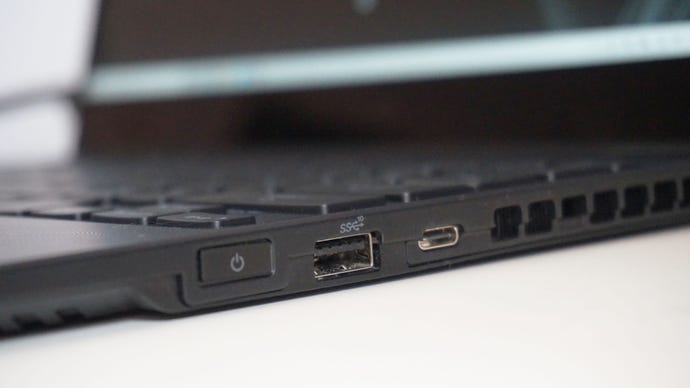
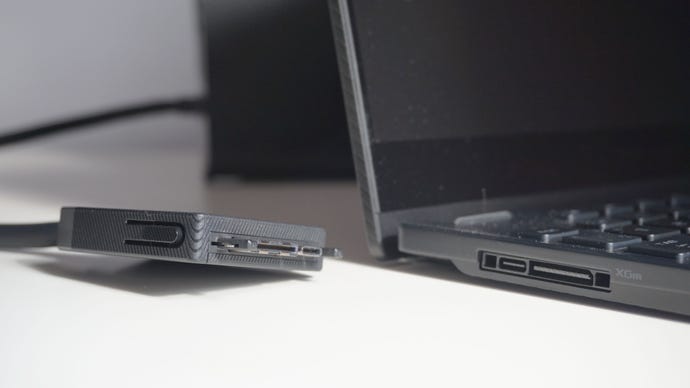
The XG Mobile plugs into the Flow X13 securely and can be locked into place.
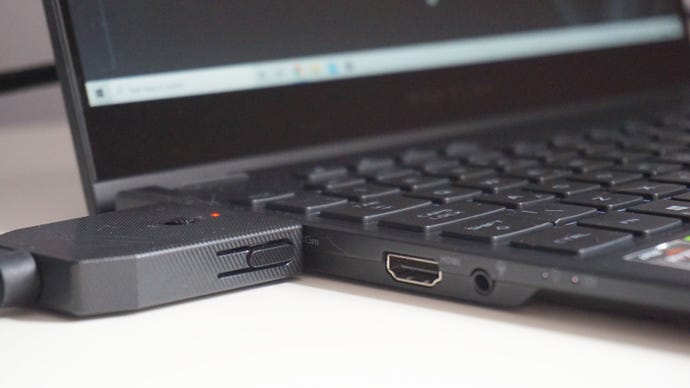
Elsewhere, though, the ROG Flow X13 came in with almost identical results. InMetro Exodus, for example, it actually inched a frame in front of the Razer Blade Stealth 13 on Normal quality settings, finishing the game’s tough dedicated benchmarking tool with an average of 41fps over the Razer’s 40fps average. The Flow X13 also came out on top inForza Horizon 4, too, finishing its benchmark with a smooth average of 61fps on Ultra settings, piping the Razer’s average of 58fps to the proverbial post. It still wasn’t much of a match for Cyberpunk 2077, though, as the Flow X13 barely managed to stay about 30fps even on Low.
Once connected, the XG Mobile really cranks things up a notch, and I was able to leap straight to Highest / Ultra settings in all of the games mentioned above and get smooth, 60fps+ frame rates without issue. Indeed, Shadow Of The Tomb Raider, Total War: Three Kingdoms, Final Fantasy XV, Monster Hunter: World and Metro Exodus were all in the region of 70-80fps in my benchmark tests, while The Witcher III and Forza Horizon 4 were into triple figures.
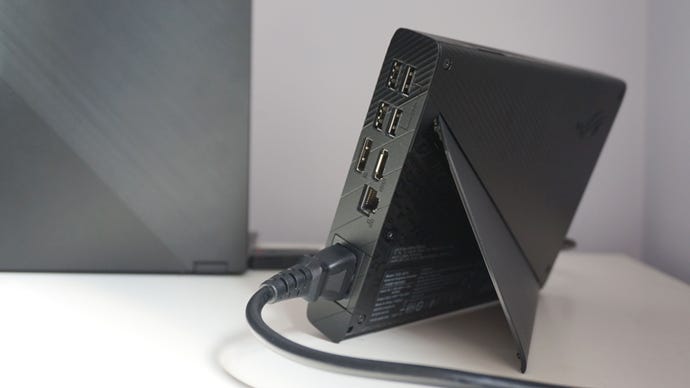
The XG Mobile has loads more I/O connections compared to the base Flow X13.
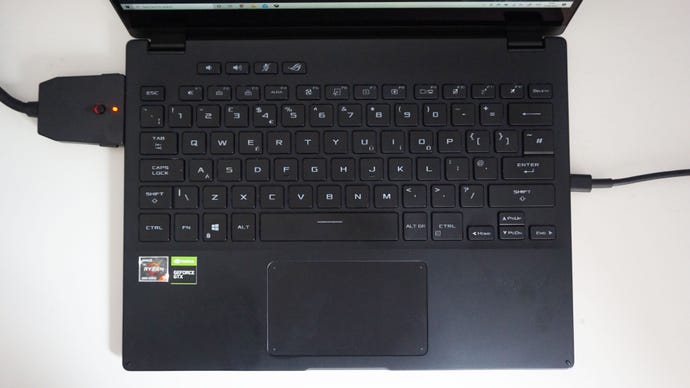
Indeed, I had a lovely time typing on the ROG Flow X13’s keyboard, which is a full 15in keyboard, I might add, just like what you’d find on larger laptops. This is great, as none of the keys feel overly cramped, and it still makes great use of the available space. Sure, it doesn’t have the same fancy opto-mechanical keys as Asus' ROG Strix Scar 15, but they still provide plenty of tactile feedback and loads of travel. I was able to get up to full typing speed in no time at all and I rarely found myself making many mistakes in day to day use. The smooth touchpad was great to use as well, although you’ll naturally want to plug in a proper mouse when you start playing games. I was able to move the camera about and perform odd click movements, such as run and look where I was going in Final Fantasy XV, but it was sometimes a bit fiddly. It’s doable at a push, but really, you’ll want to use a mouse for anything vaguely complicated.
The ROG Flow X13’s keyboard is superb, giving you a full-sized 15in keyboard in a 13in frame.
Topping it all off is a nippy NVMe SSD as well, which was stretched to 1TB in my review model. While not quite as fast as the Scar 15’s SSD on read speed, the ROG Flow X13 still managed very respectable random read and write scores of 42MB/s and 163MB/s respectively in AS SSD’s 1GB 4K random speed test, which still puts it among the best laptop SSDs I’ve ever tested.
Of course, even with its excellent array of components, it probably goes without saying that the Asus ROG Flow X13 isn’t going to suit everyone. In fact, it will probably only really suit a handful of people in its raw form - those who primarily want an ultraportable laptop that can also do a teeny bit of gaming on the side if necessary - and even fewer when you bundle it together with the ROG XG Mobile eGPU. For that small handful, though, the ROG Flow X13 is a pretty compelling combination in the here and now, especially if you want to downsize your desktop to something that’s a lot more versatile.
