HomeHardwareNews
AMD Radeon Software update simplifies overclocking, brings Smart Access Memory to older GPUsAdrenalin drivers add Radeon Boost and other features to Windows 11 too
Adrenalin drivers add Radeon Boost and other features to Windows 11 too

AMD have launched a big update for their Radeon Software app and Adrenalin drivers, unlocking a clutch of potentially frame rate-boosting features for those with recent AMD graphics cards and CPUs. The new version, 21.9.1, also includes aWindows 11driver that gets Radeon Boost, Radeon Anti-Lag and Radeon Image Sharpening ready for Microsoft’s next big OS launch.
In the meantime, those with both a Ryzen 5000 series CPU and a Radeon RX 6000 series graphics card – those lucky enough to have found one in stock, I should say – can take advantage of Radeon Software 21.9.1’s updated overclocking feature. In previous versions, it was possible to instantly overclock your graphics card with a single click; now you can do the same with both the GPU and CPU at once. Provided they’re from these specific product lines, mind.
AMD Radeon™ Software Auto OverclockWatch on YouTube
AMD Radeon™ Software Auto Overclock

As Katharine found in herRadeon RX 6800 XT review, Smart Access Memory doesn’t improve performance in every game, but can deliver a small boost to some. As such it’s generally worth turning on, something many more PC owners will be able to do now that it’s no longer exclusive to the lesser-spotted RX 6000 series. So that’s cool.
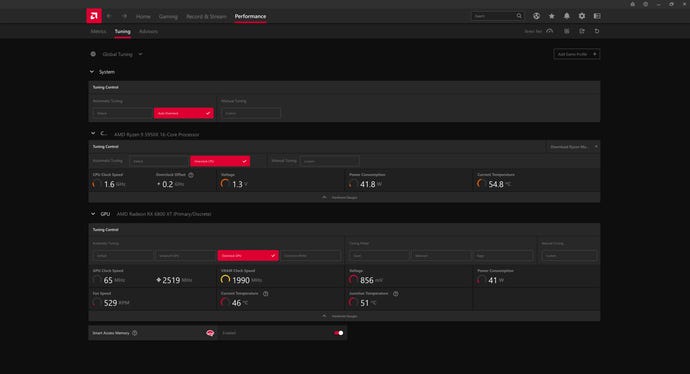
Less cool is how Radeon Software continues to lack a certain transparency when it comes to its overclocking features, including the shiny new “Auto Overclock” button. To be fair, this is difficult to get right: anyone with a working knowledge of overclocking will be able to tweak clock speeds and voltages themselves, and those who are unfamiliar but want the performance boost might not appreciate a tooltip stuffed with techno-jargon. AMD’s app has always opted to keep things simple, offering a brief warning of potential crashes and reboots but never explaining its own process.
I’m all for making overclocking more accessible but hopefully future Radeon Software versions can offer a little more insight into how it works out its automatic boosts, as well as the potential liabilities. Remember that overclocking any AMD component will void its warranty, even if you’re using official AMD software to do it.
All that said, widening Smart Access Memory support is a welcome move, and even if you’re not confident enough to try Auto Overclocking, you can always use the app’s Tuning tab for hardware monitoring instead. The update also includes driver support forDeathloop, andDeathloopis rad. You can download 21.9.1here.
