HomeHardwareFeatures
Acer Predator Helios 300 reviewGlimmers of greatness
Glimmers of greatness
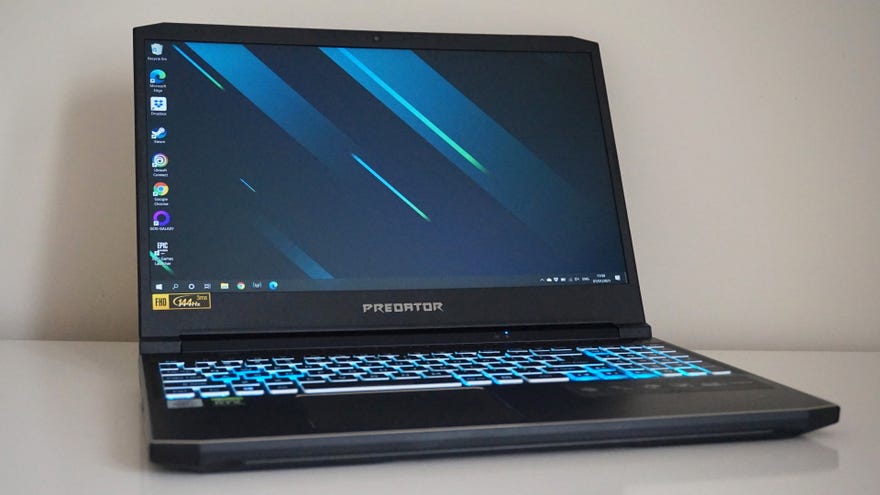
Acer’s Predator gaming laptops have always impressed in the past. Their high-endTriton 500laptop remains one of my favourite gaming laptops to date thanks to its sensible specs and quiet fans, and their flagship, swivel-screenTriton 900is both brilliant and bonkers in equal measure. The Helios 300 on test today sits at the other end of Acer’s Predator line-up. As their entry-level gaming laptop, the Helios 300 isn’t quite as slick as the Triton 500 when it comes to its overall design, but the Core i7, RTX 2060 model I’ve been sent for review still packs a pretty decent punch all the same.
Acer Predator Helios 300 review specs:
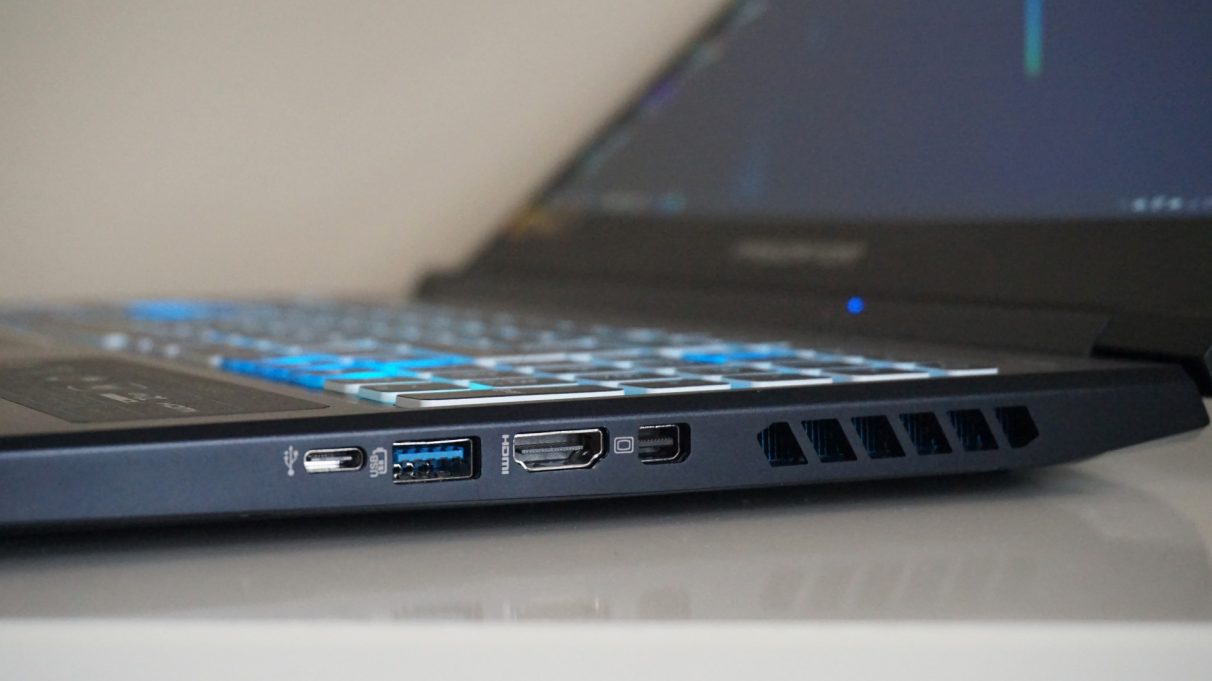
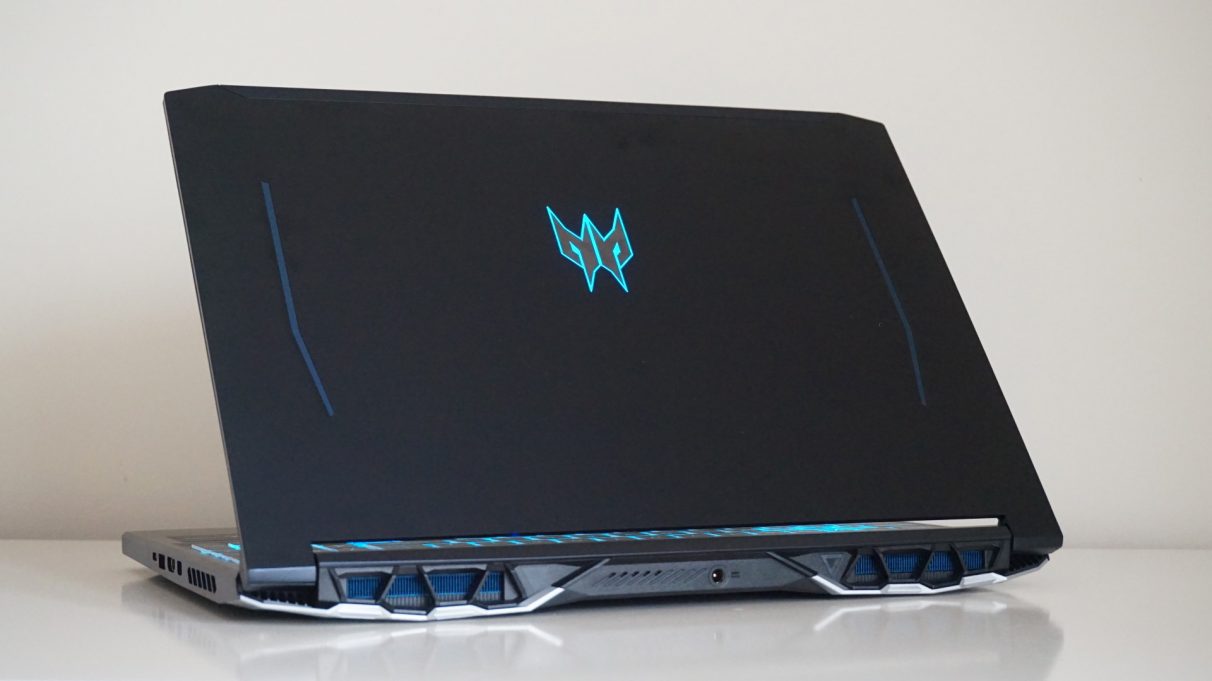
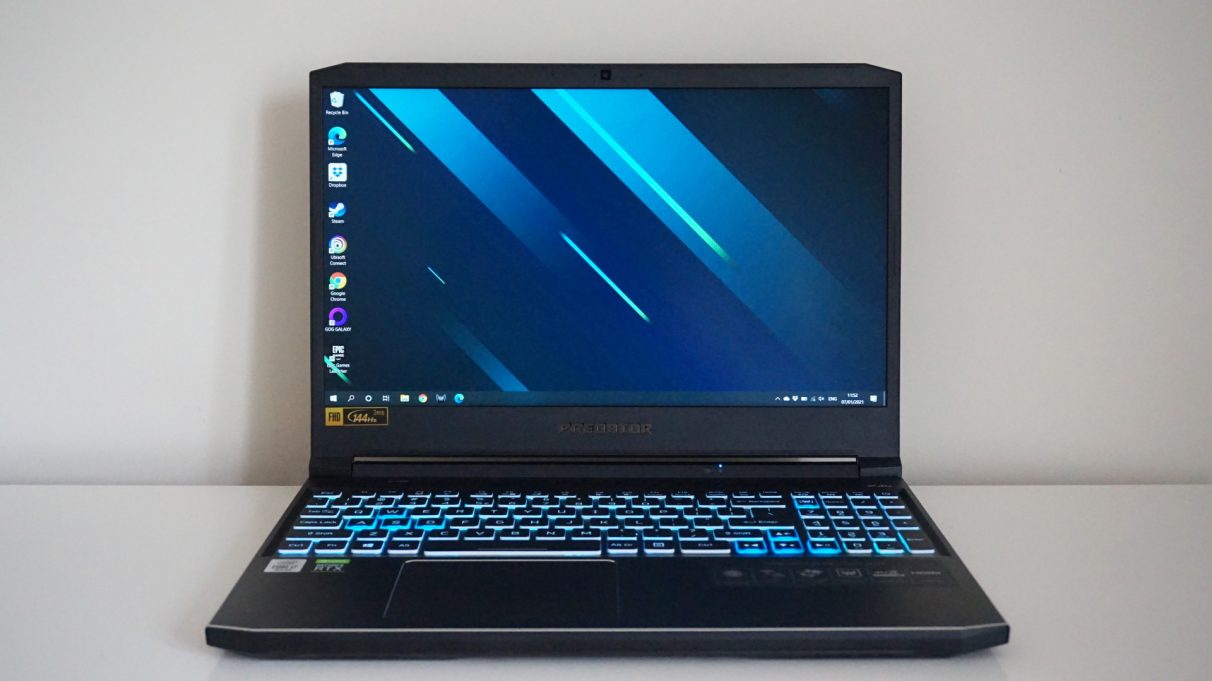
The Helios 300 has a lot in common with the Triton 500. It shares a very similar, angular design, albeit with thicker screen bezels, a chunkier chassis and a full-blown number pad built into the keyboard, and its generous smattering of ports give just as much flexibility when it comes to connecting external devices or hooking it up to another display.
Acer hasn’t skimped on specs, either. My review sample came with an Intel Core i7-10750H processor, 16GB of RAM, a full-fat Nvidia GeForce RTX 2060 graphics chip, a 512GB SSD and a 1920x1080 IPS panel with a 144Hz refresh rate, but there are other models available with an RTX 2070 GPU, larger storage configurations and a 240Hz display. At£1399/$1390, it’s not the cheapest RTX 2060 laptop around, but there’s still a lot to like here regardless.
Indeed, after the deafening fans of theAsus ROG Zephyrus M15, it’s nice to have a laptop that doesn’t sound like a jet engine every time you fire up a game. It’s pretty much silent when you’re just doing daily desktop tasks, such as surfing the internet or hammering out the odd word document, and its fans never felt like a nuisance when I was playing a game. There were a few occasions during testing where they seemed to go a bit bananas for no apparent reason, but on the whole I never found myself reaching for a headset to drown out the noise. In fact, its built-in speakers did a pretty good job with my game audio all things considered, offering a good amount of depth, detail and volume to counteract its whirring cooling system.
Acer Predator Helios 300 review in a nutshell
The Acer Predator Helios 300 has a lot to recommend it from a performance point of view, but it’s quite expensive as RTX 2060 laptops go and it has one too many design flaws to make it a great everyday laptop when you’re not playing games.
The good…Gaming performance can hit 60fps+ on High to Max settingsA bright and rich 144Hz displayFast SSD storage
The good…
The bad…
Speaking of keeping its cool, the Helios 300’s keyboard rarely ever got hot while playing games, which can sometimes be a big problem particularly around the WASD keys. Happily, the Helios 300 remained comfortable at all times, and I never worried about accidentally scorching my fingers when moving them around the laptop.
Its Core i7-10750H and RTX 2060 graphics chip proved a potent combination for a good gaming experience, too. While it’s not quite powerful enough to fill out the display’s full 144Hz refresh rate in today’s biggest games, you’re still looking at a steady 60fps+ on High settings at 1080p in most blockbusters, and well into the hundreds in 2D indie games and competitive shooters.
The Helios 300 has plenty of display outputs to let you connect the laptop to an external display.
Elsewhere, though, the Helios 300 put in a much better performance. Newer big games may still push it down to Medium territory here and there, but even Assassin’s Creed Valhalla managed a smooth average of 55fps on High (and an even silkier 69fps on Medium), which is pretty good going considering it’s one of today’s most demanding PC games.
Monster Hunter: Worldwas also perfectly comfortable on its Highest preset, averaging 57fps as I ran through the dense undergrowth of its Ancient Forest location, while dropping down to High sent the frame rate soaring into the low 80s. I also pleased to see an average of 52fps in Total War: Three Kingdom’s battle benchmark on Ultra settings, too, but I wouldn’t be surprised if most people opted for High again here in order to bump that figure up to a much more pleasant 72fps.
It was a similar picture over inFinal Fantasy XVas well. While an average of 61fps on Highest gets a big thumbs up from me, an average of 67fps on High is arguably even better. The latter also gives you more leeway for piling on some of the game’s extra Nvidia features, too, such as HairWorks or its lovely TurfEffects setting for more realistic grass. Whereas the Helios 300 produced a rather choppy average of 43fps with these two settings enabled on Highest, dropping it down to High bumped it up to a much more playable 50fps.
As for even older games, the Helios 300 shouldn’t have any trouble running these on max settings. In The Witcher 3, for example, I saw an average of 67fps on Ultra settings riding around the forests of White Orchard, with the frame rate rarely dipping below 60fps. High, meanwhile, will push that figure up closer to 85fps.

Of course, part of the appeal of opting for an RTX gaming laptop is its built-in ray tracing support. Cyberpunk 2077 may be out of the question here, but the Helios 300 still gives you a decent taste of what ray tracing has to offer elsewhere as long as you’re prepared to make a couple of sacrifices when it comes to overall visual fidelity.
InMetro Exodus, for example, the Helios 300 came in with an impressive average of 61fps on High without ray tracing enabled, but I had to knock it down to Normal and turn on DLSS in order to get a smooth frame rate with its top ray tracing setting switched on - and even then I only saw an average of 54fps in its tough internal benchmark rather than a steady 60fps.
The same goes for Shadow Of The Tomb Raider, too. While it was capable of running the game at a super smooth 76fps on Highest with its basic SMAA anti-aliasing setting enabled, this dropped to 46fps with Ultra-fied ray traced shadows thrown into the mix, and even switching on DLSS only bumped it up to an average of 49fps. That’s still playable, of course, but you’ll get much better results knocking down the overall quality setting.
In the meantime, the Helios 300 will give you a taste of what lies in the realm of ray tracing, but ultimately its strengths lie in being a more general purpose gaming laptop that can handle pretty much anything you want to throw at it, Cyberpunk excluded.
The Helios 300 still belongs to the school of classic gamer design, alas.
Its hexa-core Intel Core i7-10750H processor is also more than enough for everyday desktop tasks, and performed pretty much exactly how I expected it would when I ran it through Cinebench’s R20 benchmark. It finished with a single core score of 448 and a multi-core score of 2886, putting it just a couple of per cent the Core i7-10750H inside the Asus ROG Zephyrus M15.
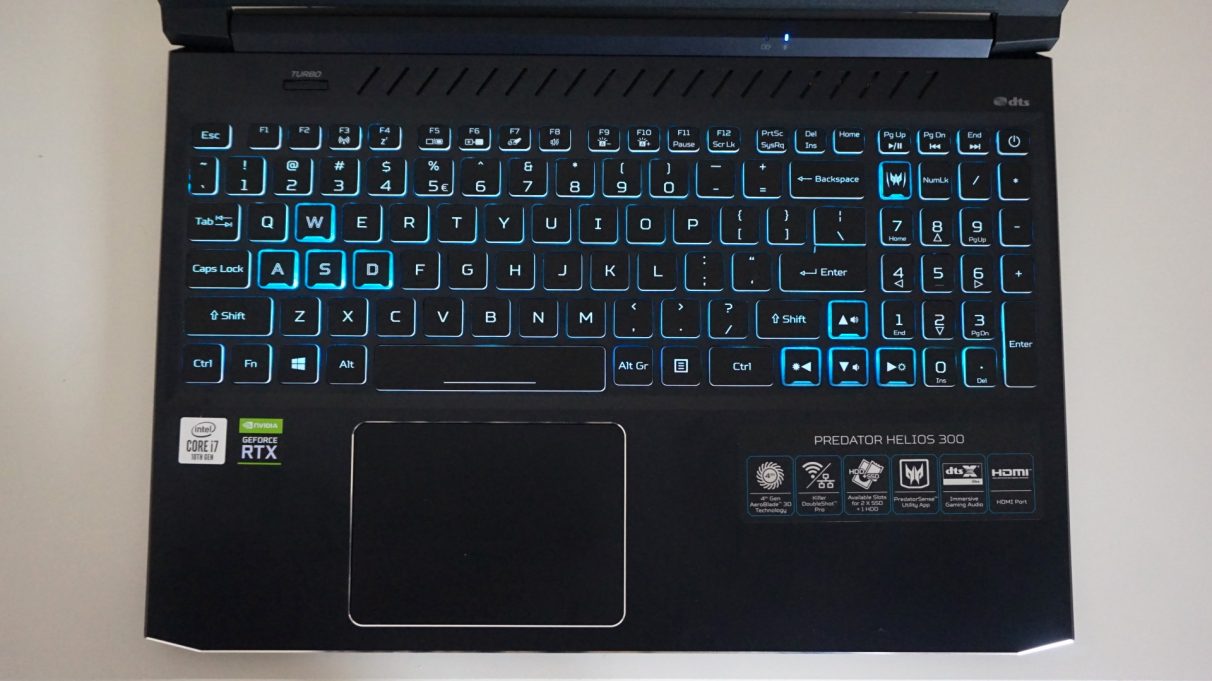
I do have a couple of minor quibbles with the Helios 300, however. For starters, it’s taken me ages to adjust to typing on its keyboard, and even now I still find myself accidentally hitting the wrong keys, or missing them altogether - and on the latter issue I can’t quite work out if I’m just not pressing the keys hard enough or it’s simply failing to register my key press. It makes for a mildly frustrating typing experience, even though the keys themselves feel lovely under my fingertips. They all have plenty of travel and tactile feedback, and the number of errors I make on a regular basis has definitely shrunk over time.
Perhaps it’s the addition of the full-sized number pad that’s throwing me off, which shunts everything a bit too far to the left from where I’m expecting it to be, or maybe it’s just me not being heavy-handed enough. It’s hard to say. In any case, one thing I could definitely do without is the laptop’s very pointy corners and chamfered edges, one of which occasionally digs into my left wrist if I’m reaching for a far-off key. They’re surprisingly sharp, and not something I remember being an issue on Acer’s more upmarket Triton 500. The large touchpad also don’t have a huge amount of click to it, which only adds to its exasperating typing experience if you don’t happen to have a mouse handy.
The Helios 300’s battery life is pretty abominable as well. This is hardly surprising for a gaming laptop, but even I was expecting to get more than a couple of hours work out of it when I was away from the mains. Indeed, it only took an hour for it to drop to 50% battery with the screen set to half brightness, during which time all I was doing was writing in a Google Doc. As such, this definitely isn’t a laptop you’ll want to take on the move unless you can guarantee you’ll always be near a plug socket - although at 2.4kg it’s hardly the most travel-friendly laptop in the first place.
All in all, there are just one too many niggles to make Acer’s Predator Helios 300 an all-time great gaming laptop, but it’s still got plenty to recommend it from a pure performance point of view. It can handle almost all of the latest games on High or max quality settings, it has an excellent display and its processor and SSDs are up there with the very best of them. Similarly, there are ways round its mildly frustrating keyboard and touchpad issues, too. Given its poor battery life, this is a laptop you’re almost certainly going to have plugged in most of the time, and there are more than enough USB ports here for a mouse and dedicated keyboard should you also find them not to your liking.
Of course, its struggles with Cyberpunk 2077 should still give you pause. While the Helios 300 can play most of today’s games to a good standard, there’s no telling whether the games of tomorrow will follow suit - and it will only take a couple of Cyberpunk-style brutes before it starts to feel out of date, especially if you’re intending to use it as your primary gaming machine.
I reckon it’s still worth considering if you can find one at a decent price (closer to £1000 rather than £1500, I’d say), but I’d also suggest waiting until we know more about what’s going on with Nvidia’s inevitable RTX 30 laptop GPUs. After all, if they’re going to be massively expensive or only available toward the end of the year, for example, then the Helios 300 is worth keeping in mind. If we’re going to get RTX 30 laptops next month for the same price, however, then I’d wait for those instead. We’ll find out for sure next week.
